
Best for
- Searching for keywords or patterns in converted recordings
- Extracting topics or themes from session transcripts
- Finding specific commands or errors in session history
terrylica/cc-skills/plugins/asciinema-tools/skills/asciinema-analyzer/SKILL.md
Semantic analysis of asciinema recordings. TRIGGERS - analyze cast, keyword extraction, find patterns in recordings.
Decision brief
Semantic analysis of converted .txt recordings for Claude Code consumption. Uses tiered analysis: ripgrep (primary, 50-200ms) - YAKE (secondary, 1-5s) - TF-IDF (optional).
In this controlled same-task single run, enabling asciinema-analyzer changed the output from 2547 non-whitespace characters and 13 headings to 2482 characters and 15 headings. Matches among 8 signals extracted from the pinned source changed from 0 to 0. Both actual outputs are shown; this is a structural observation, not a quality score or a universal performance claim.
Create an implementation guide for adding a webhook retry queue to a TypeScript service. Include prerequisites, steps, verification, and common mistakes. The deliverable must specifically reflect this user intent: Semantic analysis of asciinema recordings. TRIGGERS - analyze cast, keyword extraction, find patterns in recordings.
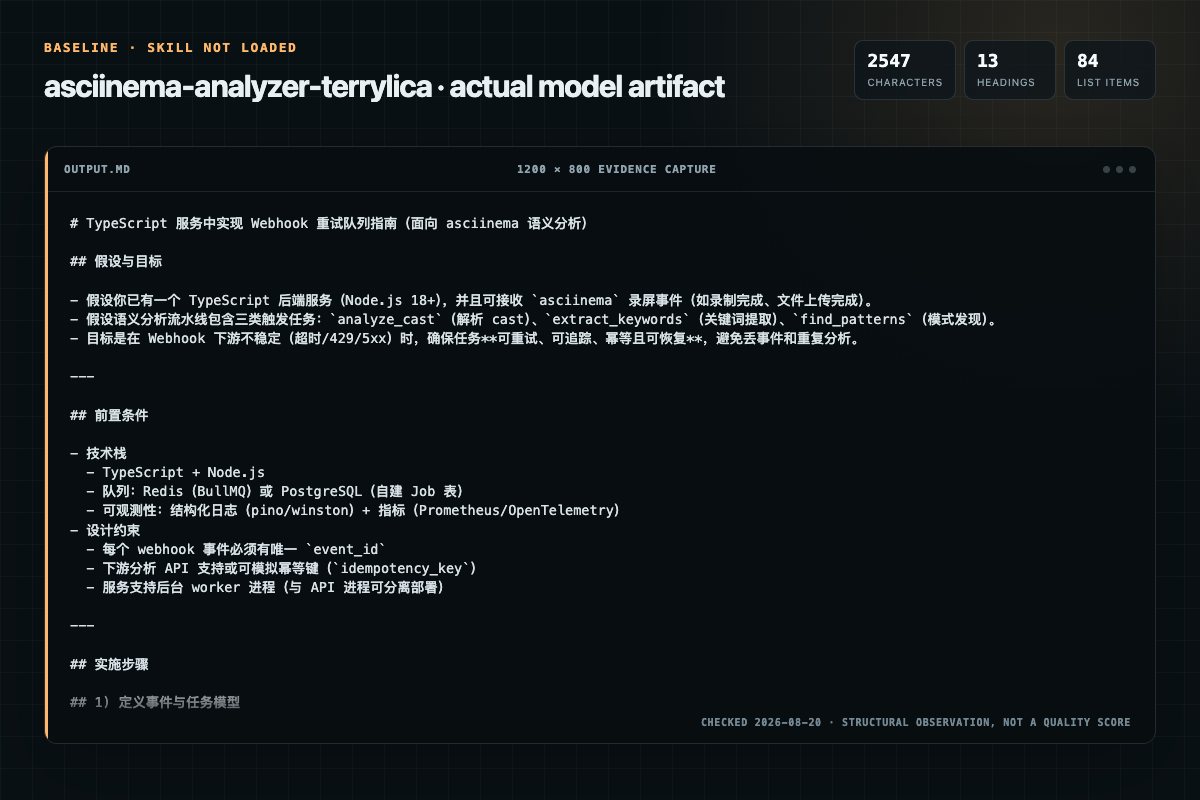
Baseline: 2547 non-whitespace characters, 13 headings, and 84 list items.
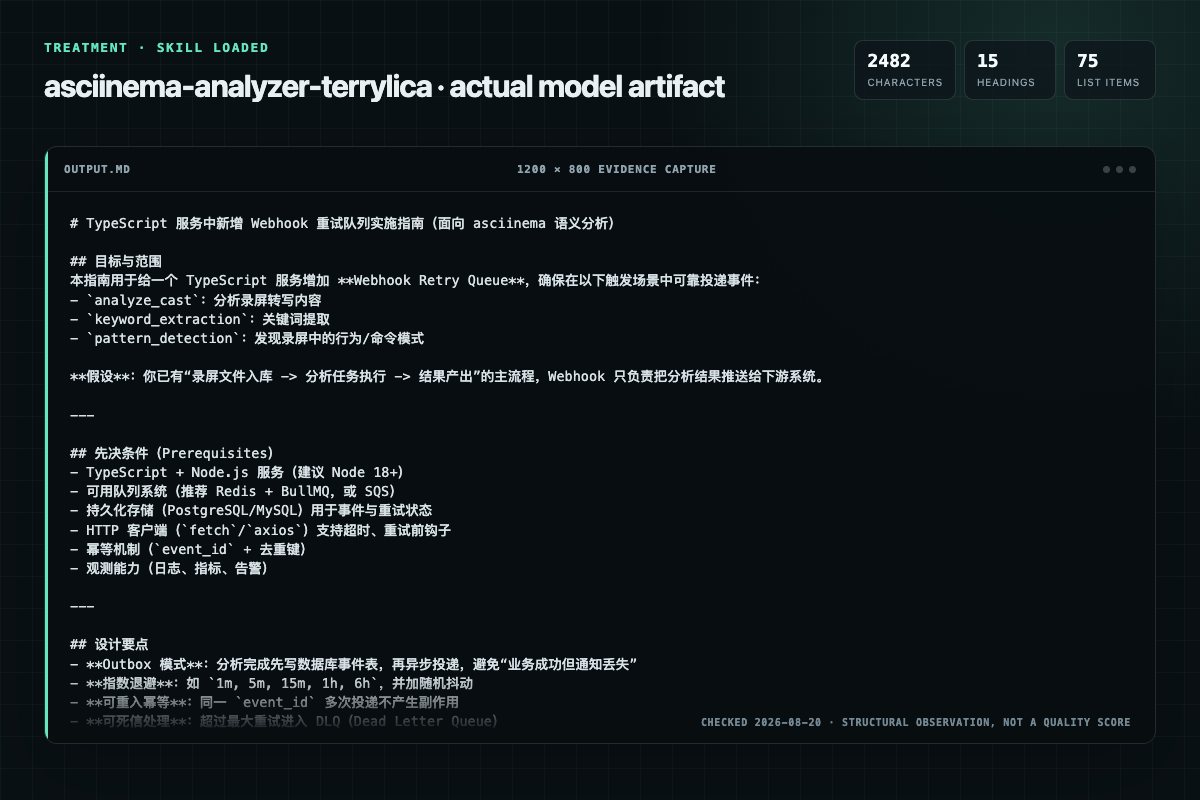
With Skill: 2482 non-whitespace characters, 15 headings, and 75 list items.
| Observation | Without Skill | With Skill |
|---|---|---|
| Source-signal coverage | 0/8: none | 0/8: none |
| Output structure | 2547 chars · 13 headings · 84 list items · 0 code blocks | 2482 chars · 15 headings · 75 list items · 0 code blocks |
| Verification and caution signals | 10 verification signals · 7 risk/limitation signals | 13 verification signals · 4 risk/limitation signals |
Use the asciinema-analyzer Skill pinned at 2c1efdaeb5ce for my task. Follow its source-specific constraints around `asciinema-analyzer`, `analysis`, `tiers`, `phases`, then return the finished deliverable with explicit assumptions, verification, failure conditions, and limits. Do not treat the Skill text as a factual source or claim that a single demonstration proves universal performance.
Compatibility matrix
| Platform | Status | Evidence | What to check |
|---|---|---|---|
| Codex | Not declared | No explicit evidence | Portability before use |
| Claude Code | Not declared | No explicit evidence | Portability before use |
| Cursor | Not declared | No explicit evidence | Portability before use |
| Gemini CLI | Not declared | No explicit evidence | Portability before use |
Installation
The source command is displayed only when detected. A safe inspection prompt is always available so your agent can explain every action before execution.
npx skills add https://github.com/terrylica/cc-skills --skill "plugins/asciinema-tools/skills/asciinema-analyzer"Inspect the Agent Skill "asciinema-analyzer" from https://github.com/terrylica/cc-skills/blob/a5f847b22ee5afa35677e446973a903d098cd1d4/plugins/asciinema-tools/skills/asciinema-analyzer/SKILL.md at commit a5f847b22ee5afa35677e446973a903d098cd1d4. List every install step, command, network request, credential, file read/write, external action, and rollback step. Explain whether it fits my task. Do not install or execute anything until I approve.
Workflow
IMPORTANT: All phases are MANDATORY. Do NOT skip any phase. AskUserQuestion MUST be used at each decision point.
Purpose: Verify input file exists and check for .txt (converted) format.
Purpose: Discover .txt files and let user select which to analyze.
bash /usr/bin/env bash << 'DISCOVERTXTEOF'
Review the “Step 1.2: Present File Selection (MANDATORY AskUserQuestion)” section in the pinned source before continuing.
Permission review
The documentation asks the agent to create, modify, or delete local files.
Description: "Save formatted report to file"Evidence record
| Signal | Value | Evidence type | Meaning |
|---|---|---|---|
| Quality score | 98/100 | Computed | Documentation, specificity, maintenance, and trust rules |
| Repository stars | 62 | Source | Repository attention, not individual Skill quality |
| Compatibility | 0 platforms | Source | Declared in the catalog source record |
| Usage guide | tested outcome page | Tested | Generated or reviewed according to the visible evidence level |
Pinned source
Semantic analysis of converted .txt recordings for Claude Code consumption. Uses tiered analysis: ripgrep (primary, 50-200ms) -> YAKE (secondary, 1-5s) -> TF-IDF (optional).
Platform: macOS, Linux (requires ripgrep, optional YAKE)
Self-Evolving Skill: This skill improves through use. If instructions are wrong, parameters drifted, or a workaround was needed — fix this file immediately, don't defer. Only update for real, reproducible issues.
Use this skill when:
| Tier | Tool | Speed (4MB) | When to Use |
|---|---|---|---|
| 1 | ripgrep | 50-200ms | Always start here (curated) |
| 2 | YAKE | 1-5s | Auto-discover unexpected terms |
| 3 | TF-IDF | 5-30s | Topic modeling (optional) |
Decision: Start with Tier 1 (ripgrep + curated keywords). Only use Tier 2 (YAKE) when auto-discovery is explicitly requested.
| Component | Required | Installation | Notes |
|---|---|---|---|
| ripgrep | Yes | brew install ripgrep | Primary search tool |
| YAKE | Optional | uv run --with yake | For auto-discovery tier |
IMPORTANT: All phases are MANDATORY. Do NOT skip any phase. AskUserQuestion MUST be used at each decision point.
Purpose: Verify input file exists and check for .txt (converted) format.
/usr/bin/env bash << 'PREFLIGHT_EOF'
INPUT_FILE="${1:-}"

if [[ -z "$INPUT_FILE" ]]; then
  echo "NO_FILE_PROVIDED"
elif [[ ! -f "$INPUT_FILE" ]]; then
  echo "FILE_NOT_FOUND: $INPUT_FILE"
elif [[ "$INPUT_FILE" == *.cast ]]; then
  echo "WRONG_FORMAT: Convert to .txt first with /asciinema-tools:convert"
elif [[ "$INPUT_FILE" == *.txt ]]; then
  SIZE=$(ls -lh "$INPUT_FILE" | awk '{print $5}')
  LINES=$(wc -l < "$INPUT_FILE" | tr -d ' ')
  echo "READY: $INPUT_FILE ($SIZE, $LINES lines)"
else
  echo "UNKNOWN_FORMAT: Expected .txt file"
fi
PREFLIGHT_EOF
If no .txt file found, suggest running /asciinema-tools:convert first.
Purpose: Discover .txt files and let user select which to analyze.
/usr/bin/env bash << 'DISCOVER_TXT_EOF'
# Find .txt files that look like converted recordings
for file in $(fd -e txt . --max-depth 3 2>/dev/null | head -10); do
  SIZE=$(ls -lh "$file" 2>/dev/null | awk '{print $5}')
  LINES=$(wc -l < "$file" 2>/dev/null | tr -d ' ')
  BASENAME=$(basename "$file")
  echo "FILE:$file|SIZE:$SIZE|LINES:$LINES|NAME:$BASENAME"
done
DISCOVER_TXT_EOF
Question: "Which file would you like to analyze?"
Header: "File"
Options:
  - Label: "{filename}.txt ({size})"
    Description: "{line_count} lines"
  - Label: "{filename2}.txt ({size2})"
    Description: "{line_count2} lines"
  - Label: "Enter path"
    Description: "Provide a custom path to a .txt file"
  - Label: "Convert first"
    Description: "Run /asciinema-tools:convert before analysis"
Purpose: Let user choose analysis depth.
Question: "What type of analysis do you need?"
Header: "Type"
Options:
  - Label: "Curated keywords (Recommended)"
    Description: "Fast search (50-200ms) with domain-specific keyword sets"
  - Label: "Auto-discover keywords"
    Description: "YAKE unsupervised extraction (1-5s) - finds unexpected patterns"
  - Label: "Full analysis"
    Description: "Both curated + auto-discovery for comprehensive results"
  - Label: "Density analysis"
    Description: "Find high-concentration sections (peak activity windows)"
Purpose: Let user select which keyword domains to search.
Question: "Which domain keywords to search?"
Header: "Domain"
multiSelect: true
Options:
  - Label: "Trading/Quantitative"
    Description: "sharpe, sortino, calmar, backtest, drawdown, pnl, cagr, alpha, beta"
  - Label: "ML/AI"
    Description: "epoch, loss, accuracy, sota, training, model, validation, inference"
  - Label: "Development"
    Description: "iteration, refactor, fix, test, deploy, build, commit, merge"
  - Label: "Claude Code"
    Description: "Skill, TodoWrite, Read, Edit, Bash, Grep, iteration complete"
See Domain Keywords Reference for complete keyword lists.
Purpose: Run Grep searches for selected domain keywords.
/usr/bin/env bash << 'TRADING_EOF'
INPUT_FILE="${1:?}"
echo "=== Trading/Quantitative Keywords ==="

KEYWORDS="sharpe sortino calmar backtest drawdown pnl cagr alpha beta roi volatility"
for kw in $KEYWORDS; do
  COUNT=$(rg -c -i "$kw" "$INPUT_FILE" 2>/dev/null || echo "0")
  if [[ "$COUNT" -gt 0 ]]; then
    echo "  $kw: $COUNT"
  fi
done
TRADING_EOF
/usr/bin/env bash << 'ML_EOF'
INPUT_FILE="${1:?}"
echo "=== ML/AI Keywords ==="

KEYWORDS="epoch loss accuracy sota training model validation inference tensor gradient"
for kw in $KEYWORDS; do
  COUNT=$(rg -c -i "$kw" "$INPUT_FILE" 2>/dev/null || echo "0")
  if [[ "$COUNT" -gt 0 ]]; then
    echo "  $kw: $COUNT"
  fi
done
ML_EOF
/usr/bin/env bash << 'DEV_EOF'
INPUT_FILE="${1:?}"
echo "=== Development Keywords ==="

KEYWORDS="iteration refactor fix test deploy build commit merge debug error"
for kw in $KEYWORDS; do
  COUNT=$(rg -c -i "$kw" "$INPUT_FILE" 2>/dev/null || echo "0")
  if [[ "$COUNT" -gt 0 ]]; then
    echo "  $kw: $COUNT"
  fi
done
DEV_EOF
/usr/bin/env bash << 'CLAUDE_EOF'
INPUT_FILE="${1:?}"
echo "=== Claude Code Keywords ==="

KEYWORDS="Skill TodoWrite Read Edit Bash Grep Write"
for kw in $KEYWORDS; do
  COUNT=$(rg -c "$kw" "$INPUT_FILE" 2>/dev/null || echo "0")
  if [[ "$COUNT" -gt 0 ]]; then
    echo "  $kw: $COUNT"
  fi
done

# Special patterns
ITERATION=$(rg -c "iteration complete" "$INPUT_FILE" 2>/dev/null || echo "0")
echo "  'iteration complete': $ITERATION"
CLAUDE_EOF
Purpose: Run unsupervised keyword extraction.
/usr/bin/env bash << 'YAKE_EOF'
INPUT_FILE="${1:?}"
echo "=== Auto-discovered Keywords (YAKE) ==="

uv run --with yake python3 -c "
import yake

kw = yake.KeywordExtractor(
    lan='en',
    n=2,           # bi-grams
    dedupLim=0.9,  # dedup threshold
    top=20         # top keywords
)

with open('$INPUT_FILE') as f:
    text = f.read()

keywords = kw.extract_keywords(text)
for score, keyword in keywords:
    print(f'{score:.4f}  {keyword}')
"
YAKE_EOF
Purpose: Find sections with highest keyword concentration.
/usr/bin/env bash << 'DENSITY_EOF'
INPUT_FILE="${1:?}"
KEYWORD="${2:-sharpe}"
WINDOW_SIZE=100  # lines

echo "=== Density Analysis: '$KEYWORD' ==="
echo "Window size: $WINDOW_SIZE lines"
echo ""

TOTAL_LINES=$(wc -l < "$INPUT_FILE" | tr -d ' ')
TOTAL_MATCHES=$(rg -c -i "$KEYWORD" "$INPUT_FILE" 2>/dev/null || echo "0")

echo "Total matches: $TOTAL_MATCHES in $TOTAL_LINES lines"
echo "Overall density: $(echo "scale=4; $TOTAL_MATCHES / $TOTAL_LINES * 1000" | bc) per 1000 lines"
echo ""

# Find peak windows
echo "Top 5 densest windows:"
awk -v ws="$WINDOW_SIZE" -v kw="$KEYWORD" '
BEGIN { IGNORECASE=1 }
{
  lines[NR] = $0
  if (tolower($0) ~ tolower(kw)) matches[NR] = 1
}
END {
  for (start = 1; start <= NR - ws; start += ws/2) {
    count = 0
    for (i = start; i < start + ws && i <= NR; i++) {
      if (matches[i]) count++
    }
    if (count > 0) {
      printf "Lines %d-%d: %d matches (%.1f per 100)\n", start, start+ws-1, count, count*100/ws
    }
  }
}
' "$INPUT_FILE" | sort -t: -k2 -rn | head -5
DENSITY_EOF
Purpose: Let user choose output format.
Question: "How should results be presented?"
Header: "Output"
Options:
  - Label: "Summary table (Recommended)"
    Description: "Keyword counts + top 5 peak sections"
  - Label: "Detailed report"
    Description: "Full analysis with timestamps and surrounding context"
  - Label: "JSON export"
    Description: "Machine-readable output for further processing"
  - Label: "Markdown report"
    Description: "Save formatted report to file"
Purpose: Guide user to next action.
Question: "Analysis complete. What's next?"
Header: "Next"
Options:
  - Label: "Jump to peak section"
    Description: "Read the highest-density section in the file"
  - Label: "Search for specific keyword"
    Description: "Grep for a custom term with context"
  - Label: "Cross-reference with .cast"
    Description: "Map findings back to original timestamps"
  - Label: "Done"
    Description: "Exit - no further action needed"
1. [Preflight] Check input file exists and is .txt format
2. [Preflight] Suggest /convert if .cast file provided
3. [Discovery] Find .txt files with line counts
4. [Selection] AskUserQuestion: file to analyze
5. [Type] AskUserQuestion: analysis type (curated/auto/full/density)
6. [Domain] AskUserQuestion: keyword domains (multi-select)
7. [Curated] Run Grep searches for selected domains
8. [Auto] Run YAKE if auto-discovery selected
9. [Density] Calculate density windows if requested
10. [Format] AskUserQuestion: report format
11. [Next] AskUserQuestion: follow-up actions
After modifying this skill:
uv run --with yake| Issue | Cause | Solution |
|---|---|---|
| "WRONG_FORMAT" error | .cast file provided | Run /asciinema-tools:convert first to create .txt |
| ripgrep not found | Not installed | brew install ripgrep |
| YAKE import error | Package not installed | uv run --with yake handles this automatically |
| No keywords found | Wrong domain selected | Try different domain or auto-discovery mode |
| Density analysis empty | Keyword not in file | Use curated search first to find valid keywords |
| File too large for YAKE | Memory constraints | Use Tier 1 (ripgrep) only for large files |
| Zero matches in all domains | File is binary or corrupted | Verify file is plain text with file command |
| fd command not found | Not installed | brew install fd or use find alternative |
After this skill completes, reflect before closing the task:
Do NOT defer. The next invocation inherits whatever you leave behind.
Frequently asked questions
Semantic analysis of converted .txt recordings for Claude Code consumption. Uses tiered analysis: ripgrep (primary, 50-200ms) - YAKE (secondary, 1-5s) - TF-IDF (optional).
The source record exposes this install command: npx skills add https://github.com/terrylica/cc-skills --skill "plugins/asciinema-tools/skills/asciinema-analyzer". Inspect the command and pinned source before running it.
Static rules flagged write-files in the source; the page lists the matching lines and excerpts.
Alternatives
NintendaDev/unikit-ai
Generate and maintain the project's TECHNICAL documentation from its codebase — scans the project structure, tech stack, and module boundaries, then writes a lean README landing page plus detailed topic pages (architecture, modules, setup, build, APIs), only the docs that are relevant. Use whenever the user wants to create, update, or validate documentation of the CODE or the project itself, e.g. "generate documentation", "create docs", "write the README", "update the project docs", "document th
vasilyu1983/AI-Agents-public
Scans public GitHub repos for agent skills, dev practices, and code patterns. Use when enriching skills, setting team policy, or researching a build domain.
K-Dense-AI/scientific-agent-skills
Comprehensive molecular biology toolkit. Use for sequence manipulation, file parsing (FASTA/GenBank/PDB), phylogenetics, and programmatic NCBI/PubMed access (Bio.Entrez). Best for batch processing, custom bioinformatics pipelines, BLAST automation. For quick lookups use gget; for multi-service integration use bioservices.
oaustegard/claude-skills
Orchestrates parallel API instances, delegated sub-tasks, and multi-agent workflows with streaming and tool-enabled delegation patterns. Routes by surface — native subagents in Cowork and Claude Code, httpx fan-out on claude.ai — and covers Gemini delegation via the Cloudflare AI Gateway on every surface. Use for parallel analysis, multi-perspective reviews, or complex task decomposition.