
Best for
- Use when: user wants a reusable Skill for any website, needs to understand a site's internal APIs, wants to reproduce an existing scraper/SaaS/tool product (shown its product page), or asks for bulk extraction at scale…
browser-act/skills/browser-act-skill-forge/SKILL.md
Forges reusable Skill packages (SKILL.md + scripts) from website exploration via browser-act — no re-exploration later. Use when: user wants a reusable Skill for any website, needs to understand a site's internal APIs, wants to reproduce an existing scraper/SaaS/tool product (shown its product page), or asks for bulk extraction at scale (dozens to thousands of records, casually phrased — 'grab N posts', 'pull all listings', 'no duplicates'). Unlike browser-act: reusable, not one-off. Triggers: '
Decision brief
Built by BrowserAct — Your Personal Scraping Engineer · GitHub
In this controlled same-task single run, enabling browser-act-skill-forge changed the output from 1930 non-whitespace characters and 16 headings to 2039 characters and 18 headings. Matches among 8 signals extracted from the pinned source changed from 0 to 0. Both actual outputs are shown; this is a structural observation, not a quality score or a universal performance claim.
Produce a decision-ready research brief for a small SaaS team evaluating retrieval-augmented generation. State assumptions, evidence needs, tradeoffs, and next actions. The deliverable must specifically reflect this user intent: Forges reusable Skill packages (SKILL.md + scripts) from website exploration via browser-act — no re-exploration later. Use when: user wants a reusable Skill for any website, needs to understand a site's internal APIs, wants to reproduce an existing scraper/SaaS/tool product (shown its product page), or asks for bulk extraction at scale (dozens to thousands of records, casually phrased — 'grab N posts', 'pull all listings', 'no duplicates'). Unlike browser-act: reusable, not one-off. Triggers: '
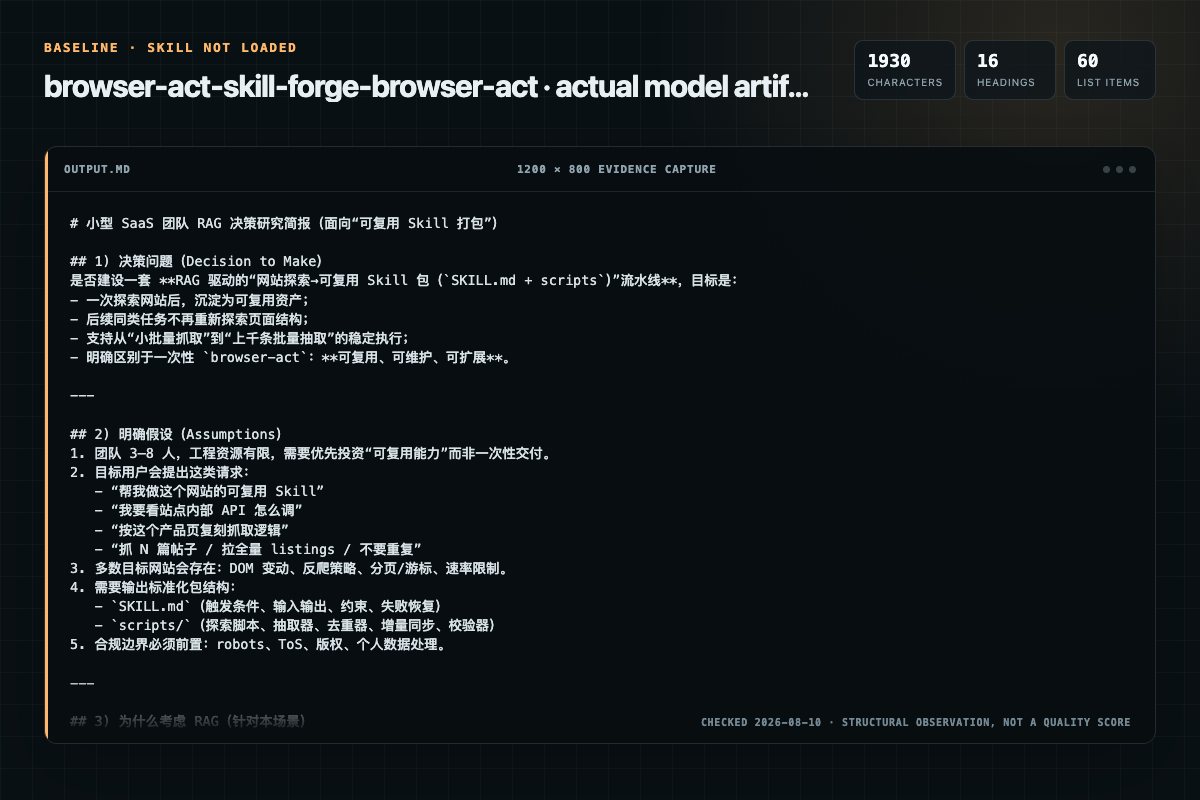
Baseline: 1930 non-whitespace characters, 16 headings, and 60 list items.
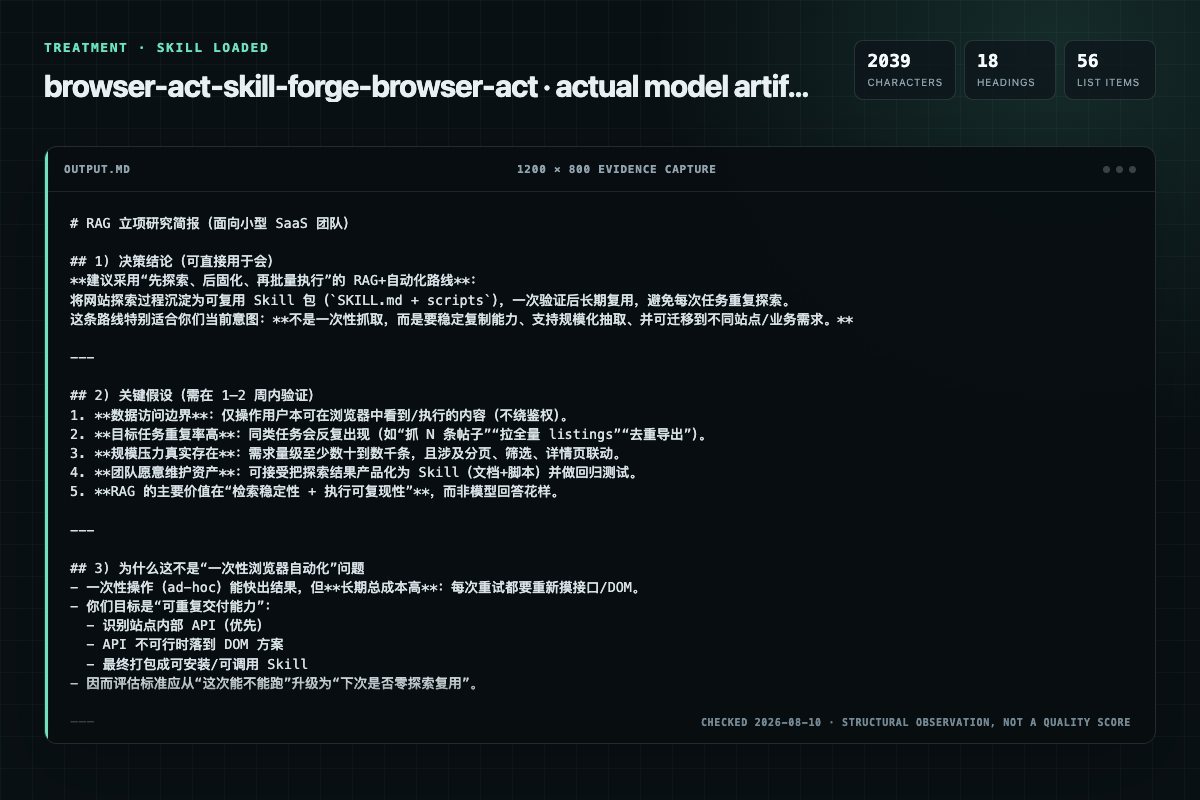
With Skill: 2039 non-whitespace characters, 18 headings, and 56 list items.
| Observation | Without Skill | With Skill |
|---|---|---|
| Source-signal coverage | 0/8: none | 0/8: none |
| Output structure | 1930 chars · 16 headings · 60 list items · 0 code blocks | 2039 chars · 18 headings · 56 list items · 0 code blocks |
| Verification and caution signals | 7 verification signals · 6 risk/limitation signals | 12 verification signals · 6 risk/limitation signals |
Use the browser-act-skill-forge Skill pinned at 8f287271faa0 for my task. Follow its source-specific constraints around `browser-act-skill-forge`, `language`, `phase`, `detection`, then return the finished deliverable with explicit assumptions, verification, failure conditions, and limits. Do not treat the Skill text as a factual source or claim that a single demonstration proves universal performance.
Compatibility matrix
| Platform | Status | Evidence | What to check |
|---|---|---|---|
| Codex | Not declared | No explicit evidence | Portability before use |
| Claude Code | Not declared | No explicit evidence | Portability before use |
| Cursor | Not declared | No explicit evidence | Portability before use |
| Gemini CLI | Not declared | No explicit evidence | Portability before use |
Installation
The source command is displayed only when detected. A safe inspection prompt is always available so your agent can explain every action before execution.
npx skills add https://github.com/browser-act/skills --skill "browser-act-skill-forge"Inspect the Agent Skill "browser-act-skill-forge" from https://github.com/browser-act/skills/blob/11c057b03f92101642cadc9f840564574120d184/browser-act-skill-forge/SKILL.md at commit 11c057b03f92101642cadc9f840564574120d184. List every install step, command, network request, credential, file read/write, external action, and rollback step. Explain whether it fits my task. Do not install or execute anything until I approve.
Workflow
Already completed in current session → skip.
Identify from user input:
Read the corresponding reference file based on capability type: - Extraction → references/explorationextraction.md - Operation → references/explorationoperation.md
Read references/outputtemplate.md for file format specification.
Run end-to-end verification for each .py file:
Permission review
The documentation asks the agent to read local files, directories, or repositories.
Read the corresponding reference file based on capability type:The documentation asks the agent to read local files, directories, or repositories.
**Process**: Re-read the exploration reference file used in Phase 2 and the output steps above (3a–3c), confirm each defined step was actually executed, not skippedThe documentation includes network, browsing, or remote request actions.
**No JS-level network interception**: never override `XMLHttpRequest.prototype`, `window.fetch`, etc. Use `network requests` / `network request <id>` for endpoint discoveryEvidence record
| Signal | Value | Evidence type | Meaning |
|---|---|---|---|
| Quality score | 97/100 | Computed | Documentation, specificity, maintenance, and trust rules |
| Repository stars | 5,421 | Source | Repository attention, not individual Skill quality |
| Compatibility | 0 platforms | Source | Declared in the catalog source record |
| Usage guide | tested outcome page | Tested | Generated or reviewed according to the visible evidence level |
Pinned source
Built by BrowserAct — Your Personal Scraping Engineer · GitHub
Turns any website's data extraction or operation needs into Agent-callable capabilities. User describes what data to get or what action to perform on which site, this Skill automatically explores implementation paths (API endpoints first, DOM fallback when no API), then generates deploy-ready Skill packages (SKILL.md + Python scripts) after verification. Explore once, reuse forever — subsequent calls skip exploration cost, greatly improving execution reliability and efficiency.
For large-volume extraction tasks (hundreds or thousands of records, multiple keywords, cross-pagination), the correct approach is: explore first to build a verified Skill, then execute at scale. Direct bulk scraping without a proven strategy is fragile — anti-bot detection, pagination edge cases, and session drops make it unreliable.
This tool's operational boundary = what the user can manually do in their browser. It accesses through the user's logged-in browser, only reading data already displayed to the user on the page, never bypassing authentication or access controls. Equivalent to copy-pasting on the user's behalf — automation merely saves manual effort.
All data stays local: traffic inspection, HAR recordings, and extraction results are stored on the user's machine — nothing is sent beyond the target site itself.
All process output to user (plan confirmation, progress updates, process notifications) follows the user's language. Generated Skill file content follows the language of this skill.
Phase 0 (Tool Detection) → Phase 1 (Requirements Analysis & Confirmation) → [Loop: Phase 2 (Capability Exploration) → Phase 3 (Skill Generation)] → Delivery
Already completed in current session → skip.
Invoke browser-act via Skill tool to load usage. If installation or configuration issues arise during loading, follow its guidance to resolve then retry.
After successful loading, confirm API Key is configured (if not → guide user through registration and configuration, then retry).
Identify from user input:
output/ under current working directory, overridden if user specifies| Input type | Example | Handling |
|---|---|---|
| Explicit (URL + objective) | "Scrape front page articles from news.ycombinator.com" | Skip 1b, go to 1c |
| Semi-explicit (platform known, no URL) | "Help me monitor Weibo sentiment" | Run 1b research path |
| Pure objective (business intent only) | "Track competitor price changes" | Run 1b to research candidate sites |
If core objective is too vague to proceed, ask for clarification.
Don't recommend based on model internal knowledge — actively search to find sites hosting the needed data:
After confirming target site, first check: is there already an installed Skill for this site/capability? If yes → inform user and skip to Delivery step 4 (batch execution).
If no existing Skill, complete decomposition and confirm all information with user at once — no per-capability follow-up questions afterward:
skill-name and capability directory names (lowercase English, hyphen-separated), create directories under output/{skill-name}/ (use user-specified path if given)Target site: {url}
Output: output/{skill-name}/
Capabilities (executed in order):
1. {site-slug}-{capability-slug} ({extraction/operation}) — {one-line description}
2. {site-slug}-{capability-slug} ({extraction/operation}) — {one-line description}
...
If execution intent was identified in 1a, append to the plan:
Pipeline:
1. Explore site → discover and verify viable API endpoints or DOM extraction methods
2. Generate Skill files (SKILL.md + scripts)
3. Automated testing to confirm Skill works
4. Install Skill
5. Read installed Skill → write and run batch scripts to fulfill user's original task
Present the plan and wait for user to confirm or adjust. Do not ask separate questions about items that have reasonable defaults (output directory, naming conventions, etc.).
After user confirms, enter execution loop with no mid-process questions.
Phase 2 and Phase 3 below execute in a loop for each capability unit — complete one before starting the next.
Read the corresponding reference file based on capability type:
references/exploration_extraction.mdreferences/exploration_operation.mdGoal: prioritize API endpoints for target capability; fall back to DOM operations when API isn't viable. Record complete reproducible invocation methods.
Success criteria:
When a means fails, follow this sequence:
A deterministic failure (explicit error code, structural mismatch) confirms the means is unviable in one attempt. A transient failure (timeout, connection drop) warrants one retry — but not more.
Exploration cap: 100 tool call steps. If still unable to progress, report known obstacles to user and ask for next steps.
Don't touch experience notes: experience notes (browser-act-skill-forge-memories/) are for generated Skills' future Agent use — neither read nor write during exploration and generation phases.
Read references/output_template.md for file format specification.
Encapsulate each verified JS snippet from exploration into an independent Python file:
{{ }} (f-string syntax requirement, otherwise Python errors)scripts/{feature-name}.pyRun end-to-end verification for each .py file:
python scripts/{feature-name}.py {test-params} — confirm output is valid JS stringeval "$(python scripts/{feature-name}.py {test-params})" — confirm browser execution result matches exploration phase{"error": true, "message": "..."} rather than crashingVerification failure → fix .py file and retry, never skip.
Create SKILL.md per template, capability component section references scripts/*.py invocation commands (no inline JS).
Output directory structure:
output/{skill-name}/{site-slug}-{capability-slug}/
├── SKILL.md
└── scripts/
    └── {feature-name}.py
After generation, briefly inform user: capability name, output path, primary implementation approach (API / Network capture / DOM / hybrid).
Two checks — must Read generated files and execute verification commands as evidence; mental assertion alone does not count:
scripts/*.py and SKILL.md, check against the Filling Specifications in output_template.md and the Code / JS Execution Environment / DOM Operation constraints defined earlier in this skillAny gap found → go back, complete the missing step or fix the output, then re-verify.
After all capabilities are generated, proceed in this order:
Start testing immediately after generation — no user confirmation needed. Auto-design minimal test cases based on generated capability components — use fewest inputs to cover all functional paths (each atomic component called at least once, composite components run full flow).
Must execute testing via Sub-Agent — do not test directly in the main session. Dispatch the following prompt:
Read {absolute path to SKILL.md} as your execution guide.

Test cases:
{auto-generated test case list, each annotated with which component it covers}

Execution requirements:
- Follow SKILL.md instructions strictly, don't use methods outside the guide
- Record specific issues if SKILL.md instructions are unclear and prevent progress

Report after execution:
1. Execution result per component (pass/fail)
2. Failure reasons (if any)
3. Unclear parts in SKILL.md instructions (if any)
4. Severe accuracy or performance issues (don't report non-severe)
5. Output data summary
Test failure → fix Skill and retest until passing.
Install the generated Skill from the output directory. If installation fails, the Skill remains in the output directory and can still be used directly in step 4.
After tests pass, report to user:
If execution intent was identified in Phase 1:
If no execution intent was identified (user only wanted to build a Skill for later use), end here.
Phase 2 (Capability Exploration), Phase 3 (Skill Generation), and Delivery testing must follow these rules.
All intermediate artifacts (HAR files, temp records, debug output) go in the tmp/ directory. Create it first if it doesn't exist.
wait stable before reading network requestswait --selector "{target selector}" --state attached --timeout {ms} before interactingXMLHttpRequest.prototype, window.fetch, etc. Use network requests / network request <id> for endpoint discoverynetwork clear only before navigation/reload: clearing traffic loses all observed request records. Use --filter for routine filtering, not clear. To track requests from specific interactions, use network har start → interact → network har stop instead of clear + re-readApplies to all DOM operation scenarios (data extraction, enum collection, pagination controls, form submission, API field supplementation):
Selector priority: data-testid > id > name > aria-label > structural path. Avoid pure positional indexes (:nth-child / [1]) unless structure is genuinely stable.
Batch-validate selectors: test all candidate selectors in a single eval call, return JSON summary (hit count per selector, key attributes of first element, uniqueness). Never eval selectors one by one — each eval is a browser roundtrip.
Shadow DOM: when target element is inside a Shadow Root, access via element.shadowRoot.querySelector, split selector into two parts (host element + Shadow-internal path).
Three-layer selector validation: element assertion (expected attributes match) → result check (non-empty, reasonable count) → success criteria. Must be tested on the real page, never written speculatively from DOM structure.
Control scan (during enum collection): use one eval to return complete mapping of all target controls (tag+type / name+id / placeholder / label). Traverse up from control to find nearest form item container for label text; don't hardcode component library class names; component libraries associate labels with inputs via DOM hierarchy nesting, not label[for="xxx"].
state index dynamic allocation: state returns element indexes that are dynamically allocated per session — never write them into strategy code, only use them at execution time in real-time.
Must directly operate on target site: never obtain data through external services (including third-party scraping platforms, data aggregation APIs, proxy services), and never call the target site's official open platform API (rationale: generated Skills target zero-config deployment without requiring users to register developer API keys or manage credentials). Solutions must access the target site directly through the browser, using its frontend's internal endpoints or DOM data — the same resources already visible to the authenticated user.
Framework internal state fast-fail: when attempting to access page data or element info through framework internals (__vue_app__, $data, React fiber, Angular ng, etc.), give up after one failure and immediately switch to state scan + value-fill-trigger approach. Framework internals are version/implementation dependent, multiple retries won't change the result.
Code executed in eval is browser-side JS: only browser-native APIs and page-loaded third-party libraries may be used, no require/import of external modules. Code violating this constraint will inevitably error at execution time.
Account permission limits ≠ technical solution failure. Paid features, membership tiers, etc. equally affect all approaches; when API is technically viable but data is limited due to account permissions (pagination truncated, filter conditions ineffective), conclusion is "pass" with permission dependency noted in "Known Limitations".
Partial success counts as success: core capability verified working (whether API or DOM path) counts as pass — even with: some enum parameters marked [collection failed], non-core fields missing, some filter conditions not covered. After generating the Skill, must inform user which parts are not fully covered — never silently omit.
Core criterion: every browser roundtrip must yield information gain. The table below shows common efficient patterns, but they're just examples — if a pattern doesn't actually reduce roundtrips in practice, change approach and find other batch methods rather than repeatedly fine-tuning in the same direction.
| Rule | Description |
|---|---|
| Composite eval | Merge multiple independent queries into one eval, wrap in async IIFE, return JSON summary. Each eval is a browser roundtrip — merge everything mergeable |
| Runtime first | Information retrieval priority: JS runtime state → network data → DOM. Never reverse-engineer runtime data from DOM |
| Output volume control | Extract key fields (count, total, sample) from large responses inside the browser before returning; avoid truncation |
| Async wait cohesion | Use Promise + setTimeout polling (with timeout cap) for wait conditions, don't poll repeatedly across tools |
| Fast permission-restricted detection | When restricted signals appear (upgrade prompts, data identical to unfiltered, controls disabled), batch-mark similar items as restricted, don't verify one by one |
| Fetch once, analyze many | Fetch data from same source only once, save then analyze multiple times; format large text with line breaks to avoid truncation |
| Stop at verification | Once API endpoint confirmed working (fetch success + data structure matches expectation), move to next phase immediately, don't continue redundant exploration of the same endpoint (e.g., reverse-searching script tags, extracting extra config) |
| Slider/range controls batch | Range sliders (e.g., noUiSlider) and numeric range controls — like input/select, set all controls to different values at once → trigger one search → read all numericFilters mapping from request, don't test each control individually |
Frequently asked questions
Built by BrowserAct — Your Personal Scraping Engineer · GitHub
The source record exposes this install command: npx skills add https://github.com/browser-act/skills --skill "browser-act-skill-forge". Inspect the command and pinned source before running it.
Static rules flagged read-files, network in the source; the page lists the matching lines and excerpts.
Alternatives
alirezarezvani/claude-skills
App Store Optimization (ASO) toolkit for researching keywords, analyzing competitor rankings, generating metadata suggestions, and improving app visibility on Apple App Store and Google Play Store. Use when the user asks about ASO, app store rankings, app metadata, app titles and descriptions, app store listings, app visibility, or mobile app marketing on iOS or Android. Supports keyword research and scoring, competitor keyword analysis, metadata optimization, A/B test planning, launch checklist
brucesongs/kali-claw
Insecure Design (OWASP A06:2025) focuses on security flaws in system architecture and design phases, rather than code implementation-level bugs.
NintendaDev/unikit-ai
Generate and maintain the project's TECHNICAL documentation from its codebase — scans the project structure, tech stack, and module boundaries, then writes a lean README landing page plus detailed topic pages (architecture, modules, setup, build, APIs), only the docs that are relevant. Use whenever the user wants to create, update, or validate documentation of the CODE or the project itself, e.g. "generate documentation", "create docs", "write the README", "update the project docs", "document th
K-Dense-AI/scientific-agent-skills
Distributed computing for larger-than-RAM pandas/NumPy workflows. Use when you need to scale existing pandas/NumPy code beyond memory or across clusters. Best for parallel file processing, distributed ML, integration with existing pandas code. For out-of-core analytics on single machine use vaex; for in-memory speed use polars.