
Best for
- Use this skill when the user asks to create, modify, debug, validate, or scaffold a MoviePilot local plugin.
jxxghp/MoviePilot/skills/create-moviepilot-plugin/SKILL.md
Use this skill when the user asks to create, modify, debug, validate, or scaffold a MoviePilot local plugin. Covers MoviePilot V2 plugin development, _PluginBase implementations, package.v2.json/package.json market metadata, plugins.v2/plugins source layout, PLUGIN_LOCAL_REPO_PATHS local plugin sources, plugin APIs, Vuetify JSON forms/pages/dashboards, Vue module federation remote components, get_render_mode, get_sidebar_nav, plugin sidebar pages, commands, services, workflow actions, agent tool
Decision brief
Use this skill to build or revise MoviePilot plugins that can be developed from a local plugin source and installed into the running MoviePilot instance.
In this controlled same-task single run, enabling create-moviepilot-plugin changed the output from 2790 non-whitespace characters and 13 headings to 2517 characters and 10 headings. Matches among 8 signals extracted from the pinned source changed from 3 to 2. Both actual outputs are shown; this is a structural observation, not a quality score or a universal performance claim.
Create a design direction and implementation handoff for a developer tool that compares two API responses. Prioritize the repeated user workflow and responsive behavior. The deliverable must specifically reflect this user intent: Use this skill when the user asks to create, modify, debug, validate, or scaffold a MoviePilot local plugin. Covers MoviePilot V2 plugin development, _PluginBase implementations, package.v2.json/package.json market metadata, plugins.v2/plugins source layout, PLUGIN_LOCAL_REPO_PATHS local plugin sources, plugin APIs, Vuetify JSON forms/pages/dashboards, Vue module federation remote components, get_render_mode, get_sidebar_nav, plugin sidebar pages, commands, services, workflow actions, agent tool
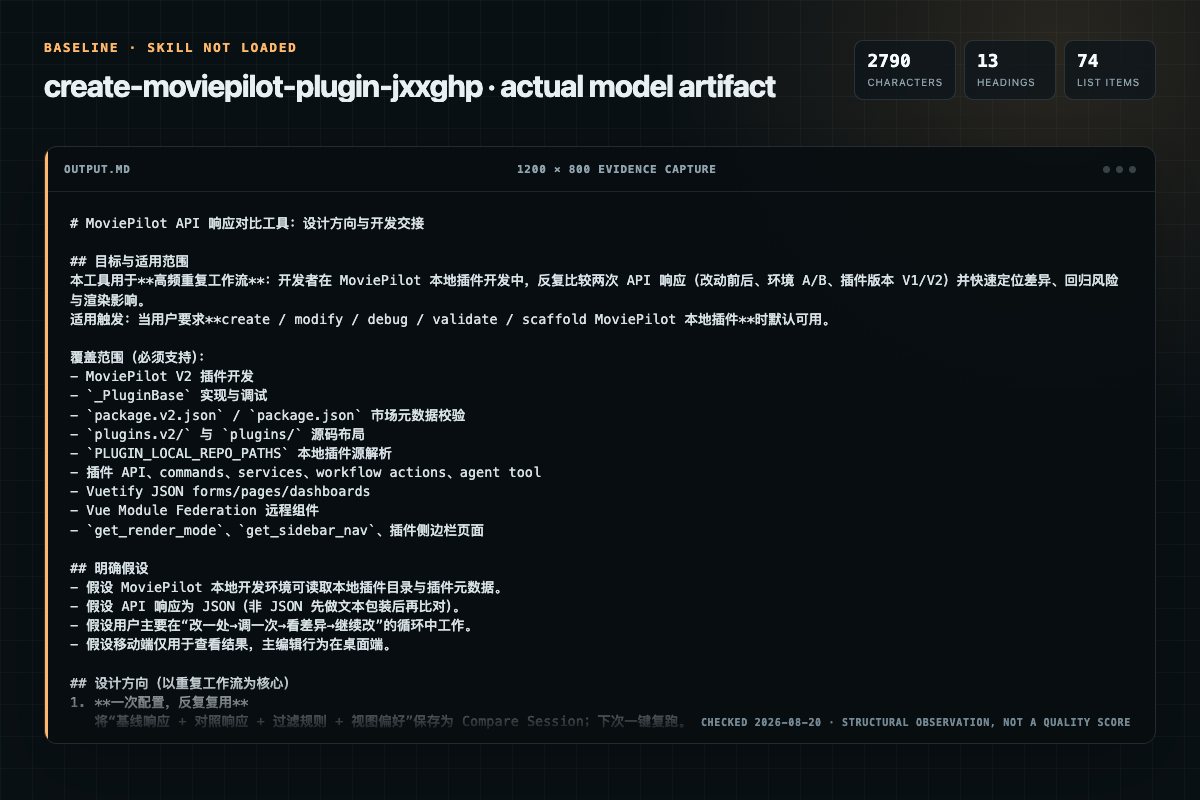
Baseline: 2790 non-whitespace characters, 13 headings, and 74 list items.
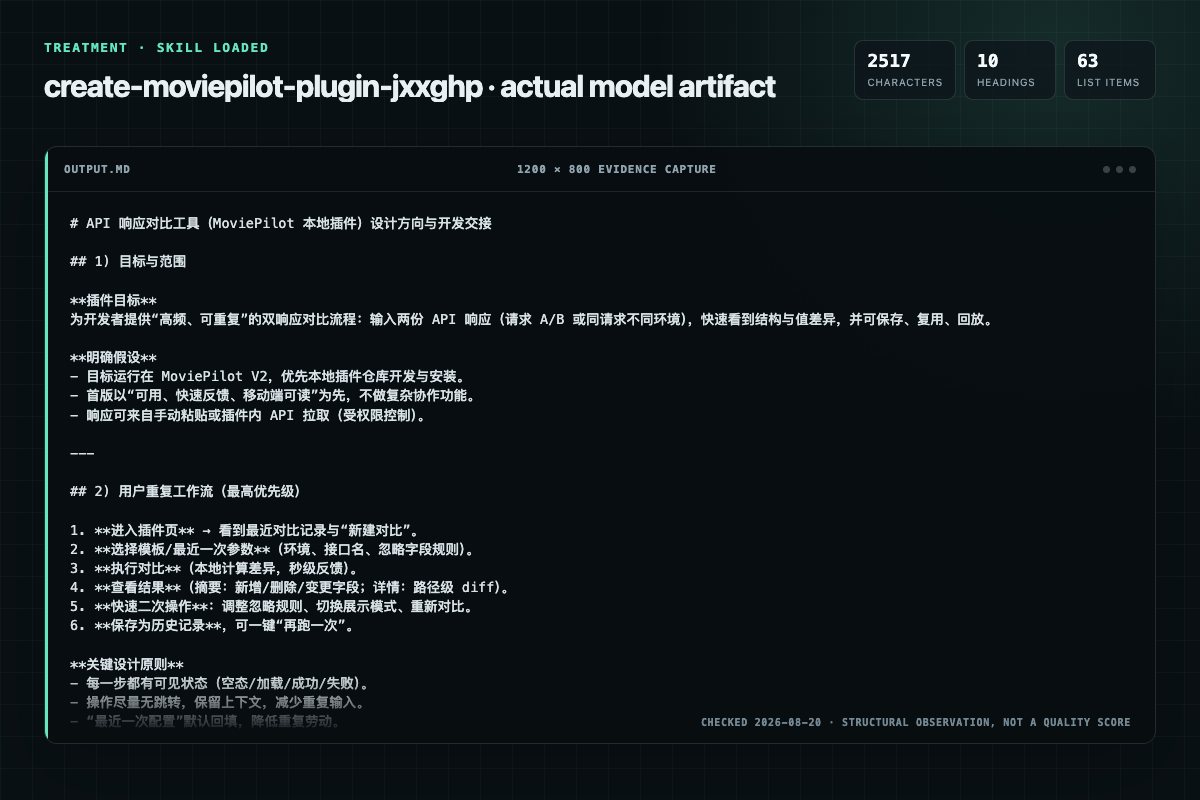
With Skill: 2517 non-whitespace characters, 10 headings, and 63 list items.
| Observation | Without Skill | With Skill |
|---|---|---|
| Source-signal coverage | 3/8: create, moviepilot, plugin | 2/8: moviepilot, plugin |
| Output structure | 2790 chars · 13 headings · 74 list items · 1 code blocks | 2517 chars · 10 headings · 63 list items · 0 code blocks |
| Verification and caution signals | 11 verification signals · 9 risk/limitation signals | 5 verification signals · 1 risk/limitation signals |
Use the create-moviepilot-plugin Skill pinned at 23f5d59c7421 for my task. Follow its source-specific constraints around `create-moviepilot-plugin`, `create`, `moviepilot`, `plugin`, then return the finished deliverable with explicit assumptions, verification, failure conditions, and limits. Do not treat the Skill text as a factual source or claim that a single demonstration proves universal performance.
Compatibility matrix
| Platform | Status | Evidence | What to check |
|---|---|---|---|
| Codex | Not declared | No explicit evidence | Portability before use |
| Claude Code | Not declared | No explicit evidence | Portability before use |
| Cursor | Not declared | No explicit evidence | Portability before use |
| Gemini CLI | Not declared | No explicit evidence | Portability before use |
Installation
The source command is displayed only when detected. A safe inspection prompt is always available so your agent can explain every action before execution.
npx skills add https://github.com/jxxghp/MoviePilot --skill "skills/create-moviepilot-plugin"Inspect the Agent Skill "create-moviepilot-plugin" from https://github.com/jxxghp/MoviePilot/blob/b952a3e407262dbc9c4e2c045e550468023d9f68/skills/create-moviepilot-plugin/SKILL.md at commit b952a3e407262dbc9c4e2c045e550468023d9f68. List every install step, command, network request, credential, file read/write, external action, and rollback step. Explain whether it fits my task. Do not install or execute anything until I approve.
Workflow
Use executecommand(action="run") with rg and narrow globs or paths to
Implement all abstract methods from PluginBase. All new functions and methods need Chinese docstrings; public classes, public methods, and public functions are a hard review gate.
Host plugin contract: app/plugins/init.py, especially PluginBase.
1. Understand the user request: plugin purpose, trigger mode, configuration, output UI, whether it needs a scheduler, API, command, workflow action, or agent tool. 2. Run the UI Mode Selection Gate before writing any UI code. - If the user already explicitly chose JSON config/Vu…
MoviePilot plugin UI has exactly two implementation modes. Make the user choose one whenever the request includes configuration, detail pages, dashboards, sidebar pages, or any other plugin UI and the mode is not already explicit.
Permission review
The documentation asks the agent to create, modify, or delete local files.
wrapped in `*** Begin Patch` / `*** End Patch` with `*** Add File:`,The documentation asks the agent to create, modify, or delete local files.
`*** Update File:`, and `*** Delete File:` sections; every context andEvidence record
| Signal | Value | Evidence type | Meaning |
|---|---|---|---|
| Quality score | 95/100 | Computed | Documentation, specificity, maintenance, and trust rules |
| Repository stars | 11,623 | Source | Repository attention, not individual Skill quality |
| Compatibility | 0 platforms | Source | Declared in the catalog source record |
| Usage guide | tested outcome page | Tested | Generated or reviewed according to the visible evidence level |
Pinned source
Use this skill to build or revise MoviePilot plugins that can be developed from a local plugin source and installed into the running MoviePilot instance.
app/plugins/__init__.py, especially _PluginBase.app/runtime/extensions/plugin_manager.py
and app/adapters/external/market.py.app/api/endpoints/plugin.py.docs/development-setup.md.MoviePilot-Plugins uses plugins.v2/ with
package.v2.json for V2 plugins; legacy or cross-generation entries may use
plugins/ with package.json.MoviePilot-Plugins, read its README.md,
docs/Repository_Guide.md, and docs/V2_Plugin_Development.md. For
scenario-specific extensions, read the matching docs/faq/*.md.execute_command(action="run") with rg and narrow globs or paths to
locate plugin classes, extension points, tests, and package entries. Use
list_directory only when inspecting one known folder or a configured remote
storage backend.read_file reports truncation, continue with smaller start_line and
end_line ranges until all relevant sections have been inspected..pyi/.d.ts declarations. If those are insufficient,
use search_web with the official documentation domain and browse_webpage
to read the matching version. Do not guess API signatures from memory or mix
examples from different major versions. Search the relevant package directory,
.venv, or node_modules directly with rg instead of scanning the entire
project without bounds.apply_patch when one logical change
spans multiple files, adds new files, or deletes files: submit a single patch
wrapped in *** Begin Patch / *** End Patch with *** Add File:,
*** Update File:, and *** Delete File: sections; every context and
removed line must match the current content exactly.edit_file for a single localized change in one file. Its old_text
must identify one exact location by default; add surrounding context instead
of enabling replace_all unless every match intentionally changes.write_file for one standalone new file. Existing files require
overwrite=true for a full rewrite; first call
read_file(include_metadata=true) and pass its sha256 as
expected_sha256 when replacing previously read content.execute_command(action="run") for short validation, Git, and diagnostic
commands. Use action="start" only for interactive or long-running commands,
then continue through the returned session ID.MoviePilot-Frontend/docs/module-federation-guide.md,
MoviePilot-Frontend/docs/federation-troubleshooting.md,
MoviePilot-Frontend/src/utils/federationLoader.ts, and
MoviePilot-Frontend/src/pages/plugin-app.vue.MoviePilot owns runtime loading, API registration,
events, services, data, and permissions; MoviePilot-Frontend owns plugin UI
rendering, federation loading, and sidebar pages; MoviePilot-Plugins owns
plugin source, icons, package indexes, and release metadata.app/plugins/<plugin>/__init__.pyquery_market_plugins when the
running instance is available.query_installed_plugins; its summaries
include repo_url when the source can be matched from a local plugin
repository or plugin market metadata.MoviePilot-Plugins/plugins.v2/agenttokens/ and the frontend example
MoviePilot-Frontend/examples/plugin-component/.PLUGIN_LOCAL_REPO_PATHS with query_system_settings when possible.update_system_settings(setting_key="PLUGIN_LOCAL_REPO_PATHS", value="local-plugins", operation="replace").
local-plugins is resolved relative to the MoviePilot root by the local
plugin source loader. Create that source directory and write the plugin
under it; do not write new plugin source directly into app/plugins/
unless the user explicitly asks for a runtime-only experiment.MyNotifier.mynotifier.self.__class__.__name__.MoviePilot plugin UI has exactly two implementation modes. Make the user choose one whenever the request includes configuration, detail pages, dashboards, sidebar pages, or any other plugin UI and the mode is not already explicit.
Ask a concise question like:
这个插件 UI 用哪种方式实现?
1. JSON 配置:后端返回 Vuetify JSON,适合普通配置表单、简单详情页和轻量仪表板。
2. 联邦 UI:独立 Vue 远程组件,适合复杂交互、自定义布局、侧栏全页或多页面。
Selection rules:
get_form(), get_page(), and
get_dashboard() with JSON component schemas. No frontend build or
dist/assets/remoteEntry.js is needed.get_render_mode(),
expose Vue components through Vite federation, build frontend assets into the
plugin directory, and use get_sidebar_nav() only when a sidebar page is
requested.Default to V2 layout for new local plugins:
<local-plugin-repo>/
├── package.v2.json
└── plugins.v2/
    └── <plugin_id_lower>/
        ├── __init__.py
        ├── requirements.txt        # only when extra runtime dependencies are necessary
        └── ...                     # helper modules, schemas, static assets
For a Vue federation plugin, the runtime requirement is the built remote assets under the plugin directory:
plugins.v2/<plugin_id_lower>/
├── __init__.py
├── dist/
│   └── assets/
│       ├── remoteEntry.js
│       └── ...                     # JS/CSS/assets referenced by remoteEntry
├── package.json                    # optional frontend build project metadata
├── vite.config.js                  # optional frontend build config
└── src/                            # optional source, not required at runtime
Do not rely on frontend source files at runtime. If the source is kept in the
plugin repository for maintainability, still build and ship the dist/assets
files required by remoteEntry.js.
Only use the legacy layout when the user explicitly needs it:
<local-plugin-repo>/
├── package.json
└── plugins/
    └── <plugin_id_lower>/
        └── __init__.py
For legacy package.json entries that should work on V2, include "v2": true.
For V2-first work, prefer package.v2.json and plugins.v2/.
Add or update the package entry for the plugin ID. Keep the package version and
the class plugin_version synchronized.
{
  "MyNotifier": {
    "name": "通知示例",
    "description": "根据用户配置发送示例通知。",
    "labels": "消息通知",
    "version": "1.0.0",
    "icon": "mynotifier.png",
    "author": "local",
    "level": 1,
    "system_version": ">=2.12.0",
    "history": {
      "v1.0.0": "初始版本"
    }
  }
}
Rules:
version must match plugin_version.name, description, icon, author, labels, and level should match
the plugin class attributes when those attributes exist (plugin_name,
plugin_desc, plugin_icon, plugin_author, plugin_label, auth_level).history should record user-readable changes for each published version.system_version when the plugin depends on a host capability introduced
in a specific MoviePilot version, including new backend APIs, helpers, events,
Vue federation behavior, sidebar nav, dashboard behavior, or agent tools."release": true only when the plugin is intentionally distributed by a
GitHub Release archive.requirements.txt changes, the user must reinstall the plugin; hot reload is
not enough to install dependencies.Implement all abstract methods from _PluginBase. All new functions and
methods need Chinese docstrings; public classes, public methods, and public
functions are a hard review gate.
from typing import Any, Dict, List, Optional, Tuple

from app.plugins import _PluginBase


class MyNotifier(_PluginBase):
    """通知示例插件。"""

    plugin_name = "通知示例"
    plugin_desc = "根据用户配置发送示例通知。"
    plugin_icon = "mynotifier.png"
    plugin_version = "1.0.0"
    plugin_label = "消息通知"
    plugin_author = "local"
    plugin_config_prefix = "mynotifier_"
    plugin_order = 100
    auth_level = 1

    _enabled = False
    _message = ""

    def init_plugin(self, config: dict = None) -> None:
        """根据插件配置初始化运行状态。"""
        self.stop_service()
        self._enabled = False
        self._message = ""
        if not config:
            return
        self._enabled = bool(config.get("enabled"))
        self._message = str(config.get("message") or "")

    def get_state(self) -> bool:
        """获取插件启用状态。"""
        return self._enabled

    @staticmethod
    def get_command() -> List[Dict[str, Any]]:
        """返回插件远程命令列表。"""
        return []

    def get_api(self) -> List[Dict[str, Any]]:
        """返回插件 API 列表。"""
        return []

    def get_form(self) -> Tuple[Optional[List[dict]], Dict[str, Any]]:
        """返回插件配置表单与默认配置。"""
        return [
            {
                "component": "VForm",
                "content": [
                    {
                        "component": "VSwitch",
                        "props": {
                            "model": "enabled",
                            "label": "启用插件"
                        }
                    },
                    {
                        "component": "VTextField",
                        "props": {
                            "model": "message",
                            "label": "通知内容"
                        }
                    }
                ]
            }
        ], {
            "enabled": False,
            "message": ""
        }

    def get_page(self) -> Optional[List[dict]]:
        """返回插件详情页面。"""
        if not self._enabled:
            return None
        return [
            {
                "component": "VAlert",
                "props": {
                    "type": "info",
                    "text": self._message or "插件已启用"
                }
            }
        ]

    def stop_service(self) -> None:
        """停止插件后台服务并释放资源。"""
        return None
Use only the extension points the requested plugin actually needs:
get_form() returns Vuetify form schema and default data;
init_plugin() reads config; update_config() persists internal changes.save_data(), get_data(), del_data(), and get_data_path().post_message() instead of directly calling message
modules.get_api(); default auth is apikey
when auth is omitted. Vue component APIs should normally use
auth: "bear" and be called through the api prop passed by the frontend.get_command() and dispatch
through MoviePilot events.get_service() and always clean
them up in stop_service().get_dashboard_meta() and get_dashboard() for homepage
widgets.get_actions(); action functions receive
ActionContent first and return (success, action_content).get_agent_tools(); each tool class must inherit
app.agent.tools.base.MoviePilotTool.get_render_mode() only when Vuetify schema cannot
satisfy the request. Return ("vue", "<compiled-assets-path>") and include
built frontend assets in the plugin directory.Use Vue federation only after the Pre-Flight UI decision says JSON schema is not enough. A Vue plugin must align backend methods, built files, and federation exposes.
Backend requirements:
from typing import Any, Dict, List, Tuple


@staticmethod
def get_render_mode() -> Tuple[str, str]:
    """声明插件使用 Vue 联邦组件渲染。"""
    return "vue", "dist/assets"


def get_form(self) -> Tuple[List[dict], Dict[str, Any]]:
    """Vue 模式下返回默认配置模型。"""
    return [], self._current_config()


def get_page(self) -> List[dict]:
    """Vue 模式下详情页由远程 Page 组件渲染。"""
    return []
When the plugin needs a main-layout sidebar page, also implement:
def get_sidebar_nav(self) -> List[Dict[str, Any]]:
    """声明插件在主界面左侧导航栏中的全页入口。"""
    if not self.get_state():
        return []
    return [
        {
            "nav_key": "main",
            "title": "我的插件",
            "icon": "mdi-puzzle",
            "section": "system",
            "permission": "manage",
            "order": 10,
        }
    ]
Sidebar rules:
get_render_mode() returns "vue".section must be one of start, discovery, subscribe, organize,
system; invalid values fall back to system.permission may be subscribe, discovery, search, manage, or admin;
invalid values are ignored.nav_key defaults to main and must not contain /, ?, #, or spaces.nav_key.Frontend federation requirements:
federation({
  name: 'MyPlugin',
  filename: 'remoteEntry.js',
  exposes: {
    './Page': './src/components/Page.vue',
    './Config': './src/components/Config.vue',
    './Dashboard': './src/components/Dashboard.vue',
    './AppPage': './src/components/AppPage.vue',
    './AppPageSettings': './src/components/AppPageSettings.vue',
  },
  shared: {
    vue: { requiredVersion: false, generate: false },
    vuetify: { requiredVersion: false, generate: false, singleton: true },
    'vuetify/styles': { requiredVersion: false, generate: false, singleton: true },
  },
  format: 'esm',
})
Build requirements:
build.target to esnext because federation uses top-level await.cssCodeSplit: true and scoped/component-local styles where possible.remoteEntry.js
and every JS/CSS/asset file it references under dist/assets.requirements.txt; keep frontend dependencies in the frontend build project.Component contracts:
Page renders the plugin detail dialog and may emit action, switch, and
close.Config renders plugin settings, receives initialConfig and api, and
emits save, close, and switch.Dashboard receives config and allowRefresh.AppPage renders the main-layout sidebar page and receives api, pluginId,
and navKey.nav_key=main, the frontend loads ./AppPage then ./Page.nav_key, the frontend loads ./AppPage{PascalCase(nav_key)},
then ./AppPage, then ./Page. Examples: settings -> AppPageSettings,
my_tool -> AppPageMyTool.AppPage may branch on navKey, or separate
AppPage{PascalCase} files may be exposed for specific entries.Vue API calls:
auth: "bear".props.api.get(\plugin/${props.pluginId}/history`)`.settings.API_TOKEN into Vue components for browser-side calls.query_market_plugins(query="<PluginID>", force_refresh=True) to confirm the
local source is visible.install_plugin(plugin_id="<PluginID>", force=True).
The install flow copies the source into app/plugins/<plugin_id_lower>/.PLUGIN_AUTO_RELOAD or development mode is enabled, Python source changes
in an installed local plugin can auto-sync and reload. If it is not enabled,
call reload_plugin(plugin_id="<PluginID>") after editing runtime files.requirements.txt changes, reinstall with force=True; reloading alone
does not install new dependencies.get_render_mode() returns
("vue", "dist/assets") or the actual built asset path, and that
dist/assets/remoteEntry.js exists.get_state() returns
True, get_sidebar_nav() returns valid items, and matching AppPage
exposes exist for all non-main nav_key values or a generic AppPage handles
them.auth: "bear" and browser code calls
them through the provided api prop.app.testing.bootstrap.prepare_v2_backend() to prepare a
temporary MoviePilot backend and inject <repo>/plugins.v2 into sys.path.docs/rules/03-commands.md; for plugin-only repositories, follow their
own documented validation commands.GET /api/v1/plugin/remotes?token=moviepilot should include the plugin with a
URL ending in /plugin/file/<plugin_id_lower>/<dist_path>/remoteEntry.js.GET /api/v1/plugin/sidebar_nav should include sidebar entries for enabled
Vue plugins with valid nav_key, section, and permission.Module name 'vue' does not resolve to a valid URL, check
the federation shared config and use requiredVersion: false.build.target to
esnext.remoteEntry.js path, and whether the installed runtime plugin directory
actually contains the built assets.nav_key and fallbacks (AppPage{PascalCase} -> AppPage -> Page).Report:
package.v2.json or package.json).vuetify JSON or vue federation), and for Vue plugins the
exposed components and built asset path.Frequently asked questions
Use this skill to build or revise MoviePilot plugins that can be developed from a local plugin source and installed into the running MoviePilot instance.
The source record exposes this install command: npx skills add https://github.com/jxxghp/MoviePilot --skill "skills/create-moviepilot-plugin". Inspect the command and pinned source before running it.
Static rules flagged write-files in the source; the page lists the matching lines and excerpts.
Alternatives
oaustegard/claude-skills
Generate hierarchical _FEATURES.md files that describe what a codebase DOES from a user/consumer perspective, anchored to source symbols via tree-sitting. Supports large complex codebases through feature-driven decomposition into sub-feature files. Uses a multi-pass synthesis: orientation → detail → overview rewrite. Use when someone says "what does this do", "document features", "feature inventory", "_FEATURES.md", or needs to understand a codebase's purpose before modifying it. Complements tre
HKUDS/Vibe-Trading
Create, modify, and optimize quantitative trading strategies, then backtest and evaluate them.
vasilyu1983/AI-Agents-public
Guides iOS testing with XCTest, XCUITest, Swift Testing, simctl, and xcresult. Use when choosing destinations, controlling flakes, or parsing test artifacts for native apps.
brucesongs/kali-claw
Insecure Design (OWASP A06:2025) focuses on security flaws in system architecture and design phases, rather than code implementation-level bugs.