
Best for
- Writing a new [DllImport] or [LibraryImport] declaration from a C/C++ header
- Reviewing P/Invoke signatures for correctness (type sizes, calling conventions, string encoding)
- Wrapping an entire C library for use from .NET
dotnet/skills/plugins/dotnet-advanced/skills/dotnet-pinvoke/SKILL.md
Correctly call native (C/C++) libraries from .NET using P/Invoke and LibraryImport. Covers function signatures, string marshalling, memory lifetime, SafeHandle, and cross-platform patterns. USE FOR: writing new P/Invoke or LibraryImport declarations, reviewing or debugging existing native interop code, wrapping a C or C++ library for use in .NET, diagnosing crashes, memory leaks, or corruption at the managed/native boundary. DO NOT USE FOR: COM interop, C++/CLI mixed-mode assemblies, or pure man
Decision brief
Calling native code from .NET is powerful but unforgiving. Incorrect signatures, garbled strings, and leaked or freed memory are the most common sources of bugs — all can manifest as intermittent crashes, silent data corruption, or access violations far from the actual defect.
In this controlled same-task single run, enabling dotnet-pinvoke changed the output from 3402 non-whitespace characters and 10 headings to 3763 characters and 12 headings. Matches among 8 signals extracted from the pinned source changed from 4 to 3. Both actual outputs are shown; this is a structural observation, not a quality score or a universal performance claim.
Design and implement a representative production change for a TypeScript webhook retry service. Include the key code or pseudocode, tradeoffs, and verification steps. The deliverable must specifically reflect this user intent: Correctly call native (C/C++) libraries from .NET using P/Invoke and LibraryImport. Covers function signatures, string marshalling, memory lifetime, SafeHandle, and cross-platform patterns. USE FOR: writing new P/Invoke or LibraryImport declarations, reviewing or debugging existing native interop code, wrapping a C or C++ library for use in .NET, diagnosing crashes, memory leaks, or corruption at the managed/native boundary. DO NOT USE FOR: COM interop, C++/CLI mixed-mode assemblies, or pure man
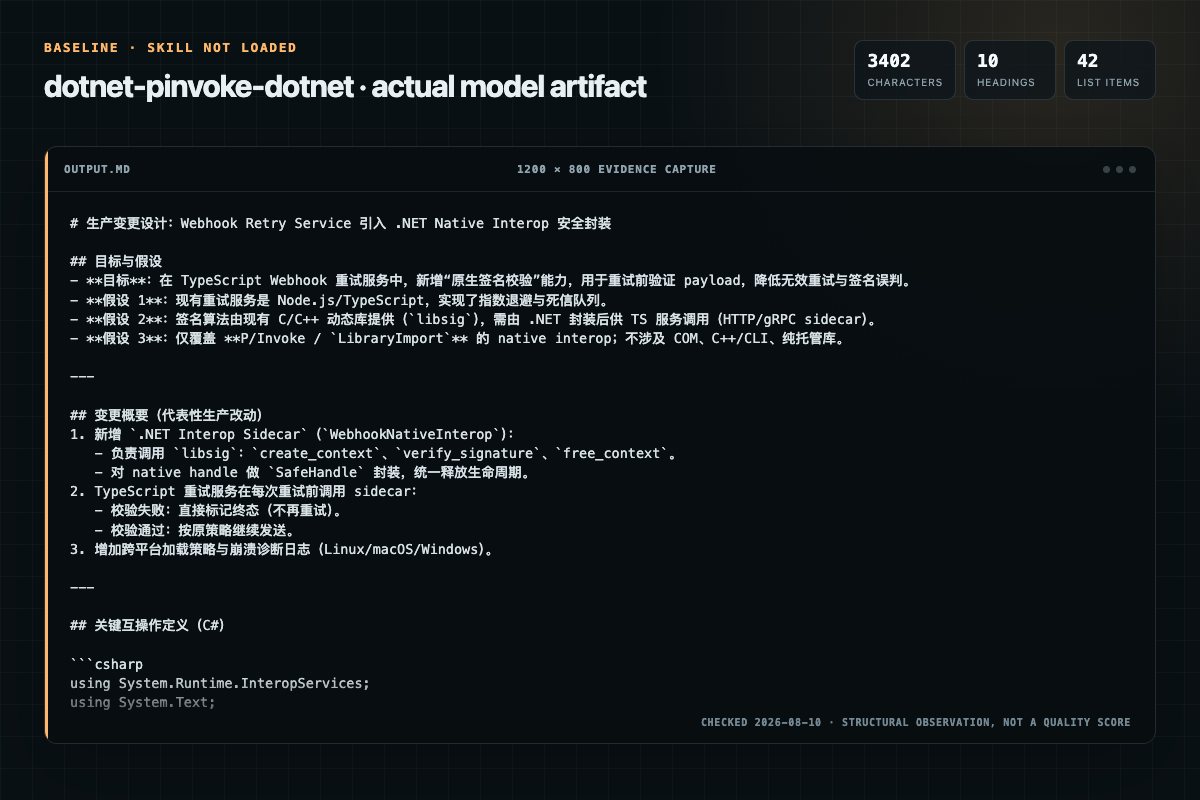
Baseline: 3402 non-whitespace characters, 10 headings, and 42 list items.
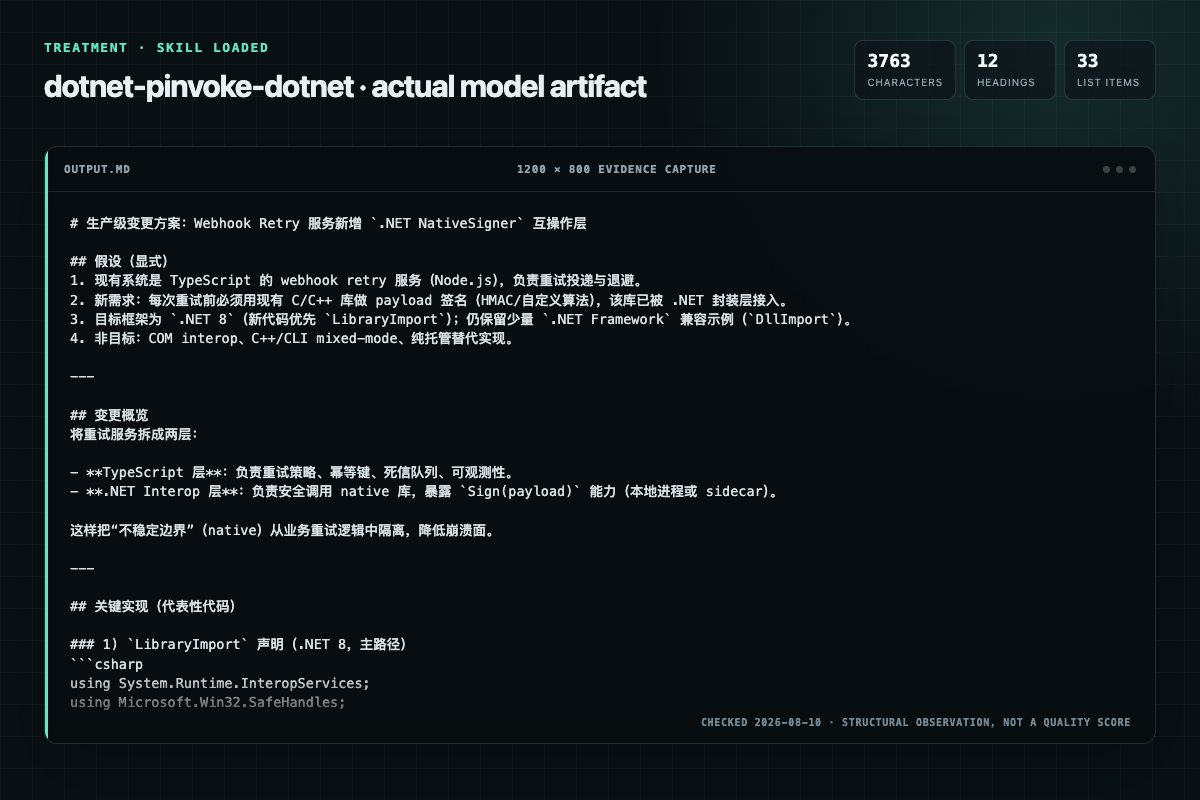
With Skill: 3763 non-whitespace characters, 12 headings, and 33 list items.
| Observation | Without Skill | With Skill |
|---|---|---|
| Source-signal coverage | 4/8: invoke, dllimport, libraryimport, native | 3/8: dllimport, libraryimport, native |
| Output structure | 3402 chars · 10 headings · 42 list items · 3 code blocks | 3763 chars · 12 headings · 33 list items · 4 code blocks |
| Verification and caution signals | 18 verification signals · 11 risk/limitation signals | 7 verification signals · 5 risk/limitation signals |
Use the dotnet-pinvoke Skill pinned at ab761ad27acd for my task. Follow its source-specific constraints around `dotnet-pinvoke`, `invoke`, `signals`, `inputs`, then return the finished deliverable with explicit assumptions, verification, failure conditions, and limits. Do not treat the Skill text as a factual source or claim that a single demonstration proves universal performance.
Compatibility matrix
| Platform | Status | Evidence | What to check |
|---|---|---|---|
| Codex | Not declared | No explicit evidence | Portability before use |
| Claude Code | Not declared | No explicit evidence | Portability before use |
| Cursor | Not declared | No explicit evidence | Portability before use |
| Gemini CLI | Not declared | No explicit evidence | Portability before use |
Installation
The source command is displayed only when detected. A safe inspection prompt is always available so your agent can explain every action before execution.
npx skills add https://github.com/dotnet/skills --skill "plugins/dotnet-advanced/skills/dotnet-pinvoke"Inspect the Agent Skill "dotnet-pinvoke" from https://github.com/dotnet/skills/blob/73555e9231867c5978db07191514b7beb22cd253/plugins/dotnet-advanced/skills/dotnet-pinvoke/SKILL.md at commit 73555e9231867c5978db07191514b7beb22cd253. List every install step, command, network request, credential, file read/write, external action, and rollback step. Explain whether it fits my task. Do not install or execute anything until I approve.
Workflow
The most dangerous mappings — these cause the majority of bugs:
Review the “Step 1: Choose DllImport or LibraryImport” section in the pinned source before continuing.
The most dangerous mappings — these cause the majority of bugs:
Calling conventions only need to be specified when targeting Windows x86 (32-bit), where Cdecl and StdCall differ. On x64, ARM, and ARM64, there is a single calling convention and the attribute is unnecessary.
1. Know what encoding the native function expects. There is no safe default. 2. Windows APIs: Always call the W (UTF-16) variant. The A variant needs a specific reason and explicit ANSI encoding. 3. Cross-platform C libraries: Usually expect UTF-8. 4. Specify encoding explicitly…
Permission review
No configured static risk pattern was detected
This is not proof of safety. Runtime behavior, indirect dependencies, and hidden external systems are outside the static scan.
Evidence record
| Signal | Value | Evidence type | Meaning |
|---|---|---|---|
| Quality score | 98/100 | Computed | Documentation, specificity, maintenance, and trust rules |
| Repository stars | 5,241 | Source | Repository attention, not individual Skill quality |
| Compatibility | 0 platforms | Source | Declared in the catalog source record |
| Usage guide | tested outcome page | Tested | Generated or reviewed according to the visible evidence level |
Pinned source
Calling native code from .NET is powerful but unforgiving. Incorrect signatures, garbled strings, and leaked or freed memory are the most common sources of bugs — all can manifest as intermittent crashes, silent data corruption, or access violations far from the actual defect.
This skill covers both DllImport (available since .NET Framework 1.0) and LibraryImport (source-generated, .NET 7+). When targeting .NET Framework, always use DllImport. When targeting .NET 7+, prefer LibraryImport for new code. When native AOT is a requirement, LibraryImport is the only option.
[DllImport] or [LibraryImport] declaration from a C/C++ headerAccessViolationException, DllNotFoundException, or silent data corruption at the native boundaryDllImport declarations to LibraryImport for AOT/trimming compatibilityDllImport to LibraryImport unless the user asks or AOT/trimming is an explicit requirement.| Input | Required | Description |
|---|---|---|
| Native header or documentation | Yes | C/C++ function signatures, struct definitions, calling conventions |
| Target framework | Yes | Determines whether to use DllImport or LibraryImport |
| Target platforms | Recommended | Affects type sizes (long, size_t) and library naming |
| Memory ownership contract | Yes | Who allocates and who frees each buffer or handle |
Agent behavior: When documentation and native headers diverge, always trust the header. Online documentation (including official Win32 API docs) frequently omits or simplifies details about types, calling conventions, and struct layout that are critical for correct P/Invoke signatures.
| Aspect | DllImport | LibraryImport (.NET 7+) |
|---|---|---|
| Mechanism | Runtime marshalling | Source generator (compile-time) |
| AOT / Trim safe | No | Yes |
| String marshalling | CharSet enum | StringMarshalling enum |
| Error handling | SetLastError | SetLastPInvokeError |
| Availability | .NET Framework 1.0+ | .NET 7+ only |
The most dangerous mappings — these cause the majority of bugs:
| C / Win32 Type | .NET Type | Why |
|---|---|---|
long | CLong | 32-bit on Windows, 64-bit on 64-bit Unix. With LibraryImport, requires [assembly: DisableRuntimeMarshalling] |
size_t | nuint / UIntPtr | Pointer-sized. Use nuint on .NET 8+ and UIntPtr on earlier .NET. Never use ulong |
BOOL (Win32) | int | Not bool — Win32 BOOL is 4 bytes |
bool (C99) | [MarshalAs(UnmanagedType.U1)] bool | Must specify 1-byte marshal |
HANDLE, HWND | SafeHandle | Prefer over raw IntPtr |
LPWSTR / wchar_t* | string | UTF-16 on Windows (lowest cost for in strings). Avoid in cross-platform code — wchar_t width is compiler-defined (typically UTF-32 on non-Windows) |
LPSTR / char* | string | Must specify encoding (ANSI or UTF-8). Always requires marshalling cost for in parameters |
For the complete type mapping table, struct layout, and blittable type rules, see references/type-mapping.md.
❌ NEVER use
intorlongfor Clong— it's 32-bit on Windows, 64-bit on Unix. Always useCLong. ❌ NEVER useulongforsize_t— causes stack corruption on 32-bit. UsenuintorUIntPtr. ❌ NEVER useboolwithoutMarshalAs— the default marshal size is wrong.
Given a C header:
int32_t process_records(const Record* records, size_t count, uint32_t* out_processed);
DllImport:
[DllImport("mylib")]
private static extern int ProcessRecords(
    [In] Record[] records, UIntPtr count, out uint outProcessed);
LibraryImport:
[LibraryImport("mylib")]
internal static partial int ProcessRecords(
    [In] Record[] records, nuint count, out uint outProcessed);
Calling conventions only need to be specified when targeting Windows x86 (32-bit), where Cdecl and StdCall differ. On x64, ARM, and ARM64, there is a single calling convention and the attribute is unnecessary.
Agent behavior: If you detect that Windows x86 is a target — through project properties (e.g., <PlatformTarget>x86</PlatformTarget>), runtime identifiers (e.g., win-x86), build scripts, comments, or developer instructions — flag this to the developer and recommend explicit calling conventions on all P/Invoke declarations.
// DllImport (x86 targets)
[DllImport("mylib", CallingConvention = CallingConvention.Cdecl)]

// LibraryImport (x86 targets)
[LibraryImport("mylib")]
[UnmanagedCallConv(CallConvs = [typeof(CallConvCdecl)])]
If the managed method name differs from the native export name, specify EntryPoint to avoid EntryPointNotFoundException:
// DllImport
[DllImport("mylib", EntryPoint = "process_records")]
private static extern int ProcessRecords(
    [In] Record[] records, UIntPtr count, out uint outProcessed);

// LibraryImport
[LibraryImport("mylib", EntryPoint = "process_records")]
internal static partial int ProcessRecords(
    [In] Record[] records, nuint count, out uint outProcessed);
W (UTF-16) variant. The A variant needs a specific reason and explicit ANSI encoding.CharSet.Auto.StringBuilder for output buffers.❌ NEVER rely on
CharSet.Autoor omit string encoding — there is no safe default.
// DllImport — Windows API (UTF-16)
[DllImport("kernel32.dll", CharSet = CharSet.Unicode, SetLastError = true)]
private static extern int GetModuleFileNameW(
    IntPtr hModule, [Out] char[] filename, int size);

// DllImport — Cross-platform C library (UTF-8)
[DllImport("mylib")]
private static extern int SetName(
    [MarshalAs(UnmanagedType.LPUTF8Str)] string name);

// LibraryImport — UTF-16
[LibraryImport("kernel32", StringMarshalling = StringMarshalling.Utf16,
    SetLastPInvokeError = true)]
internal static partial int GetModuleFileNameW(
    IntPtr hModule, [Out] char[] filename, int size);

// LibraryImport — UTF-8
[LibraryImport("mylib", StringMarshalling = StringMarshalling.Utf8)]
internal static partial int SetName(string name);
String lifetime warning: Marshalled strings are freed after the call returns. If native code stores the pointer (instead of copying), the lifetime must be manually managed. On Windows or .NET Framework, CoTaskMemAlloc/CoTaskMemFree is the first choice for cross-boundary ownership; on non-Windows targets, use NativeMemory APIs. The library may have its own allocator that must be used instead.
When memory crosses the boundary, exactly one side must own it — and both sides must agree.
❌ NEVER free with a mismatched allocator —
Marshal.FreeHGlobalonmalloc'd memory is heap corruption.
Model 1 — Caller allocates, caller frees (safest):
[LibraryImport("mylib")]
private static partial int GetName(
    Span<byte> buffer, nuint bufferSize, out nuint actualSize);

public static string GetName()
{
    Span<byte> buffer = stackalloc byte[256];
    int result = GetName(buffer, (nuint)buffer.Length, out nuint actualSize);
    if (result != 0) throw new InvalidOperationException($"Failed: {result}");
    return Encoding.UTF8.GetString(buffer[..(int)actualSize]);
}
Model 2 — Callee allocates, caller frees (common in Win32):
[LibraryImport("mylib")]
private static partial IntPtr GetVersion();
[LibraryImport("mylib")]
private static partial void FreeString(IntPtr s);

public static string GetVersion()
{
    IntPtr ptr = GetVersion();
    try { return Marshal.PtrToStringUTF8(ptr) ?? throw new InvalidOperationException(); }
    finally { FreeString(ptr); } // Must use the library's own free function
}
Critical rule: Always free with the matching allocator. Never use Marshal.FreeHGlobal or Marshal.FreeCoTaskMem on malloc'd memory.
Model 3 — Handle-based (callee allocates, callee frees): Use SafeHandle (see Step 6).
Pinning managed objects — when native code stores the pointer or runs asynchronously:
// Synchronous: use fixed
public static unsafe void ProcessSync(byte[] data)
{
    fixed (byte* ptr = data) { ProcessData(ptr, (nuint)data.Length); }
}

// Asynchronous: use GCHandle
var gcHandle = GCHandle.Alloc(data, GCHandleType.Pinned);
// Must keep pinned until native processing completes, then call gcHandle.Free()
Raw IntPtr leaks on exceptions and has no double-free protection. SafeHandle is non-negotiable.
internal sealed class MyLibHandle : SafeHandleZeroOrMinusOneIsInvalid
{
    // Required by the marshalling infrastructure to instantiate the handle.
    // Do not remove — there are no direct callers.
    private MyLibHandle() : base(ownsHandle: true) { }

    [LibraryImport("mylib", StringMarshalling = StringMarshalling.Utf8)]
    private static partial MyLibHandle CreateHandle(string config);

    [LibraryImport("mylib")]
    private static partial int UseHandle(MyLibHandle h, ReadOnlySpan<byte> data, nuint len);

    [LibraryImport("mylib")]
    private static partial void DestroyHandle(IntPtr h);

    protected override bool ReleaseHandle() { DestroyHandle(handle); return true; }

    public static MyLibHandle Create(string config)
    {
        var h = CreateHandle(config);
        if (h.IsInvalid) throw new InvalidOperationException("Failed to create handle");
        return h;
    }

    public int Use(ReadOnlySpan<byte> data) => UseHandle(this, data, (nuint)data.Length);
}

// Usage: SafeHandle is IDisposable
using var handle = MyLibHandle.Create("config=value");
int result = handle.Use(myData);
// Win32 APIs — check SetLastError
[LibraryImport("kernel32", SetLastPInvokeError = true)]
[return: MarshalAs(UnmanagedType.Bool)]
internal static partial bool CloseHandle(IntPtr hObject);

if (!CloseHandle(handle))
    throw new Win32Exception(Marshal.GetLastPInvokeError());

// HRESULT APIs
int hr = NativeDoWork(context);
Marshal.ThrowExceptionForHR(hr);
Preferred (.NET 8+): UnmanagedCallersOnly — avoids delegates entirely, no GC lifetime risk:
[UnmanagedCallersOnly]
private static void LogCallback(int level, IntPtr message)
{
    string msg = Marshal.PtrToStringUTF8(message) ?? string.Empty;
    Console.WriteLine($"[{level}] {msg}");
}

[LibraryImport("mylib")]
private static unsafe partial void SetLogCallback(
    delegate* unmanaged<int, IntPtr, void> cb);

unsafe { SetLogCallback(&LogCallback); }
The method must be static, must not throw exceptions back to native code, and can only use blittable parameter types.
Fallback (older TFMs or when instance state is needed): delegate with rooting
[UnmanagedFunctionPointer(CallingConvention.Cdecl)] // Only needed on Windows x86
private delegate void LogCallbackDelegate(int level, IntPtr message);

// CRITICAL: prevent delegate from being garbage collected
private static LogCallbackDelegate? s_logCallback;

public static void EnableLogging(Action<int, string> handler)
{
    s_logCallback = (level, msgPtr) =>
    {
        string msg = Marshal.PtrToStringUTF8(msgPtr) ?? string.Empty;
        handler(level, msg);
    };
    SetLogCallback(s_logCallback);
}
If native code stores the function pointer, the delegate must stay rooted for its entire lifetime. A collected delegate means a crash.
GC.KeepAlive for short-lived callbacks: When converting a delegate to a function pointer with Marshal.GetFunctionPointerForDelegate, the GC does not track the relationship between the pointer and the delegate. Use GC.KeepAlive to prevent collection before the native call completes:
var callback = new LogCallbackDelegate((level, msgPtr) =>
{
    string msg = Marshal.PtrToStringUTF8(msgPtr) ?? string.Empty;
    Console.WriteLine($"[{level}] {msg}");
});

IntPtr fnPtr = Marshal.GetFunctionPointerForDelegate(callback);
NativeUsesCallback(fnPtr);
GC.KeepAlive(callback); // prevent collection — fnPtr does not root the delegate
Use NativeLibrary.SetDllImportResolver for complex scenarios, or conditional compilation for simple cases. Use CLong/CULong for C long/unsigned long. Note: CLong/CULong with LibraryImport requires [assembly: DisableRuntimeMarshalling].
// Trivial: use platform naming convention
// The default naming convention adds corresponding prefix and extension when
// searching the nativelibrary. The resultant file name will be mylib.dll on
// Windows, libmylib.so on Linux and libmylib.dylib on macOS.
private const string LibName = "mylib";

// Simple: conditional compilation
// WINDOWS, LINUX, MACOS are predefined only when targeting an OS-specific TFM
// (e.g., net8.0-windows). For portable TFMs (e.g., net8.0), these symbols are
// not defined — use the runtime resolver approach below instead.
#if WINDOWS
    private const string LibName = "mylib.dll";
#elif LINUX
    private const string LibName = "libmylib.so";
#elif MACOS
    private const string LibName = "libmylib.dylib";
#endif

// Complex: runtime resolver
// When targeting netstandard2.0 or other frameworks when OperatingSystem.IsXXX
// is not available, use RuntimeInformation.IsOSPlatform(OSPlatform.XXX) api.
NativeLibrary.SetDllImportResolver(typeof(MyLib).Assembly,
    (name, assembly, searchPath) =>
    {
        if (name != "mylib") return IntPtr.Zero;
        string libName = OperatingSystem.IsWindows()
            ? "mylib.dll"
            : OperatingSystem.IsMacOS()
                ? "libmylib.dylib" : "libmylib.so";
        NativeLibrary.TryLoad(libName, assembly, searchPath, out var handle);
        return handle;
    });
For codebases targeting .NET 7+, migrating provides AOT compatibility and trimming safety.
partial to the containing class and make the method static partial[DllImport] with [LibraryImport]CharSet with StringMarshallingSetLastError = true with SetLastPInvokeError = trueCallingConvention unless targeting Windows x86SYSLIB1054–SYSLIB1057 analyzer warningsEnable the interop analyzers:
<PropertyGroup>
    <EnableTrimAnalyzer>true</EnableTrimAnalyzer>
    <EnableAotAnalyzer>true</EnableAotAnalyzer>
</PropertyGroup>
For Win32 P/Invoke, prefer Microsoft.Windows.CsWin32 over hand-written signatures. It source-generates correct declarations from metadata. Add a NativeMethods.txt listing the APIs you need:
dotnet add package Microsoft.Windows.CsWin32
For WinRT interop, use Microsoft.Windows.CsWinRT to generate .NET projections from .winmd files.
For binding Objective-C libraries (macOS/iOS), use Objective Sharpie to generate initial P/Invoke and binding definitions from Objective-C headers.
CharSet.AutoSafeHandle used for all native handles (no raw IntPtr escaping the interop layer)SetLastError/SetLastPInvokeError set for APIs that use OS error codesCLong/CULong used for C long/unsigned long in cross-platform codeCLong/CULong with LibraryImport, [assembly: DisableRuntimeMarshalling] is appliedbool without explicit MarshalAs — always specify UnmanagedType.Bool (4-byte) or UnmanagedType.U1 (1-byte) to ensure normalization across the language boundary.SYSLIB1054–SYSLIB1057 warnings:
<EnableTrimAnalyzer>true</EnableTrimAnalyzer>
<EnableAotAnalyzer>true</EnableAotAnalyzer>
Marshal.SizeOf<T>() equals the native sizeofFrequently asked questions
Calling native code from .NET is powerful but unforgiving. Incorrect signatures, garbled strings, and leaked or freed memory are the most common sources of bugs — all can manifest as intermittent crashes, silent data corruption, or access violations far from the actual defect.
The source record exposes this install command: npx skills add https://github.com/dotnet/skills --skill "plugins/dotnet-advanced/skills/dotnet-pinvoke". Inspect the command and pinned source before running it.
Alternatives
garrytan/gbrain
End-to-end discipline for turning any large data source (audio libraries, email takeouts, document corpora, chat exports, API dumps) into brain pages at scale. The lifecycle spine: SCHEMA → ACCESS → TRIAL → EVALUATE → IMPROVE → CODIFY → TEST → SKILLIFY → BULK → MONITOR. State is tracked in a durable JSON manifest (see MANIFEST-PATTERN.md) so any crash, session boundary, or subagent fan-out resumes from ground truth instead of memory.
alirezarezvani/claude-skills
App Store Optimization (ASO) toolkit for researching keywords, analyzing competitor rankings, generating metadata suggestions, and improving app visibility on Apple App Store and Google Play Store. Use when the user asks about ASO, app store rankings, app metadata, app titles and descriptions, app store listings, app visibility, or mobile app marketing on iOS or Android. Supports keyword research and scoring, competitor keyword analysis, metadata optimization, A/B test planning, launch checklist
dotnet/skills
Migrates .NET test projects from VSTest to Microsoft.Testing.Platform (MTP). Use when user asks to "migrate to MTP", "switch from VSTest", "enable Microsoft.Testing.Platform", "use MTP runner", set OutputType=Exe only for test projects in Directory.Build.props, or mentions EnableMSTestRunner, EnableNUnitRunner, or UseMicrosoftTestingPlatformRunner. USE FOR: MTP behavioral differences vs VSTest (exit code 8, zero tests discovered, --ignore-exit-code, TESTINGPLATFORM_EXITCODE_IGNORE); centralizing
oaustegard/claude-skills
Generate hierarchical _FEATURES.md files that describe what a codebase DOES from a user/consumer perspective, anchored to source symbols via tree-sitting. Supports large complex codebases through feature-driven decomposition into sub-feature files. Uses a multi-pass synthesis: orientation → detail → overview rewrite. Use when someone says "what does this do", "document features", "feature inventory", "_FEATURES.md", or needs to understand a codebase's purpose before modifying it. Complements tre