
Best for
- Use when creating audio content for videos, podcasts, or games.
calesthio/OpenMontage/.agents/skills/elevenlabs/SKILL.md
Generate AI voiceovers, sound effects, and music using ElevenLabs APIs. Use when creating audio content for videos, podcasts, or games. Triggers include generating voiceovers, narration, dialogue, sound effects from descriptions, background music, soundtrack generation, voice cloning, or any audio synthesis task.
Decision brief
Generate AI voiceovers, sound effects, and music using ElevenLabs APIs. Triggers include generating voiceovers, narration, dialogue, sound effects from descriptions, background music, soundtrack generation, voice cloning, or any audio synthesis task.
In this controlled same-task single run, enabling elevenlabs changed the output from 2157 non-whitespace characters and 15 headings to 2418 characters and 15 headings. Matches among 8 signals extracted from the pinned source changed from 4 to 4. Both actual outputs are shown; this is a structural observation, not a quality score or a universal performance claim.
Create a launch deliverable for a privacy-first team collaboration product aimed at small engineering teams. Make it specific, usable, and ready for review. The deliverable must specifically reflect this user intent: Generate AI voiceovers, sound effects, and music using ElevenLabs APIs. Use when creating audio content for videos, podcasts, or games. Triggers include generating voiceovers, narration, dialogue, sound effects from descriptions, background music, soundtrack generation, voice cloning, or any audio synthesis task.
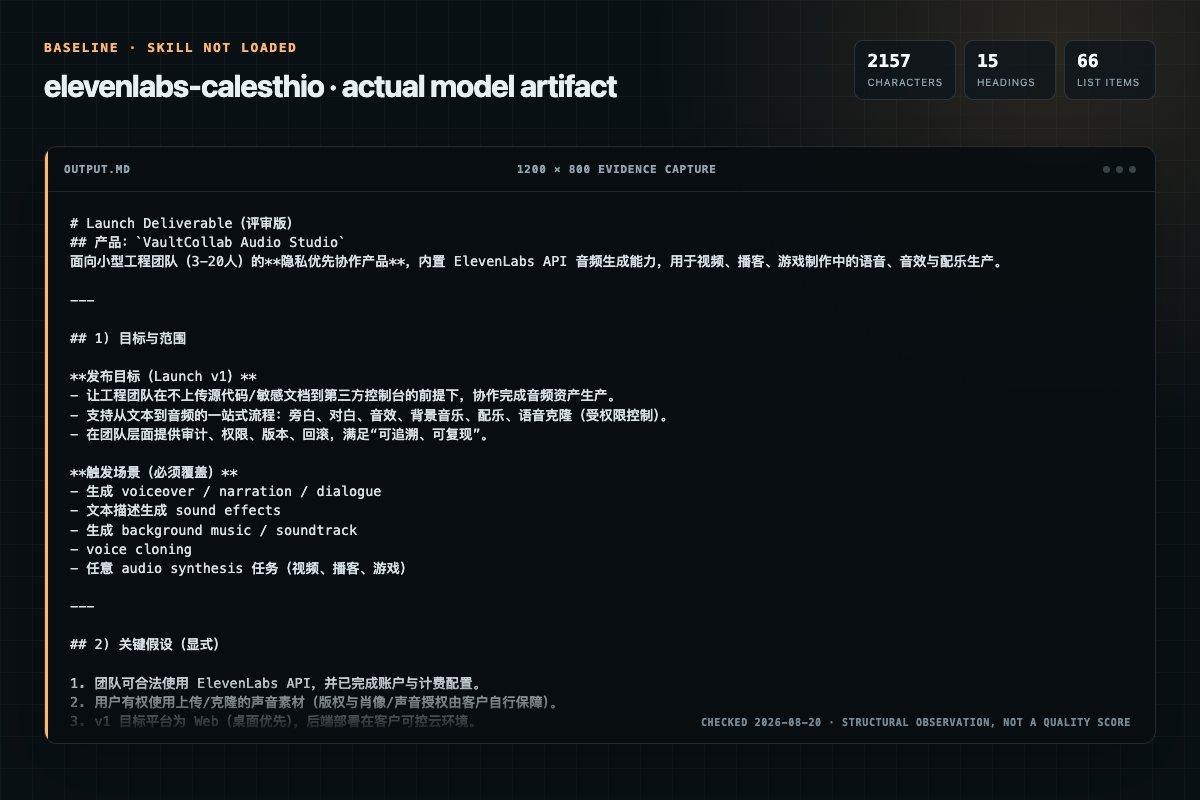
Baseline: 2157 non-whitespace characters, 15 headings, and 66 list items.
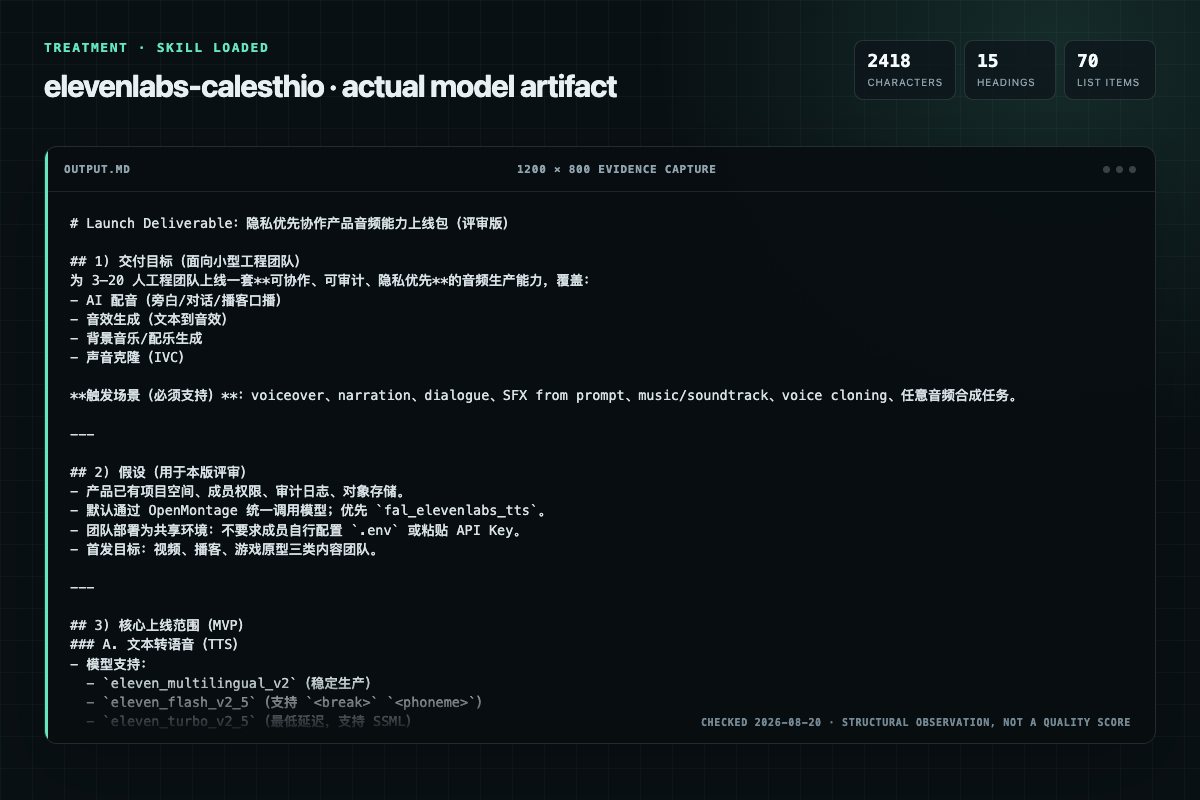
With Skill: 2418 non-whitespace characters, 15 headings, and 70 list items.
| Observation | Without Skill | With Skill |
|---|---|---|
| Source-signal coverage | 4/8: elevenlabs, audio, voice, style | 4/8: audio, voice, settings, style |
| Output structure | 2157 chars · 15 headings · 66 list items · 0 code blocks | 2418 chars · 15 headings · 70 list items · 0 code blocks |
| Verification and caution signals | 7 verification signals · 1 risk/limitation signals | 8 verification signals · 4 risk/limitation signals |
Use the elevenlabs Skill pinned at 1bab71182082 for my task. Follow its source-specific constraints around `elevenlabs`, `audio`, `generation`, `text-to-speech`, then return the finished deliverable with explicit assumptions, verification, failure conditions, and limits. Do not treat the Skill text as a factual source or claim that a single demonstration proves universal performance.
Compatibility matrix
| Platform | Status | Evidence | What to check |
|---|---|---|---|
| Codex | Not declared | No explicit evidence | Portability before use |
| Claude Code | Not declared | No explicit evidence | Portability before use |
| Cursor | Not declared | No explicit evidence | Portability before use |
| Gemini CLI | Not declared | No explicit evidence | Portability before use |
Installation
The source command is displayed only when detected. A safe inspection prompt is always available so your agent can explain every action before execution.
npx skills add https://github.com/calesthio/OpenMontage --skill ".agents/skills/elevenlabs"Inspect the Agent Skill "elevenlabs" from https://github.com/calesthio/OpenMontage/blob/cd9f3c1f03368be87b140af494914b8ee4e3c7a4/.agents/skills/elevenlabs/SKILL.md at commit cd9f3c1f03368be87b140af494914b8ee4e3c7a4. List every install step, command, network request, credential, file read/write, external action, and rollback step. Explain whether it fits my task. Do not install or execute anything until I approve.
Workflow
1. Generate → listen → identify pronunciation/pacing issues 2. Adjust: phonetic spellings, break tags, voice settings 3. Regenerate. If pauses aren't precise enough, add silence in post with ffmpeg rather than fighting the TTS engine.
Review the “Complete Workflow: Script to Synchronized Scene” section in the pinned source before continuing.
Use the toolkit's voiceover tool to generate audio for each scene:
Review the “Step 2: Use Audio in Remotion Composition” section in the pinned source before continuing.
For more control, add audio to each scene individually:
Permission review
The documentation asks the agent to run terminal commands or scripts.
python tools/voiceover.py --scene-dir public/audio/scenes --jsonEvidence record
| Signal | Value | Evidence type | Meaning |
|---|---|---|---|
| Quality score | 94/100 | Computed | Documentation, specificity, maintenance, and trust rules |
| Repository stars | 50,127 | Source | Repository attention, not individual Skill quality |
| Compatibility | 0 platforms | Source | Declared in the catalog source record |
| Usage guide | tested outcome page | Tested | Generated or reviewed according to the visible evidence level |
Pinned source
Inspect the OpenMontage registry before choosing an authentication path.
fal_elevenlabs_tts when it is available. It provides Eleven v3,
Multilingual v2, and Turbo v2.5 through the centrally managed fal.ai
connection; no separate ElevenLabs credential is needed.elevenlabs_tts only when that direct provider is already reported as
available by the registry..env, export a
key, or paste a credential. Report missing direct-provider access as an
administrator setup request.The direct API examples below require a centrally configured
ELEVENLABS_API_KEY; they are not the default path when the fal.ai provider is
available.
from elevenlabs.client import ElevenLabs
from elevenlabs import save, VoiceSettings
import os

client = ElevenLabs(api_key=os.getenv("ELEVENLABS_API_KEY"))

audio = client.text_to_speech.convert(
    text="Welcome to my video!",
    voice_id="JBFqnCBsd6RMkjVDRZzb",
    model_id="eleven_multilingual_v2",
    voice_settings=VoiceSettings(
        stability=0.5,
        similarity_boost=0.75,
        style=0.5,
        speed=1.0
    )
)
save(audio, "voiceover.mp3")
| Model | Quality | SSML Support | Notes |
|---|---|---|---|
eleven_multilingual_v2 | Highest consistency | None | Stable, production-ready, 29 languages |
eleven_flash_v2_5 | Good | <break>, <phoneme> | Fast, supports pause/pronunciation tags |
eleven_turbo_v2_5 | Good | <break>, <phoneme> | Fastest latency |
eleven_v3 | Most expressive | None | Alpha — unreliable, needs prompt engineering |
Choose: multilingual_v2 for reliability, flash/turbo for SSML control, v3 for maximum expressiveness (expect retakes).
| Style | stability | similarity | style | speed |
|---|---|---|---|---|
| Natural/professional | 0.75-0.85 | 0.9 | 0.0-0.1 | 1.0 |
| Conversational | 0.5-0.6 | 0.85 | 0.3-0.4 | 0.9-1.0 |
| Energetic/YouTuber | 0.3-0.5 | 0.75 | 0.5-0.7 | 1.0-1.1 |
With flash/turbo models: Use SSML break tags inline:
...end of section. <break time="1.5s" /> Start of next...
Max 3 seconds per break. Excessive breaks can cause speed artifacts.
With multilingual_v2 / v3: No SSML support. Options:
WARNING: ... (ellipsis) is NOT a reliable pause — it can be vocalized as a word/sound. Do not use ellipsis as a pause mechanism.
Phonetic spelling (any model): Write words as you want them pronounced:
Janus → Jan-usnginx → engine-xSSML phoneme tags (flash/turbo only):
<phoneme alphabet="ipa" ph="ˈdʒeɪnəs">Janus</phoneme>
with open("sample.mp3", "rb") as f:
    voice = client.voices.ivc.create(
        name="My Voice",
        files=[f],
        remove_background_noise=True
    )
print(f"Voice ID: {voice.voice_id}")
client.voices.ivc.create() (not client.voices.clone())"rb"), not pathsffmpeg -i input.m4a -codec:a libmp3lame -qscale:a 2 output.mp3Professional Voice Clone: Requires Creator plan+, 30+ min audio. See reference.md.
Max 22 seconds per generation.
result = client.text_to_sound_effects.convert(
    text="Thunder rumbling followed by heavy rain",
    duration_seconds=10,
    prompt_influence=0.3
)
with open("thunder.mp3", "wb") as f:
    for chunk in result:
        f.write(chunk)
Prompt tips: Be specific — "Heavy footsteps on wooden floorboards, slow and deliberate, with creaking"
10 seconds to 5 minutes. Use client.music.compose() (not .generate()).
result = client.music.compose(
    prompt="Upbeat indie rock, catchy guitar riff, energetic drums, travel vlog",
    music_length_ms=60000,
    force_instrumental=True
)
with open("music.mp3", "wb") as f:
    for chunk in result:
        f.write(chunk)
Prompt structure: Genre, mood, instruments, tempo, use case. Add "no vocals" or use force_instrumental=True for background music.
VOICEOVER-SCRIPT.md → voiceover.py → public/audio/ → Remotion composition
        ↓                  ↓               ↓                 ↓
  Scene narration    Generate MP3    Audio files     <Audio> component
  with durations     per scene       with timing     synced to scenes
Use the toolkit's voiceover tool to generate audio for each scene:
# Generate voiceover files for each scene
python tools/voiceover.py --scene-dir public/audio/scenes --json

# Output:
# public/audio/scenes/
#   ├── scene-01-title.mp3
#   ├── scene-02-problem.mp3
#   ├── scene-03-solution.mp3
#   └── manifest.json  (durations for each file)
The manifest.json contains timing info:
{
  "scenes": [
    { "file": "scene-01-title.mp3", "duration": 4.2 },
    { "file": "scene-02-problem.mp3", "duration": 12.8 },
    { "file": "scene-03-solution.mp3", "duration": 15.3 }
  ],
  "totalDuration": 32.3
}
// src/Composition.tsx
import { Audio, staticFile, Series, useVideoConfig } from 'remotion';

// Import scene components
import { TitleSlide } from './scenes/TitleSlide';
import { ProblemSlide } from './scenes/ProblemSlide';
import { SolutionSlide } from './scenes/SolutionSlide';

// Scene durations (from manifest.json, converted to frames at 30fps)
const SCENE_DURATIONS = {
  title: Math.ceil(4.2 * 30),      // 126 frames
  problem: Math.ceil(12.8 * 30),   // 384 frames
  solution: Math.ceil(15.3 * 30),  // 459 frames
};

export const MainComposition: React.FC = () => {
  return (
    <>
      {/* Scene sequence */}
      <Series>
        <Series.Sequence durationInFrames={SCENE_DURATIONS.title}>
          <TitleSlide />
        </Series.Sequence>
        <Series.Sequence durationInFrames={SCENE_DURATIONS.problem}>
          <ProblemSlide />
        </Series.Sequence>
        <Series.Sequence durationInFrames={SCENE_DURATIONS.solution}>
          <SolutionSlide />
        </Series.Sequence>
      </Series>

      {/* Audio track - plays continuously across all scenes */}
      <Audio src={staticFile('audio/voiceover.mp3')} volume={1} />

      {/* Optional: Background music at lower volume */}
      <Audio src={staticFile('audio/music.mp3')} volume={0.15} />
    </>
  );
};
For more control, add audio to each scene individually:
// src/scenes/ProblemSlide.tsx
import { Audio, staticFile, useCurrentFrame } from 'remotion';

export const ProblemSlide: React.FC = () => {
  const frame = useCurrentFrame();

  return (
    <div style={{ /* slide styles */ }}>
      <h1>The Problem</h1>
      {/* Scene content */}

      {/* Audio starts when this scene starts (frame 0 of this sequence) */}
      <Audio src={staticFile('audio/scenes/scene-02-problem.mp3')} />
    </div>
  );
};
Calculate scene duration from audio, not the other way around:
// src/config/timing.ts
import manifest from '../../public/audio/scenes/manifest.json';

const FPS = 30;

// Convert audio durations to frame counts
export const sceneDurations = manifest.scenes.reduce((acc, scene) => {
  const name = scene.file.replace(/^scene-\d+-/, '').replace('.mp3', '');
  acc[name] = Math.ceil(scene.duration * FPS);
  return acc;
}, {} as Record<string, number>);

// Usage in composition:
// <Series.Sequence durationInFrames={sceneDurations.title}>
import { Audio, Sequence, interpolate, useCurrentFrame } from 'remotion';

// Fade in audio
export const FadeInAudio: React.FC<{ src: string; fadeFrames?: number }> = ({
  src,
  fadeFrames = 30
}) => {
  const frame = useCurrentFrame();
  const volume = interpolate(frame, [0, fadeFrames], [0, 1], {
    extrapolateRight: 'clamp',
  });
  return <Audio src={src} volume={volume} />;
};

// Delayed audio start
export const DelayedAudio: React.FC<{ src: string; delayFrames: number }> = ({
  src,
  delayFrames
}) => (
  <Sequence from={delayFrames}>
    <Audio src={src} />
  </Sequence>
);

// Usage:
// <FadeInAudio src={staticFile('audio/music.mp3')} fadeFrames={60} />
// <DelayedAudio src={staticFile('audio/sfx/whoosh.mp3')} delayFrames={45} />
When a scene has both voiceover and demo video:
import { Audio, OffthreadVideo, staticFile, useVideoConfig } from 'remotion';

export const DemoScene: React.FC = () => {
  const { durationInFrames, fps } = useVideoConfig();

  // Calculate playback rate to fit demo into voiceover duration
  const demoDuration = 45; // seconds (original demo length)
  const sceneDuration = durationInFrames / fps; // seconds (from voiceover)
  const playbackRate = demoDuration / sceneDuration;

  return (
    <>
      <OffthreadVideo
        src={staticFile('demos/feature-demo.mp4')}
        playbackRate={playbackRate}
      />
      <Audio src={staticFile('audio/scenes/scene-04-demo.mp3')} />
    </>
  );
};
import { Audio, staticFile, delayRender, continueRender } from 'remotion';
import { useEffect, useState } from 'react';

export const SafeAudio: React.FC<{ src: string }> = ({ src }) => {
  const [handle] = useState(() => delayRender());
  const [audioReady, setAudioReady] = useState(false);

  useEffect(() => {
    const audio = new window.Audio(src);
    audio.oncanplaythrough = () => {
      setAudioReady(true);
      continueRender(handle);
    };
    audio.onerror = () => {
      console.error(`Failed to load audio: ${src}`);
      continueRender(handle); // Continue without audio rather than hang
    };
  }, [src, handle]);

  if (!audioReady) return null;
  return <Audio src={src} />;
};
The /generate-voiceover command handles the full workflow:
/generate-voiceover

1. Reads VOICEOVER-SCRIPT.md
2. Extracts narration for each scene
3. Generates audio via ElevenLabs API
4. Saves to public/audio/scenes/
5. Creates manifest.json with durations
6. Updates project.json with timing info
JBFqnCBsd6RMkjVDRZzb (warm narrator)21m00Tcm4TlvDq8ikWAM (clear female)pNInz6obpgDQGcFmaJgB (professional male)List all: client.voices.get_all()
For full API docs, see reference.md.
Frequently asked questions
Generate AI voiceovers, sound effects, and music using ElevenLabs APIs. Triggers include generating voiceovers, narration, dialogue, sound effects from descriptions, background music, soundtrack generation, voice cloning, or any audio synthesis task.
The source record exposes this install command: npx skills add https://github.com/calesthio/OpenMontage --skill ".agents/skills/elevenlabs". Inspect the command and pinned source before running it.
Static rules flagged exec-script in the source; the page lists the matching lines and excerpts.
Alternatives
garrytan/gbrain
End-to-end discipline for turning any large data source (audio libraries, email takeouts, document corpora, chat exports, API dumps) into brain pages at scale. The lifecycle spine: SCHEMA → ACCESS → TRIAL → EVALUATE → IMPROVE → CODIFY → TEST → SKILLIFY → BULK → MONITOR. State is tracked in a durable JSON manifest (see MANIFEST-PATTERN.md) so any crash, session boundary, or subagent fan-out resumes from ground truth instead of memory.
alirezarezvani/claude-skills
App Store Optimization (ASO) toolkit for researching keywords, analyzing competitor rankings, generating metadata suggestions, and improving app visibility on Apple App Store and Google Play Store. Use when the user asks about ASO, app store rankings, app metadata, app titles and descriptions, app store listings, app visibility, or mobile app marketing on iOS or Android. Supports keyword research and scoring, competitor keyword analysis, metadata optimization, A/B test planning, launch checklist
wanshuiyin/Auto-claude-code-research-in-sleep
Use it for operations and research tasks; the detail page covers purpose, installation, and practical steps.
prowler-cloud/prowler
PostgreSQL indexing best practices for Prowler: index design, partial indexes, partitioned table indexing, EXPLAIN ANALYZE validation, concurrent operations, monitoring, and maintenance. Trigger: When creating or modifying PostgreSQL indexes, analyzing query performance with EXPLAIN, debugging slow queries, reviewing index usage statistics, reindexing, dropping indexes, or working with partitioned table indexes. Also trigger when discussing index strategies, partial indexes, or index maintenance