
Best for
- "make X work"
- "fix the Y feature"
- "the Z module is broken"
alirezarezvani/claude-skills/engineering/skills/focused-fix/SKILL.md
Use when the user asks to fix, debug, or make a specific feature/module/area work end-to-end. Triggers: 'make X work', 'fix the Y feature', 'the Z module is broken', 'focus on [area]'. Not for quick single-bug fixes — this is for systematic deep-dive repair across all files and dependencies.
Decision brief
Triggers: 'make X work', 'fix the Y feature', 'the Z module is broken', 'focus on [area]'. Not for quick single-bug fixes — this is for systematic deep-dive repair across all files and dependencies.
In this controlled same-task single run, enabling focused-fix changed the output from 3638 non-whitespace characters and 13 headings to 4142 characters and 17 headings. Matches among 8 signals extracted from the pinned source changed from 1 to 1. Both actual outputs are shown; this is a structural observation, not a quality score or a universal performance claim.
Design and implement a representative production change for a TypeScript webhook retry service. Include the key code or pseudocode, tradeoffs, and verification steps. The deliverable must specifically reflect this user intent: Use when the user asks to fix, debug, or make a specific feature/module/area work end-to-end. Triggers: 'make X work', 'fix the Y feature', 'the Z module is broken', 'focus on [area]'. Not for quick single-bug fixes — this is for systematic deep-dive repair across all files and dependencies.
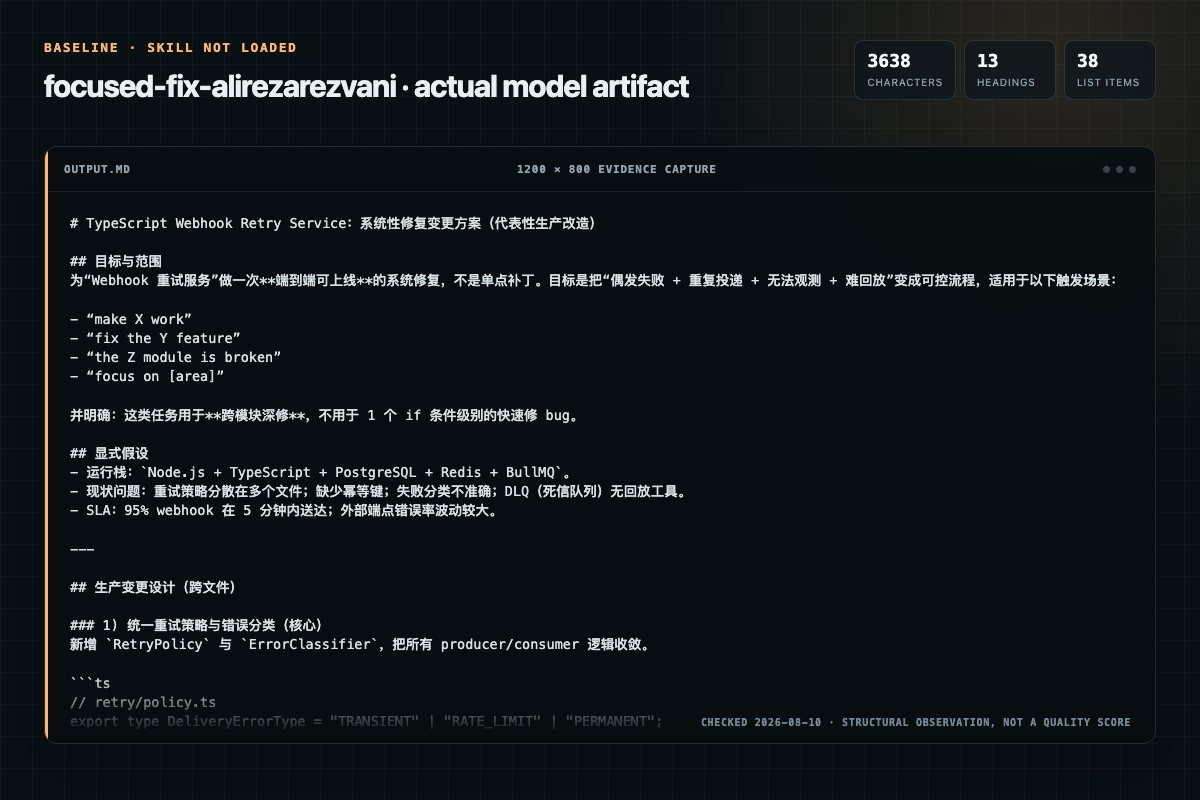
Baseline: 3638 non-whitespace characters, 13 headings, and 38 list items.
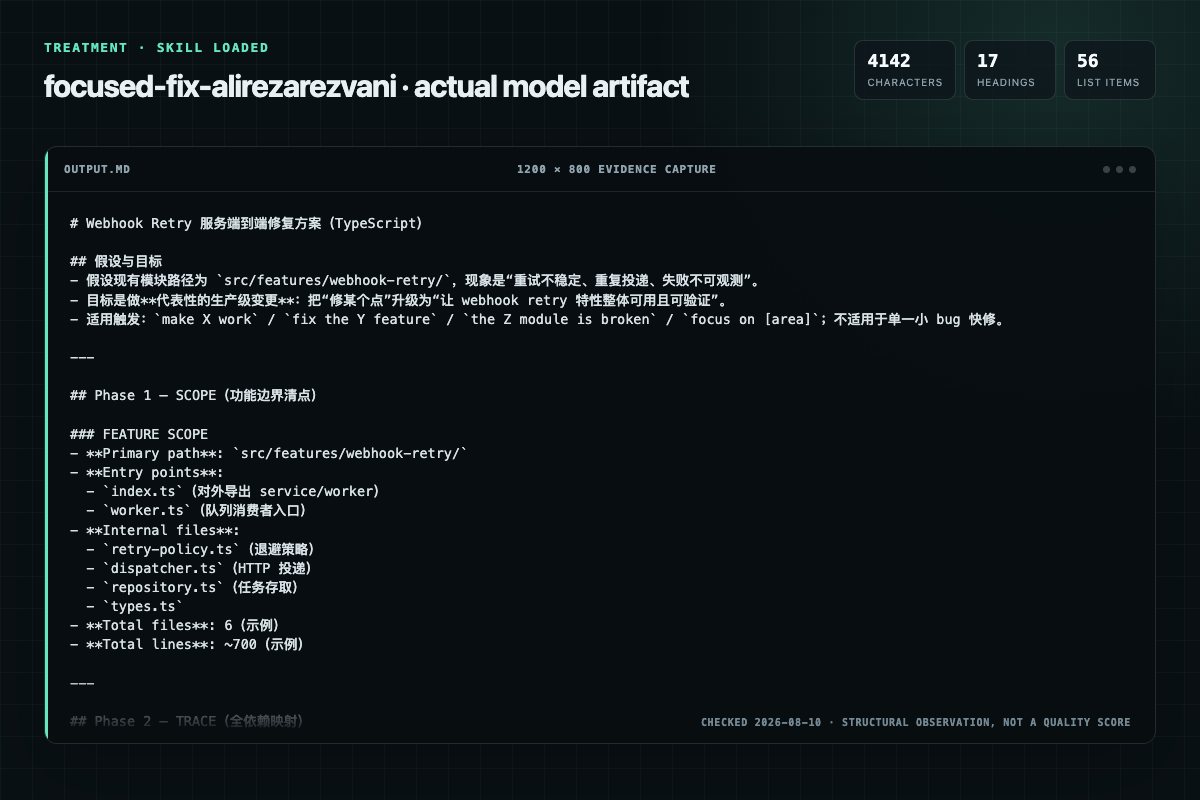
With Skill: 4142 non-whitespace characters, 17 headings, and 56 list items.
| Observation | Without Skill | With Skill |
|---|---|---|
| Source-signal coverage | 1/8: feature | 1/8: feature |
| Output structure | 3638 chars · 13 headings · 38 list items · 3 code blocks | 4142 chars · 17 headings · 56 list items · 5 code blocks |
| Verification and caution signals | 12 verification signals · 4 risk/limitation signals | 18 verification signals · 3 risk/limitation signals |
Use the focused-fix Skill pinned at aa8d778811a5 for my task. Follow its source-specific constraints around `focused-fix`, `focused`, `deep-dive`, `feature`, then return the finished deliverable with explicit assumptions, verification, failure conditions, and limits. Do not treat the Skill text as a factual source or claim that a single demonstration proves universal performance.
Compatibility matrix
| Platform | Status | Evidence | What to check |
|---|---|---|---|
| Codex | Not declared | No explicit evidence | Portability before use |
| Claude Code | Not declared | No explicit evidence | Portability before use |
| Cursor | Not declared | No explicit evidence | Portability before use |
| Gemini CLI | Not declared | No explicit evidence | Portability before use |
Installation
The source command is displayed only when detected. A safe inspection prompt is always available so your agent can explain every action before execution.
npx skills add https://github.com/alirezarezvani/claude-skills --skill "engineering/skills/focused-fix"Inspect the Agent Skill "focused-fix" from https://github.com/alirezarezvani/claude-skills/blob/98180dafc4f0bc9d629bd479fc6107674cfb3cf8/engineering/skills/focused-fix/SKILL.md at commit 98180dafc4f0bc9d629bd479fc6107674cfb3cf8. List every install step, command, network request, credential, file read/write, external action, and rollback step. Explain whether it fits my task. Do not install or execute anything until I approve.
Workflow
Before touching any code, understand the full scope of the feature.
Trace every connection this feature has to the rest of the codebase.
Systematically check for problems. Run ALL of these checks:
Fix issues in this EXACT order:
After all fixes are applied:
Permission review
The documentation asks the agent to read local files, directories, or repositories.
| SCOPE | Read every file, map entry points | Feature manifest |Evidence record
| Signal | Value | Evidence type | Meaning |
|---|---|---|---|
| Quality score | 93/100 | Computed | Documentation, specificity, maintenance, and trust rules |
| Repository stars | 24,921 | Source | Repository attention, not individual Skill quality |
| Compatibility | 0 platforms | Source | Declared in the catalog source record |
| Usage guide | tested outcome page | Tested | Generated or reviewed according to the visible evidence level |
Pinned source
Activate when the user asks to fix, debug, or make a specific feature/module/area work. Key triggers:
This is NOT for quick single-bug fixes (use systematic-debugging for that). This is for when an entire feature or module needs systematic repair — tracing every dependency, reading logs, checking tests, mapping the full dependency graph.
digraph when_to_use {
    "User reports feature broken" [shape=diamond];
    "Single bug or symptom?" [shape=diamond];
    "Use systematic-debugging" [shape=box];
    "Entire feature/module needs repair?" [shape=diamond];
    "Use focused-fix" [shape=box];
    "Something else" [shape=box];

    "User reports feature broken" -> "Single bug or symptom?";
    "Single bug or symptom?" -> "Use systematic-debugging" [label="yes"];
    "Single bug or symptom?" -> "Entire feature/module needs repair?" [label="no"];
    "Entire feature/module needs repair?" -> "Use focused-fix" [label="yes"];
    "Entire feature/module needs repair?" -> "Something else" [label="no"];
}
NO FIXES WITHOUT COMPLETING SCOPE → TRACE → DIAGNOSE FIRST
If you haven't finished Phase 3, you cannot propose fixes. Period.
Violating the letter of these phases is violating the spirit of focused repair.
digraph phases {
    rankdir=LR;
    SCOPE [shape=box, label="Phase 1\nSCOPE"];
    TRACE [shape=box, label="Phase 2\nTRACE"];
    DIAGNOSE [shape=box, label="Phase 3\nDIAGNOSE"];
    FIX [shape=box, label="Phase 4\nFIX"];
    VERIFY [shape=box, label="Phase 5\nVERIFY"];

    SCOPE -> TRACE -> DIAGNOSE -> FIX -> VERIFY;
    FIX -> DIAGNOSE [label="fix broke\nsomething else"];
    FIX -> ESCALATE [label="3+ fixes\ncreate new issues"];
    ESCALATE [shape=doubleoctagon, label="STOP\nQuestion Architecture\nDiscuss with User"];
}
Before touching any code, understand the full scope of the feature.
FEATURE SCOPE:
  Primary path: src/features/auth/
  Entry points: [files that are imported by other parts of the app]
  Internal files: [files only used within this feature]
  Total files: N
  Total lines: N
Trace every connection this feature has to the rest of the codebase.
INBOUND (what this feature imports):
OUTBOUND (what imports this feature):
Output format:
DEPENDENCY MAP:
  Inbound (this feature depends on):
    src/lib/db.ts → used in auth/repository.ts (getUserById, createUser)
    src/lib/jwt.ts → used in auth/service.ts (signToken, verifyToken)
    @prisma/client → used in auth/repository.ts
    process.env.JWT_SECRET → used in auth/service.ts
    process.env.DATABASE_URL → used via prisma

  Outbound (depends on this feature):
    src/app/api/login/route.ts → imports { login } from auth/service
    src/app/api/register/route.ts → imports { register } from auth/service
    src/middleware.ts → imports { verifyToken } from auth/service

  Env vars required: JWT_SECRET, DATABASE_URL
  Config files: prisma/schema.prisma (User model)
Systematically check for problems. Run ALL of these checks:
CODE QUALITY:
any at interfaces)RUNTIME:
TESTS:
LOGS & ERRORS:
git log --oneline -20 -- <feature-path>git log --oneline -5 --all -- <files that this feature depends on>CONFIGURATION:
ROOT-CAUSE CONFIRMATION: For each CRITICAL issue found, confirm root cause before adding it to the fix list:
superpowers:systematic-debugging Phase 1 (Root Cause Investigation) to confirm before proceedingRISK LABELING: Assign each issue a risk label:
| Risk | Criteria |
|---|---|
| HIGH | Public API surface / breaking interface contract / DB schema / auth or security logic / widely imported module (>3 callers) / git hotspot |
| MED | Internal module with tests / shared utility / config with runtime impact / internal callers of changed functions |
| LOW | Leaf module / isolated file / test-only change / single-purpose helper with no callers |
Output format:
DIAGNOSIS REPORT:
  Issues found: N

  CRITICAL:
    1. [HIGH] [file:line] — description of issue. Root cause: [confirmed explanation]
    2. [HIGH] [file:line] — description of issue. Root cause: [confirmed explanation]

  WARNINGS:
    1. [MED] [file:line] — description of issue
    2. [LOW] [file:line] — description of issue

  TESTS:
    Ran: N tests
    Passed: N
    Failed: N
    [list each failure with one-line summary]
Fix issues in this EXACT order:
Rules:
ESCALATION RULE — 3-Strike Architecture Check: If 3+ fixes in this phase create NEW issues (not pre-existing ones), STOP immediately.
This pattern indicates an architectural problem, not a bug collection:
Action: Stop fixing. Tell the user: "3+ fixes have cascaded into new issues. This suggests the feature's architecture may need rethinking, not patching. Here's what I've found: [summary]. Should we continue fixing symptoms or discuss restructuring?"
Do NOT attempt fix #4 without this discussion.
Output after each fix:
FIX #1:
  File: auth/service.ts:45
  Issue: signToken called with wrong argument order
  Change: swapped (expiresIn, payload) to (payload, expiresIn)
  Test: auth.test.ts → PASSES
After all fixes are applied:
Final output:
FOCUSED FIX COMPLETE:
  Feature: auth
  Files changed: 4
  Total fixes: 7
  Tests: 23/23 passing
  Regressions: 0

  Changes:
    1. auth/service.ts — fixed token signing argument order
    2. auth/repository.ts — added null check for user lookup
    3. auth/middleware.ts — fixed async error handling
    4. auth/types.ts — aligned UserResponse type with actual DB schema

  Consumers verified:
    - src/app/api/login/route.ts ✅
    - src/app/api/register/route.ts ✅
    - src/middleware.ts ✅
If you catch yourself thinking any of these, you are skipping phases:
ALL of these mean: Return to the phase you're supposed to be in.
| Excuse | Reality |
|---|---|
| "The feature is small, I don't need all 5 phases" | Small features have dependencies too. Phases 1-2 take minutes for small features — do them. |
| "I already know this codebase" | Knowledge decays. Trace the actual imports, don't rely on memory. |
| "The user wants speed, not process" | Skipping phases causes rework. Systematic is faster than thrashing. |
| "Only one file is broken" | If only one file were broken, the user would say "fix this bug", not "make the feature work." |
| "I fixed the tests, so it works" | Tests can pass while consumers are broken. Verify Phase 5 fully. |
| "The dependency map is too big to trace" | Then the feature is too big to fix without tracing. That's exactly why you need it. |
| "Root cause is obvious, I don't need to confirm" | "Obvious" root causes are wrong 40% of the time. Confirm with evidence. |
| "3 cascading failures is normal for a big fix" | 3 cascading failures means you're patching symptoms of an architectural problem. |
| Anti-Pattern | Why It's Wrong |
|---|---|
| Starting to fix code before mapping all dependencies | You'll miss root causes and create whack-a-mole fixes |
| Fixing only the file the user mentioned | Related files likely have issues too |
| Ignoring environment variables and configuration | Many "code bugs" are actually config issues |
| Skipping the test run phase | You can't verify fixes without running tests |
| Making changes outside the feature folder without explaining why | Unexpected side effects confuse the user |
| Fixing symptoms in consumer files instead of root cause in feature | Band-aids that break when the next consumer appears |
| Declaring "done" without running verification tests | Untested fixes are unverified fixes |
| Changing the public API without updating all consumers | Breaks everything that depends on the feature |
superpowers:systematic-debugging — Use within Phase 3 for root-cause tracing of individual complex bugssuperpowers:verification-before-completion — Use within Phase 5 before claiming the feature is fixedscope — If you need to understand blast radius before starting, run scope first then focused-fix| Phase | Key Action | Output |
|---|---|---|
| SCOPE | Read every file, map entry points | Feature manifest |
| TRACE | Map inbound + outbound dependencies | Dependency map |
| DIAGNOSE | Check code, runtime, tests, logs, config | Diagnosis report |
| FIX | Fix in order: deps → types → logic → tests → integration | Fix log per issue |
| VERIFY | Run all tests, check consumers, summarize | Completion report |
Frequently asked questions
Triggers: 'make X work', 'fix the Y feature', 'the Z module is broken', 'focus on [area]'. Not for quick single-bug fixes — this is for systematic deep-dive repair across all files and dependencies.
The source record exposes this install command: npx skills add https://github.com/alirezarezvani/claude-skills --skill "engineering/skills/focused-fix". Inspect the command and pinned source before running it.
Static rules flagged read-files in the source; the page lists the matching lines and excerpts.
Alternatives
coreyhaines31/marketingskills
When the user wants to plan, design, or implement an A/B test or experiment, or build a growth experimentation program. Also use when the user mentions "A/B test," "split test," "experiment," "test this change," "variant copy," "multivariate test," "hypothesis," "should I test this," "which version is better," "test two versions," "statistical significance," "how long should I run this test," "growth experiments," "experiment velocity," "experiment backlog," "ICE score," "experimentation program
garrytan/gbrain
End-to-end discipline for turning any large data source (audio libraries, email takeouts, document corpora, chat exports, API dumps) into brain pages at scale. The lifecycle spine: SCHEMA → ACCESS → TRIAL → EVALUATE → IMPROVE → CODIFY → TEST → SKILLIFY → BULK → MONITOR. State is tracked in a durable JSON manifest (see MANIFEST-PATTERN.md) so any crash, session boundary, or subagent fan-out resumes from ground truth instead of memory.
alirezarezvani/claude-skills
App Store Optimization (ASO) toolkit for researching keywords, analyzing competitor rankings, generating metadata suggestions, and improving app visibility on Apple App Store and Google Play Store. Use when the user asks about ASO, app store rankings, app metadata, app titles and descriptions, app store listings, app visibility, or mobile app marketing on iOS or Android. Supports keyword research and scoring, competitor keyword analysis, metadata optimization, A/B test planning, launch checklist
dotnet/skills
Migrates .NET test projects from VSTest to Microsoft.Testing.Platform (MTP). Use when user asks to "migrate to MTP", "switch from VSTest", "enable Microsoft.Testing.Platform", "use MTP runner", set OutputType=Exe only for test projects in Directory.Build.props, or mentions EnableMSTestRunner, EnableNUnitRunner, or UseMicrosoftTestingPlatformRunner. USE FOR: MTP behavioral differences vs VSTest (exit code 8, zero tests discovered, --ignore-exit-code, TESTINGPLATFORM_EXITCODE_IGNORE); centralizing