
Tested demoQuality 96/100Review permissions
NVIDIA/skills/skills/hsb-test/SKILL.md
hsb-test
Execute QA test plans on Holoscan Sensor Bridge hardware. Reads a user-provided test document, filters tests by the user's setup, determines which tests can run automatically, executes them with pass/fail evaluation, and produces a structured test results report.
- Source repository stars
- 3,093
- Declared platforms
- 0
- Static risk flags
- 1
- Last source update
- 2026-08-25
- Source checked
- 2026-08-25
Decision brief
What it does: where it fits
Use this skill when the user wants to execute a QA test plan against an HSB board and devkit. The skill reads a test document (local file or web link), filters tests to those that can run automatically on the user's specific hardware setup, executes each test with pass/fail eval…
Not for
- Tasks that require unconfirmed production actions or broad system permissions.
- Environments where the pinned source and install steps cannot be inspected.
Controlled single-run demoChecked 2026-08-20
What changed when the Skill was used
In this controlled same-task single run, enabling hsb-test changed the output from 2803 non-whitespace characters and 8 headings to 2746 characters and 9 headings. Matches among 8 signals extracted from the pinned source changed from 2 to 1. Both actual outputs are shown; this is a structural observation, not a quality score or a universal performance claim.
Same test task
Create a test strategy and representative test cases for a JSON API schema comparison feature. Include failure cases and a clear verification procedure. The deliverable must specifically reflect this user intent: Execute QA test plans on Holoscan Sensor Bridge hardware. Reads a user-provided test document, filters tests by the user's setup, determines which tests can run automatically, executes them with pass/fail evaluation, and produces a structured test results report.
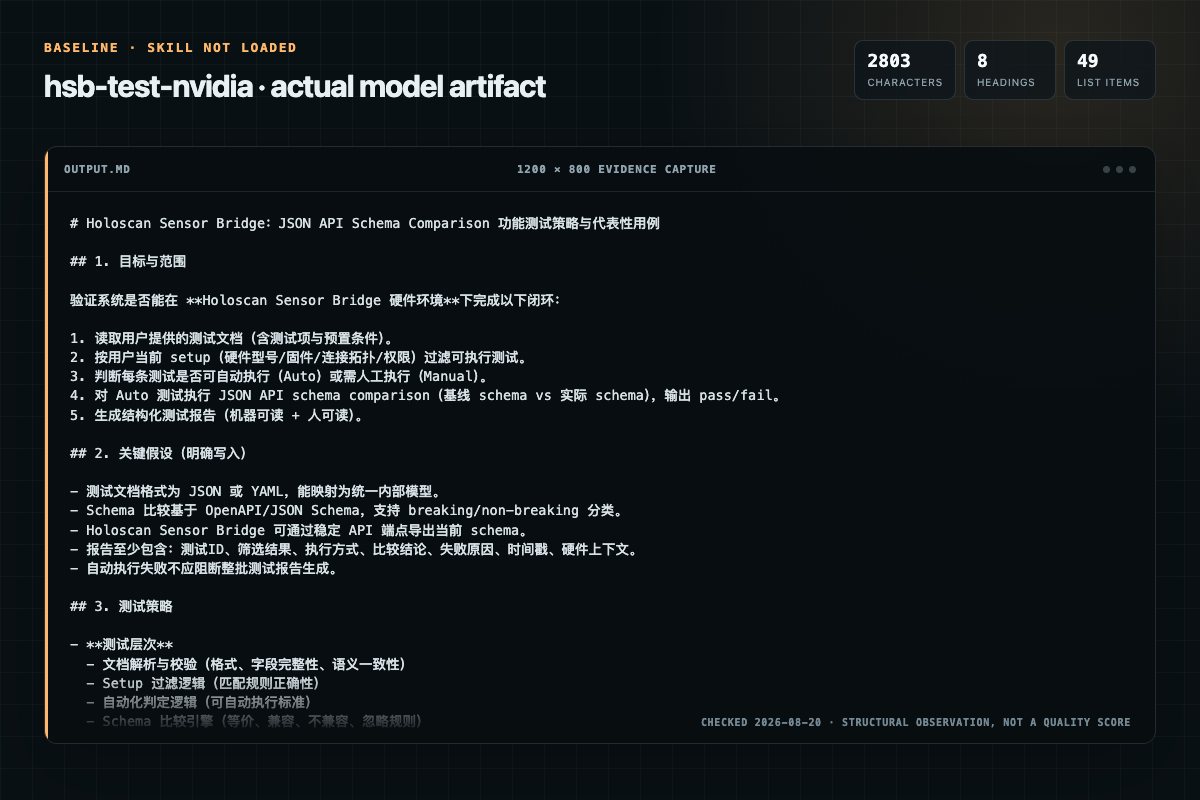
Baseline: 2803 non-whitespace characters, 8 headings, and 49 list items.
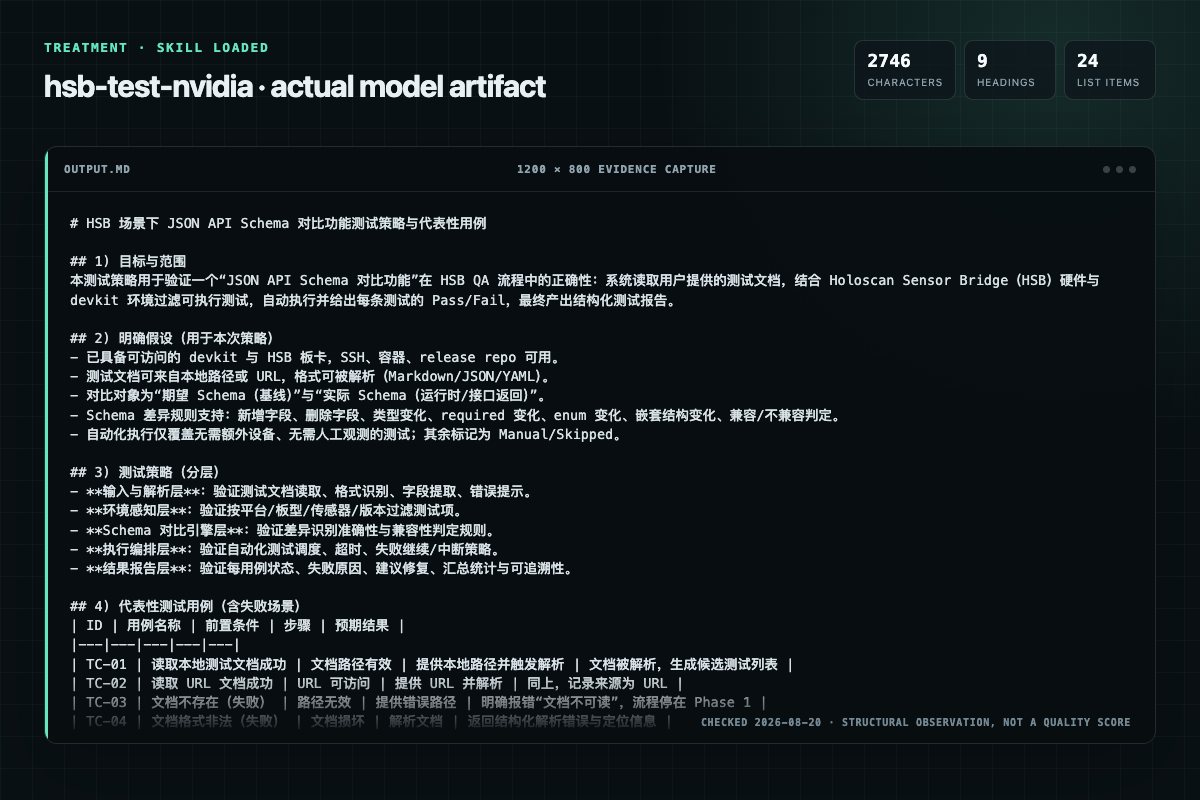
With Skill: 2746 non-whitespace characters, 9 headings, and 24 list items.
| Observation | Without Skill | With Skill |
|---|---|---|
| Source-signal coverage | 2/8: start, required | 1/8: required |
| Output structure | 2803 chars · 8 headings · 49 list items · 1 code blocks | 2746 chars · 9 headings · 24 list items · 1 code blocks |
| Verification and caution signals | 54 verification signals · 1 risk/limitation signals | 58 verification signals · 5 risk/limitation signals |
A prompt you can use
Use the hsb-test Skill pinned at 20bb6aaea832 for my task. Follow its source-specific constraints around `hsb-test`, `runner`, `start`, `required`, then return the finished deliverable with explicit assumptions, verification, failure conditions, and limits. Do not treat the Skill text as a factual source or claim that a single demonstration proves universal performance.
Method and limitationsExpandCollapse
Test method
- Baseline and treatment used the same task, model (gpt-5.3-codex-low), and runner; the only planned difference was whether the complete target Skill text was injected.
- The treatment used snapshot ed2db6f3eba61ff522d164b5437f4413af2319bd; the current source commit 20bb6aaea832ba254dca639c5e8cbfb3e6de0baa was verified against content hash ca1044017210. The baseline explicitly prohibited loading any Skill or external rule file.
- The same deterministic script counted characters, headings, lists, code blocks, verification terms, caution terms, and source signals in both artifacts. Source signals: `hsb-test`, `runner`, `start`, `required`, `gates`, `these`, `first`, `order`.
- The visuals are local screenshots of the actual Markdown artifacts in a fixed 1200 × 800 evidence canvas, not recreated product mockups. Raw JSON artifacts and request records are retained in the research directory.
Do not over-read this demo
- This is one controlled demonstration per condition, not a multi-run statistical benchmark; the model is stochastic.
- Character, structure, and keyword counts show observable differences but cannot by themselves prove correctness, originality, or business impact.
- The task is a representative test designed for repeatability, not every real-world use of the Skill; rerun after a material source change.
- Editorial review
- SkillSignal editorial
- Runner
- Cursor Agent 2026.08.04-aaa8809
- Model
- gpt-5.3-codex-low
- Refresh due
- 2026-11-18
- Reviewed commit
- 20bb6aaea832ba254dca639c5e8cbfb3e6de0baa
- Test snapshot
- ed2db6f3eba61ff522d164b5437f4413af2319bd
Compatibility matrix
Platform support, with evidence labels
| Platform | Status | Evidence | What to check |
|---|---|---|---|
| Codex | Not declared | No explicit evidence | Portability before use |
| Claude Code | Not declared | No explicit evidence | Portability before use |
| Cursor | Not declared | No explicit evidence | Portability before use |
| Gemini CLI | Not declared | No explicit evidence | Portability before use |
Installation
Inspect first. Install second.
The source command is displayed only when detected. A safe inspection prompt is always available so your agent can explain every action before execution.
Source-detected install commandSource
npx skills add https://github.com/NVIDIA/skills --skill "skills/hsb-test"Safe inspection promptEditorial
Inspect the Agent Skill "hsb-test" from https://github.com/NVIDIA/skills/blob/3a38625bf3e863eb9f26ea0d985130ddfb5c66ae/skills/hsb-test/SKILL.md at commit 3a38625bf3e863eb9f26ea0d985130ddfb5c66ae. List every install step, command, network request, credential, file read/write, external action, and rollback step. Explain whether it fits my task. Do not install or execute anything until I approve.
Workflow
What the source asks the agent to do
- 01
First run in a session (no prior verification)
When no valid session state exists, show the full phase plan:
Phase 0: Verify board connectivity, demo container readiness, and user setup (release repo, platform, sensor/camera)Phase 1: Obtain test plan, confirm setup, build executable test listPhase 2: Execute test plan with per-test pass/fail evaluation - 02
When to re-run Phase 0 from the beginning
Phase 0 must be re-run (ignoring the fast path) when:
New session: No session state file exists on the remote host, or a new Claude Code session is started.Execution failure suggesting connectivity loss: If Phase 2 fails with symptoms indicating the board or devkit is unreachable (ping failure, SSH timeout, container launch failure, No such device errors), clear SESSIONVER…User explicitly requests it: If the user says "re-verify", "start over", "run from the beginning", or invokes /hsb-test --full, run Phase 0 from scratch. - 03
Phase details
See references/phase-details.md for full step-by-step phase instructions.
See references/phase-details.md for full step-by-step phase instructions. - 04
restore state from previous phase
source /tmp/.claudehsbtestsession/state.sh 2/dev/null || true cd "${CLAUDECWD:-REMOTEROOT}"
source /tmp/.claudehsbtestsession/state.sh 2/dev/null || true cd "${CLAUDECWD:-REMOTEROOT}" - 05
phase commands
echo "=== Phase N: description ===" command1 command2
echo "=== Phase N: description ===" command1 command2
Permission review
Static risk signals and limitations
Runs scripts
The documentation asks the agent to run terminal commands or scripts.
docker ps --filter "name=hsb_test_" --format '{{.Names}}' | xargs -r docker stop -t 2 2>/dev/null || trueEvidence record
Why each signal appears
EvidenceSourceComputedTestedEditorial
| Signal | Value | Evidence type | Meaning |
|---|---|---|---|
| Quality score | 96/100 | Computed | Documentation, specificity, maintenance, and trust rules |
| Repository stars | 3,093 | Source | Repository attention, not individual Skill quality |
| Compatibility | 0 platforms | Source | Declared in the catalog source record |
| Usage guide | tested outcome page | Tested | Generated or reviewed according to the visible evidence level |
Pinned source
Provenance and original SKILL.md
- Repository
- NVIDIA/skills
- Skill path
- skills/hsb-test/SKILL.md
- Commit
- 3a38625bf3e863eb9f26ea0d985130ddfb5c66ae
- License
- Apache-2.0
- Collected
- 2026-08-25
- Default branch
- main
View the original SKILL.md
HSB QA Test Runner
Use this skill when the user wants to execute a QA test plan against an HSB board and devkit. The skill reads a test document (local file or web link), filters tests to those that can run automatically on the user's specific hardware setup, executes each test with pass/fail evaluation, and produces a comprehensive results report.
This skill assumes the devkit is already set up (SSH, demo container built, host configured, board connected). If setup is not complete, it will offer to invoke /hsb-setup first.
This workflow runs test applications inside the demo container. Only run it when the user explicitly invokes it.
Before you start — required gates (do these first, in order)
Gate 1 — Read environment variables. Before doing anything else, check these variables and print their resolved values to the user:
SSH_TARGET      Remote devkit login (e.g. [email protected]). Ask the user if not set.
REMOTE_ROOT     Remote working directory (e.g. /home/nvidia). Ask the user if not set.
REMOTE_SUDO     sudo / sudo -n / "" — default to "sudo" if not set.
REMOTE_SSH_OPTS Additional SSH options (optional).
HSB_PLATFORM    Platform hint (optional).
SSH_TARGET and REMOTE_ROOT are required. Stop and ask the user for them if either is missing.
Gate 2 — Present the phase plan, ask for the test document, and get confirmation. Before taking any action:
- Show the phase plan:
HSB Test — Phase Plan
  Phase 0: Verify devkit SSH, board ping, and demo container availability
  Phase 1: Obtain test document, confirm setup, build executable test plan
  Phase 2: Execute tests, record pass/fail, analyze failures
  Phase 3: Produce test results report (with option to save)
  Phase 4: Clean up test artifacts
-
If the user has not provided a test document path or URL, STOP and ask for it — do not proceed to Phase 0 or any phase until the user provides it:
Please provide the path or URL to your test document:. If the user has already specified specific tests (e.g., "connectivity checks only"), state which phases will run and which will be skipped, and note that tests will be filtered to the user's platform/board/sensor configuration and classified as automatable vs. manual. -
Ask explicitly:
Shall I proceed with Phase 0? [Y/n]— do not start Phase 0 until the user confirms.
What this skill must do
- Verify that the devkit is reachable over SSH, the HSB board is connected and responsive, and the demo container is available. Read the current FPGA version and board identity. Verify the type of sensor/camera and hsb devkit and release repo used either from already set environment variables or from prompting the user. If the setup is not ready, offer to invoke
/hsb-setupto prepare the devkit. - Obtain a test plan document from the user (file path or URL). Confirm the user's setup details collected in Phase 0 (repo location, HSB version, platform, board type, sensors). Study the test plan and the repository's
examples/directory to determine which tests can run automatically. Skip manual tests and tests requiring additional equipment. Present the executable test plan for user approval. - Execute each test case in sequence. For each test: run the application, evaluate pass/fail against the criteria in the test plan, log the result. On failure, analyze logs, suggest fixes, and let the user decide how to proceed before running the next test.
- Produce a structured test results report with per-test pass/fail status, issues encountered, and fixes applied. Offer to save the report.
- Clean up all test artifacts (containers, temporary files, session state).
Linux/Windows-friendly wrapper variables
Reuse the same environment variables from the other HSB skills:
SSH_TARGETfor the remote login target (e.g.nvidia@agx-thor-host)REMOTE_ROOTfor the remote working directoryREMOTE_SUDOfor privileged commandsREMOTE_SSH_OPTSfor additional SSH optionsHSB_PLATFORMas an optional platform hint
If these are set, notify the user of these settings and use them without re-asking.
Before Phase 0, print the resolved remote execution settings.
Mandatory interaction pattern
First run in a session (no prior verification)
When no valid session state exists, show the full phase plan:
- Phase 0: Verify board connectivity, demo container readiness, and user setup (release repo, platform, sensor/camera)
- Phase 1: Obtain test plan, confirm setup, build executable test list
- Phase 2: Execute test plan with per-test pass/fail evaluation
- Phase 3: Generate test results report (with option to save)
- Phase 4: Cleanup
Then execute one phase at a time.
Subsequent runs in the same session (fast path)
When the session state file (/tmp/.claude_hsb_test_session/state.sh) exists and contains _SESSION_VERIFIED=true, the skill skips Phase 0 and Phase 1 setup confirmation because connectivity, hardware, release repo, platform, and sensor/camera were already verified. Instead, inform the user and jump directly to test plan intake:
Session already verified — skipping connectivity checks.
  SSH target: $SSH_TARGET
  Release repo: /home/work/holoscan-sensor-bridge (HSB vX.X.X)
  Platform: AGX Thor
  Board: HSB Lattice | FPGA: XXXX
  Sensors: Dual IMX274

Proceeding directly to test plan intake.
Then execute:
- Phase 1 (test plan intake and test list building — setup confirmation is skipped)
- Phase 2: Execute test plan
- Phase 3: Test results report
- Phase 4: Cleanup
When to re-run Phase 0 from the beginning
Phase 0 must be re-run (ignoring the fast path) when:
- New session: No session state file exists on the remote host, or a new Claude Code session is started.
- Execution failure suggesting connectivity loss: If Phase 2 fails with symptoms indicating the board or devkit is unreachable (ping failure, SSH timeout, container launch failure,
No such deviceerrors), clear_SESSION_VERIFIEDfrom the session state and re-run Phase 0 before retrying. - User explicitly requests it: If the user says "re-verify", "start over", "run from the beginning", or invokes
/hsb-test --full, run Phase 0 from scratch.
See ## Phase gate below for the full confirmation protocol.
If something fails, do not just dump raw logs. Summarize:
- the exact command that failed
- the likely root cause
- what safe action you recommend
- whether the issue is blocking
Phase details
See references/phase-details.md for full step-by-step phase instructions.
Execution rules
SSH heredoc pattern
Use the same persistent SSH session model as the other HSB skills. Each phase runs as a single SSH heredoc block:
ssh -o BatchMode=yes $REMOTE_SSH_OPTS $SSH_TARGET bash -s <<'REMOTE'
set -e

# restore state from previous phase
source /tmp/.claude_hsb_test_session/state.sh 2>/dev/null || true
cd "${_CLAUDE_CWD:-__REMOTE_ROOT__}"

# phase commands
echo "=== Phase N: description ==="
command1
command2

# save state for next phase (preserves _SESSION_VERIFIED if already set)
_PREV_VERIFIED="${_SESSION_VERIFIED:-}"
mkdir -p /tmp/.claude_hsb_test_session
{
  echo "export _CLAUDE_CWD=\"$(pwd)\""
  echo "export PATH=\"$PATH\""
  echo "export REPO_DIR=\"$REPO_DIR\""
  echo "export VERSION=\"$VERSION\""
  echo "export HSB_PLATFORM=\"$HSB_PLATFORM\""
  echo "export BOARD_TYPE=\"$BOARD_TYPE\""
  echo "export SENSORS=\"$SENSORS\""
  echo "export FPGA_VERSION=\"$FPGA_VERSION\""
  echo "export TEST_PLAN_SOURCE=\"$TEST_PLAN_SOURCE\""
  [ "$_PREV_VERIFIED" = "true" ] && echo "export _SESSION_VERIFIED=true"
} > /tmp/.claude_hsb_test_session/state.sh
REMOTE
Replace __REMOTE_ROOT__ with the literal value of $REMOTE_ROOT when composing the heredoc.
Container usage for tests
Test commands run inside the demo container. Use the detached pattern with a named container and a watchdog for timeout enforcement.
Default timeout per test: 120 seconds (2 minutes). Overridden by:
--timeout Non the skill invocation (applies to all tests)- Per-test timeout specified in the test plan
Cleanup after each test container
After every test run, stop and remove the container. See references/phase-details.md for the cleanup pattern.
Session teardown
Handled by Phase 4. If the workflow is aborted before Phase 4:
docker ps --filter "name=hsb_test_" --format '{{.Names}}' | xargs -r docker stop -t 2 2>/dev/null || true
ssh -o BatchMode=yes $REMOTE_SSH_OPTS $SSH_TARGET "rm -rf /tmp/.claude_hsb_test_session"
Phase gate — user confirmation between phases
After completing each phase (Phases 0–3), always prompt the user for confirmation before starting the next phase.
Exception: When --y (auto-approve mode) is active, phase gates are skipped. See "Auto-approve mode (--y)" section.
Exception: Phase 4 (cleanup) runs automatically after Phase 3 without a gate.
Proceed to Phase <N+1> (<phase description>)? [Y/n]
User response handling
All prompts in this skill require explicit typed responses. Never treat a blank or Enter-only input as a selection — re-prompt the user instead.
- "y", "yes", "Y", "ok", "go", "continue", "next" → proceed to the next phase.
- "n", "no", "stop", "abort" → stop execution. Print:
Then run session teardown.QA testing paused after Phase N. You can resume by re-invoking the skill. - Any other text → treat as a question or instruction about the current phase. Answer it, then re-prompt.
- "retry" → re-execute the current phase, show summary again, then re-prompt.
Exceptions
- Phase 4 (cleanup) is the final phase — it runs automatically after Phase 3 completes or after the user declines to run another test plan.
- If a phase FAILs and cannot be recovered, stop and report clearly, then run cleanup.
Built-in help (--help)
If $ARGUMENTS contains --help or -h, print the following and stop:
HSB QA Test Runner Skill

USAGE
  /hsb-test [OPTIONS]

OPTIONS
  --help, -h        Show this help message and exit
  --verbose         Show full raw command output for every phase
  --y               Auto-approve all phase gates and skip interactive
                    debugging on test failures. Not recommended — a
                    confirmation warning is shown before proceeding.
                    All output is saved to a timestamped log file.
  --timeout N       Set per-test runtime in seconds (default: 120s).
                    Tests stop after N seconds or when pass/fail can
                    be determined, whichever comes first.
  --full            Force full verification from Phase 0, even if the
                    session was already verified

ENVIRONMENT VARIABLES (set before invoking the skill)
  SSH_TARGET        Remote login target (e.g. [email protected])
  REMOTE_ROOT       Remote working directory
  REMOTE_SUDO       Privilege escalation: 'sudo', 'sudo -n', or ''
  REMOTE_SSH_OPTS   Additional SSH options
  HSB_PLATFORM      Platform hint

WORKFLOW PHASES
  Phase 0   Verify board connectivity, demo container readiness,
            and user setup (release repo, platform, sensor/camera)
            (skipped on repeat runs in the same session)
  Phase 1   Obtain test plan, confirm setup, build executable test list
            (setup confirmation skipped on repeat runs)
  Phase 2   Execute test plan with per-test pass/fail evaluation
  Phase 3   Generate and optionally save test results report
  Phase 4   Cleanup (automatic)

EXAMPLES
  /hsb-test
  /hsb-test --verbose
  /hsb-test --timeout 60
  /hsb-test --y
  /hsb-test --y --timeout 60
  /hsb-test --full
  /hsb-test --help
Invocation examples
/hsb-test/hsb-test --verbose/hsb-test --timeout 60/hsb-test --timeout 60 --verbose/hsb-test --y/hsb-test --y --timeout 60/hsb-test --full/hsb-test --full --verbose/hsb-test --help
Verbosity mode (--verbose)
The skill supports a --verbose flag:
Detecting the flag
Check whether $ARGUMENTS (the text after the slash command) contains any of: --help / -h, --verbose, --y, --timeout N, or --full (case-insensitive). Strip all flags (and their values) from arguments before further parsing.
When --full is present, ignore any cached session state and run Phase 0 from scratch.
Verbose mode (when set)
- Show complete raw output of every SSH command
- Show full test application output inline (all stdout/stderr)
- Show detailed phase status blocks
Concise mode (default, no --verbose)
- Show bullet-point summaries after each phase
- Suppress raw command output
- Show key test output lines (startup, errors, pass/fail indicators) but not every line
- Show issues with the 4-line format (Symptom, Cause, Resolution, Blocking)
Auto-approve mode (--y)
The skill supports a --y flag that skips all phase gates and runs the entire workflow from start to finish without waiting for user confirmation between phases. This is not recommended for QA testing.
Confirmation warning
When --y is detected, display a warning and ask the user to confirm:
⚠  WARNING: Auto-approve mode (--y) is enabled.

This is NOT RECOMMENDED for QA testing. All phase gates will be skipped
and the entire test plan will execute without pausing for your
confirmation between phases or tests.

You will not be able to review intermediate results, intervene on
failures, or abort between tests. All output will be saved to a
timestamped log file.

NOTE: In auto-approve mode, you must still provide the test plan in
Phase 1. Failed tests are logged but not interactively debugged —
testing continues to the next test automatically.

Type 'yes' to confirm auto-approve mode, or anything else to cancel:
- If the user responds with "yes" (exact match, case-insensitive) → enable auto-approve mode.
- Any other response → cancel auto-approve mode and run interactively.
Behavior when --y is active
- Phase gates are skipped between phases.
- Test plan approval is skipped — the generated test plan executes automatically.
- Failed tests do not pause — failures are logged and testing continues to the next test case automatically.
- Inter-test prompts are skipped — tests run back-to-back without confirmation.
- Default timeout applies — 120 seconds per test, or
--timeout Nif specified. - Log file: Created at start as
hsb-test-log-YYYY-MM-DD-HHMMSS.mdin$REMOTE_ROOT/or current directory. - Phase summaries are still shown in real time.
- Blocking connectivity failures still stop the workflow and trigger re-verification.
Combining with other flags
--y --verbose: Auto-approve with full raw output.--y --timeout N: Auto-approve with a custom per-test timeout.--y --full: Auto-approve with forced full verification from Phase 0.
Timeout handling (--timeout)
The skill supports a --timeout N flag where N is the number of seconds to run each test.
Behavior
- When set: Each test runs for at most N seconds, then is stopped. Pass/fail is evaluated from the output collected during that window.
- When not set: Each test runs for at most 120 seconds (2 minutes) by default, or until pass/fail can be determined from the output, whichever comes first.
- Per-test override: If the test plan specifies a timeout for a specific test, that value takes precedence over both the default and the
--timeoutflag.
Validation
- N must be a positive integer
- Minimum: 5 seconds
- Maximum: 3600 seconds (1 hour)
- If invalid, show an error and ask the user to provide a valid timeout
Frequently asked questions
What to verify before installation and use
What does the hsb-test source document cover?
Use this skill when the user wants to execute a QA test plan against an HSB board and devkit. The skill reads a test document (local file or web link), filters tests to those that can run automatically on the user's specific hardware setup, executes each test with pass/fail eval…
How do I install hsb-test?
The source record exposes this install command: npx skills add https://github.com/NVIDIA/skills --skill "skills/hsb-test". Inspect the command and pinned source before running it.
Which permission-related actions were detected?
Static rules flagged exec-script in the source; the page lists the matching lines and excerpts.
Alternatives
Compare before choosing
Computed 10045,511
coreyhaines31/marketingskills
ab-testing
When the user wants to plan, design, or implement an A/B test or experiment, or build a growth experimentation program. Also use when the user mentions "A/B test," "split test," "experiment," "test this change," "variant copy," "multivariate test," "hypothesis," "should I test this," "which version is better," "test two versions," "statistical significance," "how long should I run this test," "growth experiments," "experiment velocity," "experiment backlog," "ICE score," "experimentation program
Computed 10024,921
alirezarezvani/claude-skills
app-store-optimization
App Store Optimization (ASO) toolkit for researching keywords, analyzing competitor rankings, generating metadata suggestions, and improving app visibility on Apple App Store and Google Play Store. Use when the user asks about ASO, app store rankings, app metadata, app titles and descriptions, app store listings, app visibility, or mobile app marketing on iOS or Android. Supports keyword research and scoring, competitor keyword analysis, metadata optimization, A/B test planning, launch checklist
Computed 100152
JasonColapietro/suede-creator-skills
suede-ab-testing
Suede-owned experimentation discipline for hypotheses, sample sizing, test duration, significance, and repeatable experiment programs. Use when comparing variants, deciding whether a result is reliable, or building an experiment backlog and cadence. NOT FOR: analytics instrumentation (use suede-analytics), post-click conversion diagnosis (use suede-site-alchemy), or writing the variant copy itself (use suede-copy).
Computed 10035
tenequm/skills
founder-playbook
Decision validation and thinking frameworks for startup founders. Use when you need to pressure-test a decision, validate your next steps, think through strategic options, or sanity-check your approach. Triggers on phrases like "should I", "help me think through", "is this the right move", "validate my thinking", "what am I missing". Covers fundraising, customer development, runway management, prioritization, and crypto/web3 founder challenges.