
Best for
- AI generates UI and you need to constrain what it can produce
- You want runtime-validated specs that prevent hallucinated components
- You need cross-platform rendering (React, Vue, Svelte, React Native, PDF, email)
yonatangross/orchestkit/plugins/ork/skills/json-render-catalog/SKILL.md
json-render component catalog patterns for AI-safe generative UI. Define Zod-typed catalogs that constrain what AI can generate, use @json-render/shadcn for 36 pre-built components, optimize specs with YAML mode, and apply the three edit modes (patch/merge/diff) for progressive updates. Use when building AI-generated UIs, defining component catalogs, or integrating json-render into React/Vue/Svelte/React Native/Ink/Next.js projects.
Decision brief
json-render (Vercel Labs, 12.9K stars, Apache-2.0) is a framework for AI-safe generative UI. AI generates flat-tree JSON (or YAML) specs constrained to a developer-defined catalog — the catalog is the contract between your design system and AI output. If a component or prop is n…
In this controlled same-task single run, enabling json-render-catalog changed the output from 3378 non-whitespace characters and 15 headings to 3047 characters and 10 headings. Matches among 8 signals extracted from the pinned source changed from 4 to 4. Both actual outputs are shown; this is a structural observation, not a quality score or a universal performance claim.
Create a design direction and implementation handoff for a developer tool that compares two API responses. Prioritize the repeated user workflow and responsive behavior. The deliverable must specifically reflect this user intent: json-render component catalog patterns for AI-safe generative UI. Define Zod-typed catalogs that constrain what AI can generate, use @json-render/shadcn for 36 pre-built components, optimize specs with YAML mode, and apply the three edit modes (patch/merge/diff) for progressive updates. Use when building AI-generated UIs, defining component catalogs, or integrating json-render into React/Vue/Svelte/React Native/Ink/Next.js projects.
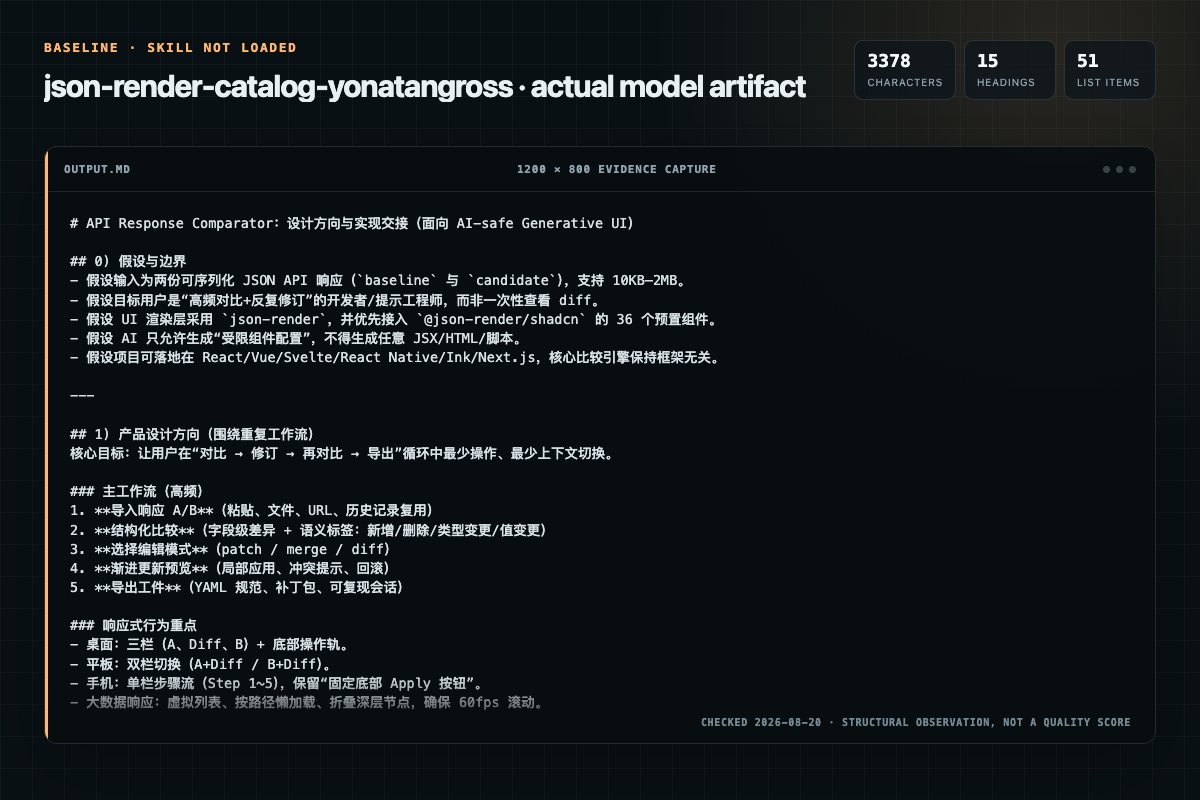
Baseline: 3378 non-whitespace characters, 15 headings, and 51 list items.
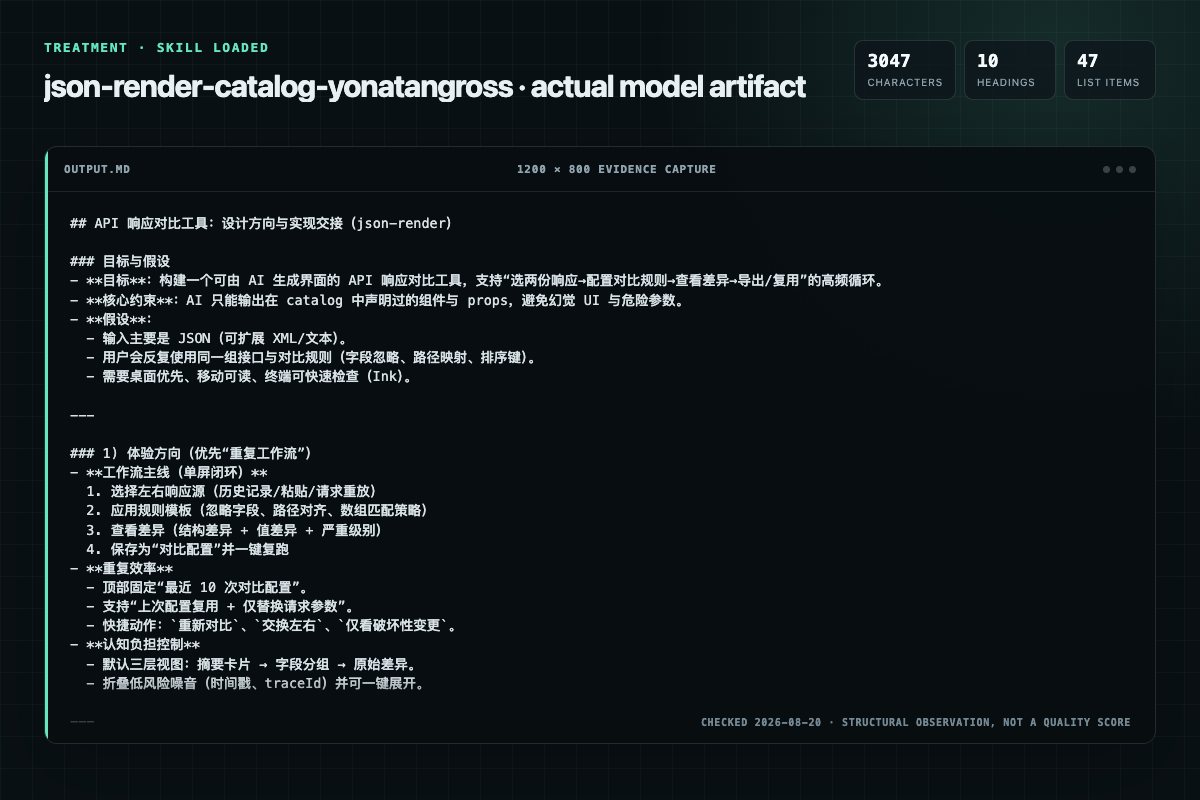
With Skill: 3047 non-whitespace characters, 10 headings, and 47 list items.
| Observation | Without Skill | With Skill |
|---|---|---|
| Source-signal coverage | 4/8: json-render, component, catalog, import | 4/8: json-render, catalog, import, directives |
| Output structure | 3378 chars · 15 headings · 51 list items · 2 code blocks | 3047 chars · 10 headings · 47 list items · 3 code blocks |
| Verification and caution signals | 4 verification signals · 7 risk/limitation signals | 2 verification signals · 4 risk/limitation signals |
Use the json-render-catalog Skill pinned at 4fb82d5a3e87 for my task. Follow its source-specific constraints around `json-render-catalog`, `json-render`, `component`, `catalogs`, then return the finished deliverable with explicit assumptions, verification, failure conditions, and limits. Do not treat the Skill text as a factual source or claim that a single demonstration proves universal performance.
Compatibility matrix
| Platform | Status | Evidence | What to check |
|---|---|---|---|
| Codex | Not declared | No explicit evidence | Portability before use |
| Claude Code | Declared | Source record | Install path and trigger |
| Cursor | Not declared | No explicit evidence | Portability before use |
| Gemini CLI | Not declared | No explicit evidence | Portability before use |
Installation
The source command is displayed only when detected. A safe inspection prompt is always available so your agent can explain every action before execution.
npx skills add https://github.com/yonatangross/orchestkit --skill "plugins/ork/skills/json-render-catalog"Inspect the Agent Skill "json-render-catalog" from https://github.com/yonatangross/orchestkit/blob/4e5c1327b7d7902022ee69328e12db1f6a88f390/plugins/ork/skills/json-render-catalog/SKILL.md at commit 4e5c1327b7d7902022ee69328e12db1f6a88f390. List every install step, command, network request, credential, file read/write, external action, and rollback step. Explain whether it fits my task. Do not install or execute anything until I approve.
Workflow
Use jsonSchema({ strict: true }) to export catalog schemas compatible with LLM structured output APIs (OpenAI, Anthropic, Gemini):
Review the “Step 1: Define a Catalog” section in the pinned source before continuing.
Review the “Step 2: Implement Components” section in the pinned source before continuing.
Review the “Step 3: Render a Spec” section in the pinned source before continuing.
When the project ships a Storybook setup, import the catalog from Storybook stories instead of hand-writing one. The bundled importer at scripts/storybook-to-catalog.mjs reads a @storybook/addon-mcp list-all-documentation manifest and emits a Zod-typed catalog.ts plus a componen…
Permission review
The documentation asks the agent to run terminal commands or scripts.
node "${CLAUDE_PLUGIN_ROOT}/skills/json-render-catalog/scripts/storybook-to-catalog.mjs" storybook-manifest.json \Evidence record
| Signal | Value | Evidence type | Meaning |
|---|---|---|---|
| Quality score | 96/100 | Computed | Documentation, specificity, maintenance, and trust rules |
| Repository stars | 223 | Source | Repository attention, not individual Skill quality |
| Compatibility | 1 platforms | Source | Declared in the catalog source record |
| Usage guide | tested outcome page | Tested | Generated or reviewed according to the visible evidence level |
Pinned source
json-render (Vercel Labs, 12.9K stars, Apache-2.0) is a framework for AI-safe generative UI. AI generates flat-tree JSON (or YAML) specs constrained to a developer-defined catalog — the catalog is the contract between your design system and AI output. If a component or prop is not in the catalog, AI cannot generate it.
When the project ships a Storybook setup, import the catalog from Storybook stories instead of hand-writing one. The bundled importer at scripts/storybook-to-catalog.mjs reads a @storybook/addon-mcp list-all-documentation manifest and emits a Zod-typed catalog.ts plus a components.tsx registry.
node "${CLAUDE_PLUGIN_ROOT}/skills/json-render-catalog/scripts/storybook-to-catalog.mjs" storybook-manifest.json \
  --out src/genui/catalog.ts \
  --components src/genui/components.tsx \
  --project-root .
Storybook becomes the single source of truth — adding a story automatically expands the AI-allowed surface; removing one shrinks it. AI safety is enforced at import: callbacks, raw object props, and z.any() are dropped. Full mapping: references/storybook-import.md. Companion fixture for testing: references/storybook-fixture.json.
@json-render/core now ships defineDirective, letting you declare new JSON shapes (e.g. $format, $math) that resolve to computed values at render time. Directives compose by nesting and resolve inside-out. All four renderers (React, Vue, Svelte, Solid) have built-in directive resolution. This is the safe escape hatch for computed values without widening the catalog to z.any().@json-render/directives package (0.19) — seven ready-made directives: $format (date / currency / number / percent via Intl), $math (add, subtract, multiply, divide, mod, min, max, round, floor, ceil, abs), $concat, $count, $truncate, $pluralize, $join. Plus createI18nDirective for $t translation keys with {{param}} interpolation, and standardDirectives for one-line registration. Register once, use in any spec — AI no longer needs string-mangling or duplicated literals.@json-render/devtools core + framework adapters for React, Vue, Svelte, Solid. Inspector panel has six tabs (Spec, State, Actions, Stream, Catalog, Pick) with DOM element picking that maps back to spec keys. Tree-shakes to null in production. Companion Next.js demo app shipped with AI-chat + catalog integration. Action observer infrastructure exposed for adapters to mirror events into the panel.formatZodType now correctly handles z.record(), z.default(), and z.literal() (previously produced empty/wrong prompt output).patch (RFC 6902), merge (RFC 7396), diff (unified) for progressive AI refinements. buildEditUserPrompt() + diffToPatches() + deepMergeSpec() in @json-render/core.@json-render/yaml (0.14) — official YAML wire format + streaming parser; buildUserPrompt({ format: 'yaml' }).@json-render/ink (0.15) — render catalogs to terminal UIs (Ink-based, 20+ components) using the same spec.@json-render/next (0.16) — generate full Next.js apps (routes, layouts, SSR, metadata) from a single spec.@json-render/shadcn-svelte (0.16) — 36-component Svelte 5 + Tailwind mirror of the React shadcn catalog.@json-render/shadcn as-is, or spread shadcnComponentDefinitions together with your own definitions.@json-render/react-three-fiber ships 19 components (verified 2026-07-31 against the upstream skill; do not restate the roster here, see Upstream coverage).@json-render/mcp — upgrade plain MCP tool JSON into interactive iframes inside Claude/Cursor/ChatGPT conversations. See the ork:mcp-visual-output skill.@json-render/react-pdf), email (@json-render/react-email), terminal (Ink), Next.js apps, and Remotion videos.Directives are the safe escape hatch for computed values. AI emits a $-prefixed object, the renderer resolves it inside-out before the component receives props — the catalog stays strict (no z.any() widening) and the spec stays declarative. The @json-render/directives package ships seven prebuilt directives plus an i18n factory; standardDirectives exports them as one array for one-line registration. Directives nest freely (e.g. $format wrapping $math) and are resolved by all four renderer integrations (React, Vue, Svelte, Solid).
import { defineRegistry, JSONUIProvider, Renderer } from '@json-render/react'
import { standardDirectives, createI18nDirective } from '@json-render/directives'

const directives = [
  ...standardDirectives,
  createI18nDirective({
    locale: 'en',
    fallbackLocale: 'en',
    messages: { en: { greeting: 'Hello, {{name}}!' } },
  }),
]

const { registry } = defineRegistry(catalog, { components })

// directives register on the provider (RendererProps has no directives prop)
<JSONUIProvider registry={registry} directives={directives}>
  <Renderer spec={spec} registry={registry} />
</JSONUIProvider>
| Directive | Purpose | Minimal usage |
|---|---|---|
$format | Intl-based formatting for date, currency, number, percent. Supports locale, currency, notation, and style: "relative" for human-readable date deltas. | { "$format": "currency", "value": 1299, "currency": "USD" } → $1,299.00 |
$math | Arithmetic — add, subtract, multiply, divide, mod, min, max, round, floor, ceil, abs. Division by zero returns 0; non-numeric inputs coerce to 0. | { "$math": "multiply", "a": { "$state": "/qty" }, "b": 9.99 } |
$concat | Joins an array of dynamic values into a string, resolving each element through the directive pipeline first. | { "$concat": ["Hello, ", { "$state": "/user/name" }, "!"] } |
$count | Length of an array or string; 0 for anything else. | { "$count": { "$state": "/items" } } |
$truncate | Truncate to length (default 100) with optional suffix (default ...). No-op if already short enough. | { "$truncate": { "$state": "/bio" }, "length": 80 } |
$pluralize | Singular/plural/zero selection. Prepends the count automatically ("3 items", "1 item", or the literal zero form). | { "$pluralize": { "$state": "/cart/count" }, "zero": "no items", "one": "item", "other": "items" } |
$join | Join an array with a separator (default ", "). | { "$join": { "$state": "/tags" }, "separator": " · " } |
createI18nDirective({ locale, messages, fallbackLocale? }) registers a $t directive with {{param}} interpolation: { "$t": "greeting", "params": { "name": "Ada" } }.
defineDirectivedefineDirective lives in @json-render/core (0.19+). A directive declares a Zod schema for its JSON shape and a resolve(raw, ctx) function — use resolvePropValue(raw.field, ctx) to recursively resolve any nested directive or state reference before computing.
import { defineDirective, resolvePropValue } from '@json-render/core'
import { z } from 'zod'

export const initialsDirective = defineDirective({
  name: '$initials',
  description: 'First letter of each word, uppercased.',
  schema: z.object({ $initials: z.unknown() }),
  resolve(raw, ctx) {
    const text = String(resolvePropValue(raw.$initials, ctx) ?? '')
    return text.split(/\s+/).map((w) => w[0]?.toUpperCase() ?? '').join('')
  },
})
Spread into the renderer alongside standardDirectives: directives={[...standardDirectives, initialsDirective]}. Keep the schema tight — directives are the only place where AI gets to emit non-catalog JSON, so let Zod enforce shape just like a component prop.
json-render ships its own per-package skills. This skill wraps them and keeps only the
delta: our Storybook import path, our catalog constraints, and the scars in
references/ork-delta.md. Do not copy vendor rosters or API tables back in.
| Topic | First-party source |
|---|---|
Core API (defineSchema, defineCatalog, prompts, spec streaming, validation, StateStore) | https://github.com/vercel-labs/json-render skills/core/SKILL.md |
Spec format, dynamic prop expressions ($state / $bindState / $cond / $template / $computed), watch, visibility | https://github.com/vercel-labs/json-render skills/core/SKILL.md and skills/react/SKILL.md |
Built-in actions (setState, pushState, removeState, validateForm) and the event system | https://github.com/vercel-labs/json-render skills/react/SKILL.md |
| shadcn component roster and prop schemas (36 components, React and Svelte) | vercel:shadcn skill, plus https://github.com/vercel-labs/json-render skills/shadcn/SKILL.md and skills/shadcn-svelte/SKILL.md |
| Per-renderer components and APIs (Vue, Svelte, Solid, React Native, Ink, Next.js, PDF, email, image, Remotion, react-three-fiber) | https://github.com/vercel-labs/json-render skills/<package>/SKILL.md |
| YAML wire format, fences, streaming compiler, edit modes | https://github.com/vercel-labs/json-render skills/yaml/SKILL.md |
State adapters (zustandStateStore, reduxStateStore, jotaiStateStore, xstateStoreStateStore) | https://github.com/vercel-labs/json-render skills/zustand/SKILL.md, skills/redux/SKILL.md, skills/jotai/SKILL.md, skills/xstate/SKILL.md |
MCP Apps integration (createMcpApp, iframe client) | ork:mcp-visual-output, plus https://github.com/vercel-labs/json-render skills/mcp/SKILL.md |
| Migrating a hand-rolled JSON-to-component mapper | https://github.com/vercel-labs/json-render skills/core/SKILL.md (catalog + spec contract is the target shape) |
Our delta, the part no upstream doc carries: references/ork-delta.md.
| Category | Rules | Impact | When to Use |
|---|---|---|---|
| Catalog Definition | 1 | HIGH | Defining component catalogs with Zod |
| Prop Constraints | 1 | HIGH | Constraining AI-generated props for safety |
| Token Optimization | 1 | MEDIUM | Reducing token usage with YAML mode |
Total: 3 rules across 3 categories
<Renderer> component validates and renders each elementThe catalog is the safety boundary. AI can only reference types that exist in the catalog, and props are validated against Zod schemas at runtime. This prevents hallucinated components and invalid props from reaching the UI.
import { defineCatalog } from '@json-render/core'
import { schema } from '@json-render/react/schema'
import { z } from 'zod'

export const catalog = defineCatalog(schema, {
  components: {
    Card: {
      props: z.object({
        title: z.string(),
        description: z.string().optional(),
      }),
      children: true,
    },
    Button: {
      props: z.object({
        label: z.string(),
        variant: z.enum(['default', 'destructive', 'outline', 'ghost']),
      }),
      children: false,
    },
    StatGrid: {
      props: z.object({
        items: z.array(z.object({
          label: z.string(),
          value: z.string(),
          trend: z.enum(['up', 'down', 'flat']).optional(),
        })).max(20),
      }),
      children: false,
    },
  },
})
Use jsonSchema({ strict: true }) to export catalog schemas compatible with LLM structured output APIs (OpenAI, Anthropic, Gemini):
// jsonSchema is a METHOD on the Catalog instance, not a top-level export.
const schema = catalog.jsonSchema({ strict: true })
// Pass to OpenAI response_format, Anthropic tool_use, or Gemini structured output
import type { InferCatalogComponents } from '@json-render/core'
import type { catalog } from './catalog'

export const components: InferCatalogComponents<typeof catalog> = {
  Card: ({ title, description, children }) => (
    <div className="rounded-lg border p-4">
      <h3 className="font-semibold">{title}</h3>
      {description && <p className="text-muted-foreground">{description}</p>}
      {children}
    </div>
  ),
  Button: ({ label, variant }) => (
    <button className={cn('btn', `btn-${variant}`)}>{label}</button>
  ),
  StatGrid: ({ items }) => (
    <div className="grid grid-cols-3 gap-4">
      {items.map((item) => (
        <div key={item.label}>
          <span>{item.label}</span>
          <strong>{item.value}</strong>
        </div>
      ))}
    </div>
  ),
}
import { defineRegistry, Renderer } from '@json-render/react'
import { catalog } from './catalog'
import { components } from './components'

// defineRegistry returns DefineRegistryResult — destructure `registry`
const { registry } = defineRegistry(catalog, { components })

function App({ spec }: { spec: JsonRenderSpec }) {
  return <Renderer spec={spec} registry={registry} />
}
The JSON spec is a flat tree — no nesting, just IDs and references. Field-by-field
documentation (root, elements, props, children, on, watch, state, and the
$state / $bindState / $cond / $template / $computed expressions) is upstream in
https://github.com/vercel-labs/json-render skills/core/SKILL.md.
{
  "root": "card-1",
  "elements": {
    "card-1": {
      "type": "Card",
      "props": { "title": "Dashboard" },
      "children": ["chart-1", "btn-1"]
    },
    "btn-1": {
      "type": "Button",
      "props": { "label": "View Details", "variant": "default" }
    }
  }
}
{
  "root": "card-1",
  "elements": {
    "card-1": {
      "type": "Card",
      "props": { "title": "Dashboard" },
      "children": ["chart-1", "btn-1"],
      "on": { "press": { "action": "setState", "path": "/view", "value": "detail" } },
      "watch": { "/data": { "action": "load_data", "url": "/api/stats" } }
    }
  },
  "state": { "/activeTab": "overview" }
}
Event handlers, watch bindings, the built-in actions (setState, pushState,
removeState, validateForm) and the state adapters are upstream in
https://github.com/vercel-labs/json-render skills/react/SKILL.md and the per-adapter
skills. Do not restate the roster here; see references/ork-delta.md for why.
For standalone (non-streaming) generation, YAML specs use ~30% fewer tokens than JSON:
root: card-1
elements:
  card-1:
    type: Card
    props:
      title: Dashboard
    children: [chart-1, btn-1]
  btn-1:
    type: Button
    props:
      label: View Details
      variant: default
Use JSON for inline mode / streaming (JSON Patch RFC 6902 over JSONL requires JSON). Use YAML for standalone mode where token cost matters. Load rules/token-optimization.md for selection criteria.
json-render supports progressive rendering during streaming. As the AI generates spec elements, they render immediately — the user sees the UI building in real-time. This uses JSON Patch (RFC 6902) operations streamed over JSONL:
{"op":"add","path":"/elements/card-1","value":{"type":"Card","props":{"title":"Dashboard"},"children":[]}}
{"op":"add","path":"/elements/btn-1","value":{"type":"Button","props":{"label":"Save","variant":"default"}}}
{"op":"add","path":"/elements/card-1/children/-","value":"btn-1"}
Elements render as soon as their props are complete — no waiting for the full spec.
The @json-render/shadcn package provides a production-ready catalog of 36 components
with Zod schemas already defined. The component list and prop schemas are upstream in
https://github.com/vercel-labs/json-render skills/shadcn/SKILL.md; shadcn/ui
composition itself is the vercel:shadcn skill.
Svelte:
@json-render/shadcn-svelte(added in 0.16) mirrors the same 36 components for Svelte 5 + Tailwind projects.
import { shadcnComponentDefinitions, shadcnComponents } from '@json-render/shadcn'
import { defineRegistry, Renderer } from '@json-render/react'

// Use as-is
const { registry } = defineRegistry(shadcnComponentDefinitions, { components: shadcnComponents })
<Renderer spec={spec} registry={registry} />

// Or merge with custom components
const catalog = { ...shadcnComponentDefinitions, ...customCatalog }
The shadcn catalog components use default Tailwind classes. When your project uses a specific shadcn v4 style (Luma, Nova, etc.), override component implementations to match:
import { shadcnComponentDefinitions, shadcnComponents } from '@json-render/shadcn'
import type { InferCatalogComponents } from '@json-render/core'

// Override shadcn component implementations for Luma style
const lumaComponents: Partial<InferCatalogComponents<typeof shadcnComponentDefinitions>> = {
  Card: ({ title, description, children }) => (
    <div className="rounded-4xl border shadow-md ring-1 ring-foreground/5 p-6">
      <h3 className="font-semibold">{title}</h3>
      {description && <p className="text-muted-foreground">{description}</p>}
      <div className="mt-6">{children}</div>
    </div>
  ),
  Button: ({ label, variant }) => (
    <button className={cn('rounded-4xl', buttonVariants({ variant }))}>{label}</button>
  ),
}

// Merge: catalog schema unchanged, only rendering adapts to style
const components = { ...shadcnComponents, ...lumaComponents }
Detection pattern: Read components.json → "style" field to determine which overrides to apply. Style-specific class names: Luma (rounded-4xl, shadow-md, gap-6), Nova (compact px-2 py-1), Lyra (rounded-none).
For updating specs after initial render (AI-driven refinements, user edits, partial regenerations), core ships three universal edit modes:
| Mode | Spec | When to use |
|---|---|---|
patch | RFC 6902 JSON Patch | Precise, streamed diffs (already used for progressive streaming) |
merge | RFC 7396 JSON Merge Patch | Simpler updates, whole-field replacements |
diff | Unified diff of serialized spec | AI-native output when the model prefers plaintext diffs |
import { deepMergeSpec, diffToPatches, buildEditUserPrompt } from '@json-render/core'

// Ask the model for an edit in whichever format it finds easiest
const prompt = buildEditUserPrompt(currentSpec, instruction, { format: 'yaml', mode: 'merge' })

// Normalize any edit mode to RFC 6902 patches for application
const patches = diffToPatches(aiResponse)
const next = deepMergeSpec(currentSpec, patches)
buildUserPrompt() also gained format and serializer options in 0.14 — pick YAML for standalone specs and JSON for streaming.
Core + 23 renderer/integration packages covering web, mobile, terminal, 3D, codegen, and state management. Load references/package-ecosystem.md for the full list organized by category.
Added since 0.13:
@json-render/yaml (0.14) — YAML wire format + streaming parser@json-render/ink (0.15) — terminal UI renderer (Ink-based, 20+ components)@json-render/next (0.16) — generates full Next.js apps (routes, layouts, SSR, metadata)@json-render/shadcn-svelte (0.16) — 36-component Svelte 5 mirror of the React shadcn catalog@json-render/react-three-fiber ships 19 components (verified 2026-07-31; roster lives upstream)@json-render/devtools + framework adapters (0.18) — six-tab inspector panel, DOM picker, tree-shakes to null in prod@json-render/directives (0.19) — seven Intl/math/string directives + createI18nDirective + standardDirectives registration helperUse json-render when:
Do NOT use json-render when:
If you have existing custom generative UI (hand-rolled JSON-to-component mapping), the
target shape is the catalog plus flat-tree spec contract documented upstream in
https://github.com/vercel-labs/json-render skills/core/SKILL.md. The order that works:
inventory your existing types, give each one a Zod schema in defineCatalog, flatten the
nested spec into root plus elements, move handler props onto the on field, then wrap
your existing components as catalog implementations.
How to define catalogs with defineCatalog() and Zod schemas.
| Rule | File | Key Pattern |
|---|---|---|
| Catalog Definition | rules/catalog-definition.md | defineCatalog with Zod schemas, children types |
Constraining props to prevent AI hallucination.
| Rule | File | Key Pattern |
|---|---|---|
| Prop Constraints | rules/prop-constraints.md | z.enum, z.string().max(), z.array().max() |
Choosing JSON vs YAML for token efficiency.
| Rule | File | Key Pattern |
|---|---|---|
| Token Optimization | rules/token-optimization.md | YAML for standalone mode, JSON for inline/streaming |
| Decision | Recommendation |
|---|---|
| Custom vs shadcn catalog | Start with shadcn, extend with custom types for domain-specific components |
| JSON vs YAML spec format | YAML for standalone mode (30% fewer tokens), JSON for inline/streaming |
| Zod constraint strictness | Tighter is better — use z.enum over z.string, z.array().max() over unbounded |
| State management adapter | Match your app's existing state library (Zustand, Redux, Jotai, XState) |
z.any() or z.unknown() in catalog props — defeats the purpose of catalog constraints, AI can generate anythingshadcnComponentDefinitions — you lose the upstream Zod bounds.max() on arrays — AI can generate unbounded lists that break layoutsork:ai-ui-generation — AI-assisted UI generation patterns for v0, Bolt, Cursorork:ui-components — shadcn/ui component patterns and CVA variantsork:component-search — Finding and evaluating React/Vue componentsork:design-to-code — Converting designs to production codeFrequently asked questions
json-render (Vercel Labs, 12.9K stars, Apache-2.0) is a framework for AI-safe generative UI. AI generates flat-tree JSON (or YAML) specs constrained to a developer-defined catalog — the catalog is the contract between your design system and AI output. If a component or prop is n…
The source record exposes this install command: npx skills add https://github.com/yonatangross/orchestkit --skill "plugins/ork/skills/json-render-catalog". Inspect the command and pinned source before running it.
The pinned source record declares support for: claude code.
Static rules flagged exec-script in the source; the page lists the matching lines and excerpts.
Alternatives
vasilyu1983/AI-Agents-public
Implements production-grade i18n/l10n for React, Vue, Angular, and Next.js with ICU format and RTL support. Use when setting up or debugging localisation.
fcakyon/claude-codex-settings
Guide for implementing smooth, native-feeling animations using React's View Transition API (`<ViewTransition>` component, `addTransitionType`, and CSS view transition pseudo-elements). Use this skill whenever the user wants to add page transitions, animate route changes, create shared element animations, animate enter/exit of components, animate list reorder, implement directional (forward/back) navigation animations, or integrate view transitions in Next.js. Also use when the user mentions view
theBGuy/GitDesktop
Guide for implementing smooth, native-feeling animations using React's View Transition API (`<ViewTransition>` component, `addTransitionType`, and CSS view transition pseudo-elements). Use this skill whenever the user wants to add page transitions, animate route changes, create shared element animations, animate enter/exit of components, animate list reorder, implement directional (forward/back) navigation animations, or integrate view transitions in Next.js. Also use when the user mentions view
vibeeval/vibecosystem
Full-stack frontend development combining premium UI design, cinematic animations, AI-generated media assets, persuasive copywriting, and visual art. Builds complete, visually striking web pages with real media, advanced motion, and compelling copy. Use when: building landing pages, marketing sites, product pages, dashboards, generating media assets (image/video/audio/music), writing conversion copy, creating generative art, or implementing cinematic scroll animations.