
Best for
- The user asks to build a slide deck, report presentation, or pitch deck.
- You need to extract text, notes, tables, chart data, or images from a
- You need to update an existing deck: replace text, refresh or patch
NousResearch/hermes-agent/skills/productivity/powerpoint/SKILL.md
Create, read, edit .pptx decks with python-pptx.
Decision brief
Create, inspect, and edit PowerPoint (.pptx) presentations using the python-pptx library. Five helper scripts cover deck creation from a JSON spec, structured read-back, in-place edits, template-driven brand decks, and slide rendering — all offline, no PowerPoint installation re…
In this controlled same-task single run, enabling powerpoint changed the output from 2527 non-whitespace characters and 15 headings to 2367 characters and 22 headings. Matches among 8 signals extracted from the pinned source changed from 0 to 0. Both actual outputs are shown; this is a structural observation, not a quality score or a universal performance claim.
Create a design direction and implementation handoff for a developer tool that compares two API responses. Prioritize the repeated user workflow and responsive behavior. The deliverable must specifically reflect this user intent: Create, read, edit .pptx decks, slides, notes, templates.
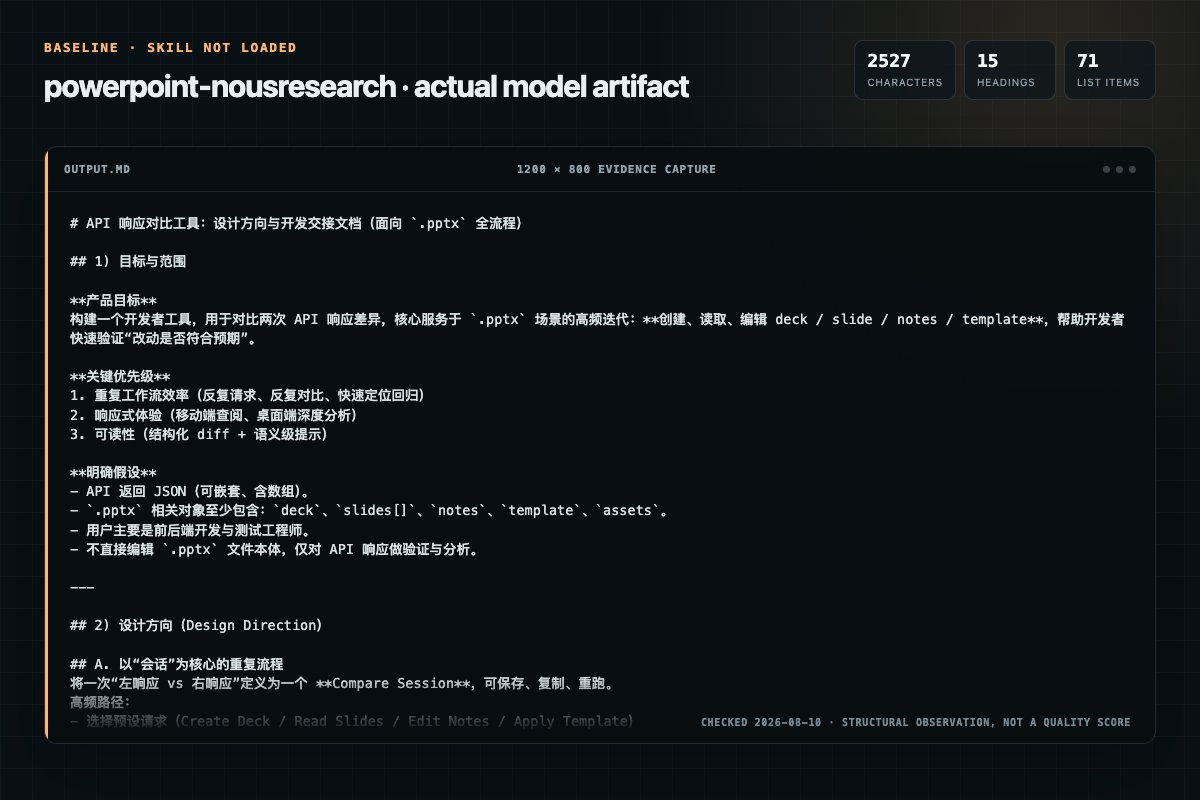
Baseline: 2527 non-whitespace characters, 15 headings, and 71 list items.
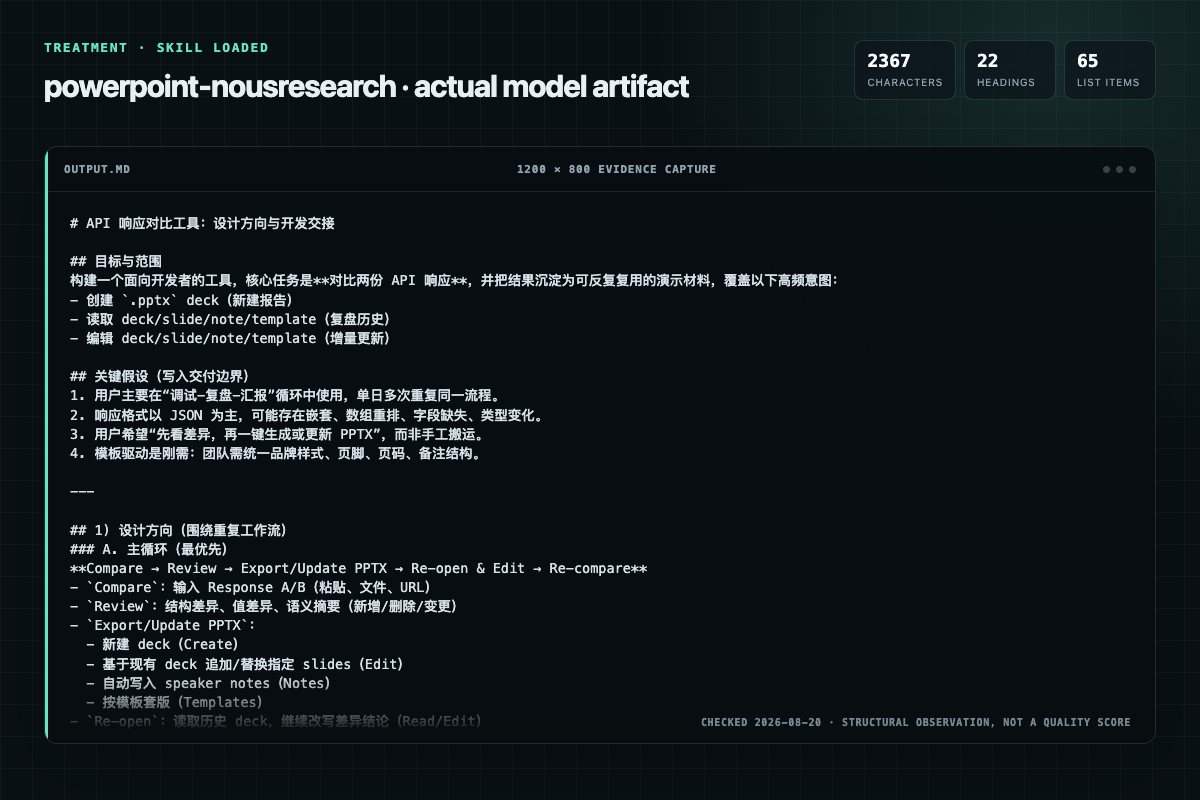
With Skill: 2367 non-whitespace characters, 22 headings, and 65 list items.
| Observation | Without Skill | With Skill |
|---|---|---|
| Source-signal coverage | 0/8: none | 0/8: none |
| Output structure | 2527 chars · 15 headings · 71 list items · 1 code blocks | 2367 chars · 22 headings · 65 list items · 0 code blocks |
| Verification and caution signals | 6 verification signals · 2 risk/limitation signals | 2 verification signals · 3 risk/limitation signals |
Use the powerpoint Skill pinned at 6851841112e9 for my task. Follow its source-specific constraints around `powerpoint`, `prerequisites`, `quick`, `reference`, then return the finished deliverable with explicit assumptions, verification, failure conditions, and limits. Do not treat the Skill text as a factual source or claim that a single demonstration proves universal performance.
Compatibility matrix
| Platform | Status | Evidence | What to check |
|---|---|---|---|
| Codex | Not declared | No explicit evidence | Portability before use |
| Claude Code | Not declared | No explicit evidence | Portability before use |
| Cursor | Not declared | No explicit evidence | Portability before use |
| Gemini CLI | Not declared | No explicit evidence | Portability before use |
Installation
The source command is displayed only when detected. A safe inspection prompt is always available so your agent can explain every action before execution.
npx skills add https://github.com/NousResearch/hermes-agent --skill "skills/productivity/powerpoint"Inspect the Agent Skill "powerpoint" from https://github.com/NousResearch/hermes-agent/blob/64a6f42cb38def7ad6524bdfe640a16997c88760/skills/productivity/powerpoint/SKILL.md at commit 64a6f42cb38def7ad6524bdfe640a16997c88760. List every install step, command, network request, credential, file read/write, external action, and rollback step. Explain whether it fits my task. Do not install or execute anything until I approve.
Workflow
All scripts live in scripts/, take --help, print JSON to stdout, and exit non-zero on failure. Run them with terminal:
Write a JSON spec (see pptxcreate.py --help for the full format), then run pptxcreate.py. Per slide you can set: layout (title, titlecontent, section, twocontent, titleonly, blank), title, subtitle, bullets (strings, or dicts with level 0-4, size pt, bold, italic, font, color he…
pptxrender.py deck.pptx --outdir ./render converts the deck to PDF with soffice --headless and splits it into one PNG per slide with pdftoppm (or pdftocairo). Output JSON lists the PNG paths — review each with visionanalyze. When either tool is missing the script exits 0 with {"…
1. After any create/edit, run pptxread.py OUT.pptx --outline and check slide count, texts, tables, notes, and chart values match intent. 2. --images DIR then file-size check confirms pictures embedded. 3. Render every slide with pptxrender.py deck.pptx --outdir ./render and revi…
The user asks to build a slide deck, report presentation, or pitch deck.
Permission review
The documentation asks the agent to run terminal commands or scripts.
exit non-zero on failure. Run them with `terminal`:The documentation asks the agent to run terminal commands or scripts.
python scripts/pptx_create.py deck.json out.pptxEvidence record
| Signal | Value | Evidence type | Meaning |
|---|---|---|---|
| Quality score | 93/100 | Computed | Documentation, specificity, maintenance, and trust rules |
| Repository stars | 235,927 | Source | Repository attention, not individual Skill quality |
| Compatibility | 0 platforms | Source | Declared in the catalog source record |
| Usage guide | tested outcome page | Tested | Generated or reviewed according to the visible evidence level |
Pinned source
Create, inspect, and edit PowerPoint (.pptx) presentations using the python-pptx library. Five helper scripts cover deck creation from a JSON spec, structured read-back, in-place edits, template-driven brand decks, and slide rendering — all offline, no PowerPoint installation required.
soffice --convert-to pptx old.ppt if LibreOffice is available.python-pptx installed
(pip install python-pptx).soffice) plus poppler (pdftoppm or
pdftocairo) for rendering slides to PNGs and for PDF export.
pptx_render.py detects both with shutil.which and degrades
gracefully (reports {"rendered": false, "missing": [...]}, exit 0)
when absent — all create/read/edit operations work without them.terminal:
python -c "import pptx; print(pptx.__version__)" and which soffice pdftoppm.All scripts live in scripts/, take --help, print JSON to stdout, and
exit non-zero on failure. Run them with terminal:
python scripts/pptx_create.py deck.json out.pptx
python scripts/pptx_read.py deck.pptx --outline      # full JSON outline
python scripts/pptx_read.py deck.pptx --notes        # speaker notes
python scripts/pptx_read.py deck.pptx --images ./img # export pictures
python scripts/pptx_edit.py deck.pptx --replace-text "Old Corp" "New Corp"
python scripts/pptx_edit.py deck.pptx --chart-data update.json
python scripts/pptx_edit.py deck.pptx --duplicate-slide 2
python scripts/pptx_edit.py deck.pptx --remove-slide 3 --move-slide 2 0
python scripts/pptx_from_template.py brand.pptx out.pptx --values vals.json
python scripts/pptx_render.py deck.pptx --outdir ./render  # slide PNGs
Author JSON specs with write_file; inspect script output and generated
JSON with read_file.
| Task | Command |
|---|---|
| New deck from spec | pptx_create.py spec.json out.pptx |
| 16:9 vs 4:3 | "slide_size": "16:9" or "4:3" in the spec |
| Outline as JSON | pptx_read.py deck.pptx --outline |
| Export images | pptx_read.py deck.pptx --images DIR |
| Replace text | pptx_edit.py deck.pptx --replace-text OLD NEW |
| Replace chart data | pptx_edit.py deck.pptx --chart-data spec.json |
| Patch one series | same flag, spec with "ops" (see below) |
| Swap picture | pptx_edit.py deck.pptx --swap-image N NAME new.png |
| Duplicate slide | pptx_edit.py deck.pptx --duplicate-slide N |
| Remove slide | pptx_edit.py deck.pptx --remove-slide N |
| Reorder slide | pptx_edit.py deck.pptx --move-slide FROM TO |
| Slide background | pptx_edit.py deck.pptx --set-background N RRGGBB |
| Hyperlink runs | pptx_edit.py deck.pptx --hyperlink N TEXT URL |
| Slide number on | pptx_edit.py deck.pptx --enable-slide-number N |
| Footer text | pptx_edit.py deck.pptx --set-footer N TEXT |
| Set notes | pptx_edit.py deck.pptx --set-notes N TEXT |
| Append notes | pptx_edit.py deck.pptx --append-notes N TEXT |
| Fill template | pptx_from_template.py tpl.pptx out.pptx --values v.json |
| Render slide PNGs | pptx_render.py deck.pptx --outdir DIR |
Write a JSON spec (see pptx_create.py --help for the full format), then
run pptx_create.py. Per slide you can set: layout (title,
title_content, section, two_content, title_only, blank), title,
subtitle, bullets (strings, or dicts with level 0-4, size pt,
bold, italic, font, color hex, link URL for a hyperlink),
background (solid hex), footer (text; enables the layout's footer
placeholder), slide_number (true; enables the layout's slide-number
placeholder), images (path + left/top/width/height in inches), tables
(rows as list-of-lists), shapes (rectangle, rounded_rectangle, oval,
diamond, right_arrow, chevron, with fill hex + optional text),
charts (bar, bar_h, line, pie with categories + series), and
notes (speaker notes).
pptx_read.py deck.pptx --outline returns slide size, layout inventory,
and per slide: layout name, all shape texts, table cells, image inventory
(filename/ext/bytes), chart categories/series/values, and speaker notes.
Use --images DIR to dump embedded pictures to files, then
vision_analyze on any exported image if you need to see its content.
pptx_edit.py combines operations in one pass; use --output to keep the
original. Text replacement scans slide shapes, table cells, and notes.
Image swap retargets the picture's relationship id so position and size
are preserved. Slide removal drops the relationship and the <p:sldId>
entry; reorder moves the <p:sldId> element within <p:sldIdLst>
(python-pptx has no public API for either — the script does the XML-level
work). --duplicate-slide N appends an independent deep copy of slide N:
shape XML plus image/media/hyperlink relationships are cloned and rIds
remapped, so editing the copy never touches the original. Chart slides
are refused (see Pitfalls). --set-notes/--append-notes edit speaker
notes; --set-background, --hyperlink, --enable-slide-number, and
--set-footer handle deck polish.
Chart updates take a JSON spec via --chart-data. Full replace:
{"slide": 0, "chart": 0, "categories": [...], "series": {...}}. For
surgical edits, pass "ops" instead — a list of
{"op": "update_series", "name": ..., "values": [...]},
add_series, remove_series, rename_category (from/to or
index), and set_title. python-pptx can only swap a chart's entire
dataset (replace_data), so ops are implemented as read-existing →
modify → replace; the per-part UX is a wrapper, and any chart data not
expressible as categories + numeric series will be normalized by the
round-trip.
pptx_from_template.py opens a brand .pptx, replaces every
{{token}} from a values JSON across slides/tables/notes, and can append
new slides that use the template's own layouts (by layout name or index)
so they inherit the master's fonts and colors. Tip: to start from a
template with zero slides, delete existing ones afterward with
pptx_edit.py --remove-slide.
pptx_render.py deck.pptx --outdir ./render converts the deck to PDF
with soffice --headless and splits it into one PNG per slide with
pdftoppm (or pdftocairo). Output JSON lists the PNG paths — review
each with vision_analyze. When either tool is missing the script exits
0 with {"rendered": false, "missing": [...]} and guidance; fall back to
the JSON outline from pptx_read.py, which verifies content and
structure, just not visuals.
If LibreOffice is installed, export the finished deck to PDF directly:
soffice --headless --convert-to pdf --outdir ./out deck.pptx
The output lands at ./out/deck.pdf. Fonts not installed on the host are
substituted, so render-verify (Procedure step 5) before shipping the PDF.
There is no offline pure-Python .pptx→PDF path; if soffice is absent,
say so rather than approximating.
--replace-text first merges adjacent
runs whose formatting is identical, so matches split across such runs
are replaced with formatting fully preserved. Only when a match spans
genuinely differently-formatted runs is the paragraph rewritten with
the first run's formatting — verify those slides after replacement.--duplicate-slide refuses chart slides cleanly instead
of corrupting the deck. Rebuild the chart on a new slide instead.
External-hyperlink and image/media rels are carried over; layout and
notes rels are recreated fresh."ops" round-trips existing plot data through replace_data, and
changing chart type is not possible.--move-slide manipulates <p:sldIdLst> directly; safe for ordinary
decks but re-read the deck afterward to confirm.--set-footer fails
with a clear message (add a textbox instead).--hyperlink links every run
containing the given text on that slide.pptx_read.py template.pptx --outline (layouts_available).slide.shapes.title is None on blank layouts — the create script
handles this, but remember it when writing ad-hoc python-pptx code.encoding="utf-8" when writing spec files; tokens like
{{city}} may be filled with non-ASCII values.pptx_read.py OUT.pptx --outline and check
slide count, texts, tables, notes, and chart values match intent.--images DIR then file-size check confirms pictures embedded.pptx_render.py deck.pptx --outdir ./render
and review each PNG with vision_analyze — this catches overlapping
shapes, truncated text, and color problems the outline cannot. If the
render tools are missing, the script says so; rely on the outline.python -m pytest tests/ -q (requires python-pptx + pytest).Frequently asked questions
Create, inspect, and edit PowerPoint (.pptx) presentations using the python-pptx library. Five helper scripts cover deck creation from a JSON spec, structured read-back, in-place edits, template-driven brand decks, and slide rendering — all offline, no PowerPoint installation re…
The source record exposes this install command: npx skills add https://github.com/NousResearch/hermes-agent --skill "skills/productivity/powerpoint". Inspect the command and pinned source before running it.
Static rules flagged exec-script in the source; the page lists the matching lines and excerpts.
Alternatives
K-Dense-AI/scientific-agent-skills
Distributed computing for larger-than-RAM pandas/NumPy workflows. Use when you need to scale existing pandas/NumPy code beyond memory or across clusters. Best for parallel file processing, distributed ML, integration with existing pandas code. For out-of-core analytics on single machine use vaex; for in-memory speed use polars.
K-Dense-AI/scientific-agent-skills
Use NeuroKit2 to build or audit reproducible research workflows for physiological time-series preprocessing, event/interval analysis, multimodal alignment, variability, and complexity. Trigger when code imports neurokit2 or needs its current APIs, schemas, and method-aware validation—not for diagnosis or device validation.
trailofbits/skills
Detects timing side-channel vulnerabilities in cryptographic code. Use when implementing or reviewing crypto code, encountering division on secrets, secret-dependent branches, or constant-time programming questions in C, C++, Go, Rust, Swift, Java, Kotlin, C#, PHP, JavaScript, TypeScript, Python, or Ruby.
Aperivue/medsci-skills
Generate publication-ready figures and visual abstracts for medical research papers. Supports ROC curves, forest plots, CONSORT/STARD/PRISMA flow diagrams, calibration plots, Kaplan-Meier curves, Bland-Altman plots, confusion matrices, pipeline diagrams, and journal-specific visual/graphical abstracts (python-pptx template-based).