
Best for
- Use when the user asks which existing accounts to work now, which leads are hottest in a grounded list or pipeline, how to rank a territory, book, pipeline, ICP list, or account list, where to focus this week, or what r…
XiaomiMiMo/MiMo-Code/packages/opencode/src/skill/builtin/.bundle/sales/workflows/prioritize-accounts/SKILL.md
Use when the user asks which existing accounts to work now, which leads are hottest in a grounded list or pipeline, how to rank a territory, book, pipeline, ICP list, or account list, where to focus this week, or what rep-ready next actions to take. Prioritize accounts using current evidence, suppress or account for in-flight motion, and identify reachable contacts when supported. Use enrichment instead for net-new company discovery or missing-data completion.
Decision brief
Prepare a sales person with a small, evidence-grounded account action view: which accounts deserve attention now, why they rose, who to engage, and what safe next step to take.
In this controlled same-task single run, enabling prioritize-accounts changed the output from 2320 non-whitespace characters and 11 headings to 2292 characters and 19 headings. Matches among 8 signals extracted from the pinned source changed from 1 to 0. Both actual outputs are shown; this is a structural observation, not a quality score or a universal performance claim.
Create an operational runbook for repeated webhook delivery failures. Include triage, safe actions, escalation, recovery, and verification. The deliverable must specifically reflect this user intent: Use when the user asks which existing accounts to work now, which leads are hottest in a grounded list or pipeline, how to rank a territory, book, pipeline, ICP list, or account list, where to focus this week, or what rep-ready next actions to take. Prioritize accounts using current evidence, suppress or account for in-flight motion, and identify reachable contacts when supported. Use enrichment instead for net-new company discovery or missing-data completion.
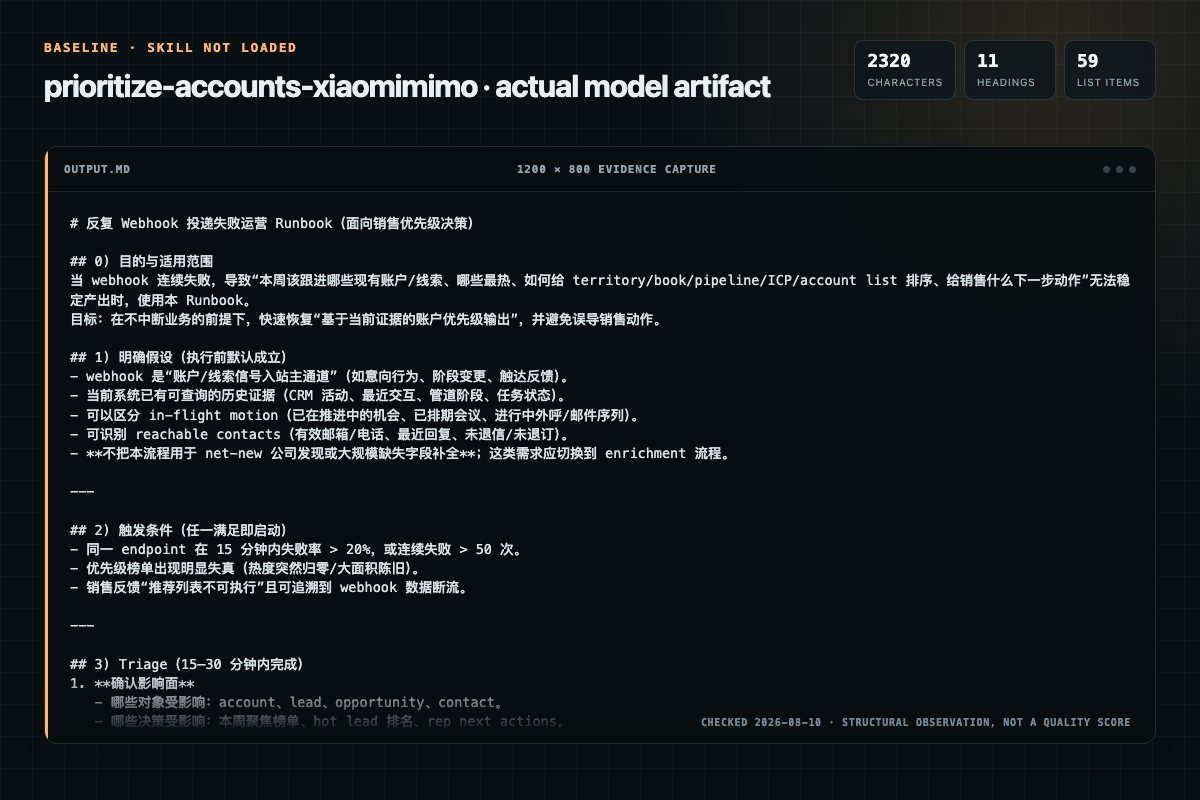
Baseline: 2320 non-whitespace characters, 11 headings, and 59 list items.
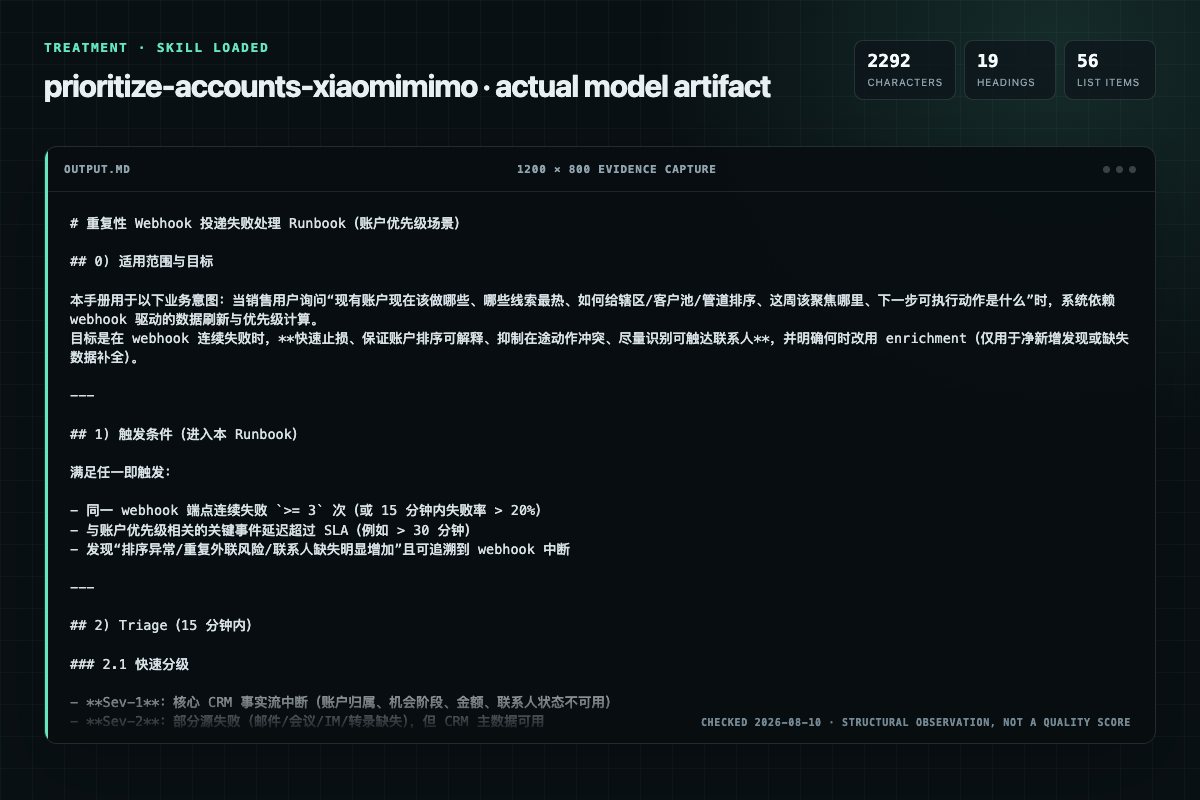
With Skill: 2292 non-whitespace characters, 19 headings, and 56 list items.
| Observation | Without Skill | With Skill |
|---|---|---|
| Source-signal coverage | 1/8: account | 0/8: none |
| Output structure | 2320 chars · 11 headings · 59 list items · 0 code blocks | 2292 chars · 19 headings · 56 list items · 0 code blocks |
| Verification and caution signals | 12 verification signals · 9 risk/limitation signals | 20 verification signals · 10 risk/limitation signals |
Use the prioritize-accounts Skill pinned at 6ee774bad24c for my task. Follow its source-specific constraints around `prioritize-accounts`, `prioritize`, `accounts`, `common`, then return the finished deliverable with explicit assumptions, verification, failure conditions, and limits. Do not treat the Skill text as a factual source or claim that a single demonstration proves universal performance.
Compatibility matrix
| Platform | Status | Evidence | What to check |
|---|---|---|---|
| Codex | Not declared | No explicit evidence | Portability before use |
| Claude Code | Not declared | No explicit evidence | Portability before use |
| Cursor | Not declared | No explicit evidence | Portability before use |
| Gemini CLI | Not declared | No explicit evidence | Portability before use |
Installation
The source command is displayed only when detected. A safe inspection prompt is always available so your agent can explain every action before execution.
npx skills add https://github.com/XiaomiMiMo/MiMo-Code --skill "packages/opencode/src/skill/builtin/.bundle/sales/workflows/prioritize-accounts"Inspect the Agent Skill "prioritize-accounts" from https://github.com/XiaomiMiMo/MiMo-Code/blob/5e32992a97ed7f8d2d00e4c312133716292dab9e/packages/opencode/src/skill/builtin/.bundle/sales/workflows/prioritize-accounts/SKILL.md at commit 5e32992a97ed7f8d2d00e4c312133716292dab9e. List every install step, command, network request, credential, file read/write, external action, and rollback step. Explain whether it fits my task. Do not install or execute anything until I approve.
Workflow
MANDATORY: If not already in context, read and adhere closely to plugins/sales/skills/index/SKILL.md Cross-Skill Best Practices.
After the first output, offer the most relevant follow-up from the options below. Offer one clear transition, not a menu. Suggest ONLY these unless you are very confident another option is more useful: - Take the next logical action for one selected account, such as drafting a m…
Use this priority order when the account set, ranking basis, or motion is ambiguous.
It is critical to use all of these categories if you can, if any relevant plugins or connectors are available, to ensure high quality responses. If the user declines, or connectors aren't available, state that limitation in your final answer. You can also use other relevant conn…
After the first output, offer the most relevant follow-up from the options below. Offer one clear transition, not a menu. Suggest ONLY these unless you are very confident another option is more useful: - Take the next logical action for one selected account, such as drafting a m…
Permission review
No configured static risk pattern was detected
This is not proof of safety. Runtime behavior, indirect dependencies, and hidden external systems are outside the static scan.
Evidence record
| Signal | Value | Evidence type | Meaning |
|---|---|---|---|
| Quality score | 96/100 | Computed | Documentation, specificity, maintenance, and trust rules |
| Repository stars | 12,864 | Source | Repository attention, not individual Skill quality |
| Compatibility | 0 platforms | Source | Declared in the catalog source record |
| Usage guide | tested outcome page | Tested | Generated or reviewed according to the visible evidence level |
Pinned source
Prepare a sales person with a small, evidence-grounded account action view: which accounts deserve attention now, why they rose, who to engage, and what safe next step to take.
MANDATORY: If not already in context, read and adhere closely to plugins/sales/skills/index/SKILL.md## Cross-Skill Best Practices.
Use this priority order when the account set, ranking basis, or motion is ambiguous.
Default broad requests to open pipeline deals, deal value / ACV adjusted by timing, momentum, risk, and actionability, with a mixed motion goal. Do not create the candidate universe from enrichment, public context, calendar, or messages alone.
It is critical to use all of these categories if you can, if any relevant plugins or connectors are available, to ensure high quality responses. If the user declines, or connectors aren't available, state that limitation in your final answer. You can also use other relevant connectors as needed.
After the first output, offer the most relevant follow-up from the options below. Offer one clear transition, not a menu. Suggest ONLY these unless you are very confident another option is more useful:
prioritize-accounts skill for the same account set; if none exists, offer to create one that gives the seller a weekly account worklist with why-now context and safe next actions.Next steps to avoid:
For substantive ranking outputs, a weekly account-priority brief is the preferred automation offer when the user has a reusable account set, owner scope, territory, pipeline view, target list, or named watchlist. Frame the value in sales language: deciding where to spend the week, which accounts moved into focus, which should be monitored or suppressed, and what next action is safe to take without creating duplicate outreach or CRM churn.
The automation must be a scheduled rerun of this skill, not a separate custom digest. When creating or describing the automation, make the prompt call this skill directly and preserve the same account scope and ranking intent:
Use the Sales `prioritize-accounts` skill.
Rerun it weekly for the same seller account set: [owner scope, territory, pipeline view, target list, or watchlist].
Return the standard Account Action View when source links are available; otherwise return the Chat Fallback output.

account_set: "[same resolved account set]"
ranking_basis: "[same ranking basis or motion goal]"
motion_goal: "[net_new, expansion, mixed, or user-specified]"
suppression_rules: "[same known suppression rules when relevant]"
The recurring output should follow this skill's account-priority contract: Suggested Focus, Monitor, Suppress Or Block, Evidence Gaps, and Source & Run Details. Keep it read-only; it may recommend account actions, messages to draft, or CRM corrections for review, but must not execute outreach, create records, update CRM, or send messages unless the user separately asks and approves.
Before offering the weekly account-priority brief, check whether the user already has a matching local automation installed. Inspect local automation records under $CODEX_HOME/automations/*/automation.toml, or ~/.codex/automations/*/automation.toml when CODEX_HOME is unset, and match by name, prompt, skill name, cadence, account set, owner, territory, pipeline view, ranking basis, motion goal, or other stable scope details. Treat active and paused matches as already installed.
prioritize-accounts for the same scope. Describe the recurring output as a seller-ready weekly worklist of accounts to focus, accounts to monitor, accounts to suppress, why each matters, and the recommended next move. Do not create or update the automation until the user explicitly agrees.This is the required default mode whenever stable connected-source or source-of-truth links are available.
Do not choose Chat Fallback merely because the candidate set is small, the result can fit in chat, or some links need to be constructed from a trusted connector-returned org or instance base URL.
Use for substantive ranking runs when CRM, another searchable connected source, or stable source-of-truth links can open useful row context.
Build Work now, Watch, Paused, Evidence Gaps, and Source & Run Details. Map Suggested Focus to Work now, Monitor to Watch, and Suppress Or Block to Paused so the pane and any chat readout stay semantically identical.
Use the bundled template exactly:
assets/account-priority-pane.template.html
The template is standalone UTF-8 HTML with inline CSS and browser JavaScript only. It has no external assets, no script imports, no npm dependencies, no Node dependency, and no helper scripts.
Do not inline, rewrite, restyle, summarize, or recompose the template. The only allowed HTML mutation is replacing its exact data placeholder with the escaped payload described below.
${TMPDIR:-/tmp}/prioritize-accounts/index.html%TEMP%\prioritize-accounts\index.htmlworkNow, watch, and paused respectively.rank, account, motion, stage, value, whyItMatters, nextAction, owner, dueDate, confidence, and status. Include accountUrl, primaryContact, and evidence when grounded and available.whyItMatters should explain the timing, value, momentum, or risk in one or two short sentences, and nextAction should name one immediate safe action, watch trigger, or unblocking step.Value unavailable, Unassigned, or No date set when the connected source does not provide value, owner, or due-date truth.references/template-payload.schema.json. Treat the schema's required root keys and account-row fields as the canonical payload contract.< with \u003c.__PRIORITIZE_ACCOUNTS_DATA_JSON__ with the escaped JSON./private/tmp in Windows-facing output. URL-encode spaces if emitting a file:// URL.# Prioritize Accounts
## Suggested Focus
| Account | Why Now | Primary Contact | Secondary Contact | Opp Recommendation | Suggested Next Step | Sequence Angle | Confidence | Status |
| --- | --- | --- | --- | --- | --- | --- | --- | --- |
| [Account + source link] | [Grounded timing reason] | [Name + role] | [Name + role or None] | [Practical recommendation] | [Immediate rep action] | [Compact outreach hook] | [High/Medium/Low] | [ready_now/partial] |
## Monitor
| Account | Reason To Monitor | Trigger To Revisit | Status |
| --- | --- | --- | --- |
## Suppress Or Block
| Account | Suppressor Or Blocker | Evidence | Status |
| --- | --- | --- | --- |
## Sources
- [Sources that were included in the analysis]
- [Sources that were not included, why, and potential next steps to resolve]
## Source & Run Details
- **Account set:** [Resolved set]
- **Ranking basis:** [Visible rule]
- **Source of truth:** [CRM or CRM-equivalent source]
- **Motion goal:** [net_new / expansion / mixed]
- **Sources checked:** [Sources]
- **Assumptions:** [Assumption-based only when applicable]
---
{Follow the instructions and output format/conditions in [Limitations and Improvements](../index/SKILL.md#limitations-and-improvements)}
{Follow the instructions and output format/conditions in [Next Steps](../index/SKILL.md#4-next-steps)}
Frequently asked questions
Prepare a sales person with a small, evidence-grounded account action view: which accounts deserve attention now, why they rose, who to engage, and what safe next step to take.
The source record exposes this install command: npx skills add https://github.com/XiaomiMiMo/MiMo-Code --skill "packages/opencode/src/skill/builtin/.bundle/sales/workflows/prioritize-accounts". Inspect the command and pinned source before running it.
Alternatives
garrytan/gbrain
End-to-end discipline for turning any large data source (audio libraries, email takeouts, document corpora, chat exports, API dumps) into brain pages at scale. The lifecycle spine: SCHEMA → ACCESS → TRIAL → EVALUATE → IMPROVE → CODIFY → TEST → SKILLIFY → BULK → MONITOR. State is tracked in a durable JSON manifest (see MANIFEST-PATTERN.md) so any crash, session boundary, or subagent fan-out resumes from ground truth instead of memory.
alirezarezvani/claude-skills
App Store Optimization (ASO) toolkit for researching keywords, analyzing competitor rankings, generating metadata suggestions, and improving app visibility on Apple App Store and Google Play Store. Use when the user asks about ASO, app store rankings, app metadata, app titles and descriptions, app store listings, app visibility, or mobile app marketing on iOS or Android. Supports keyword research and scoring, competitor keyword analysis, metadata optimization, A/B test planning, launch checklist
wanshuiyin/Auto-claude-code-research-in-sleep
Use it for operations and research tasks; the detail page covers purpose, installation, and practical steps.
prowler-cloud/prowler
PostgreSQL indexing best practices for Prowler: index design, partial indexes, partitioned table indexing, EXPLAIN ANALYZE validation, concurrent operations, monitoring, and maintenance. Trigger: When creating or modifying PostgreSQL indexes, analyzing query performance with EXPLAIN, debugging slow queries, reviewing index usage statistics, reindexing, dropping indexes, or working with partitioned table indexes. Also trigger when discussing index strategies, partial indexes, or index maintenance