
Tested demoQuality 93/100
Yeachan-Heo/oh-my-claudecode/skills/sciomc/SKILL.md
sciomc
Orchestrate parallel scientist agents for comprehensive analysis with AUTO mode
- Source repository stars
- 38,699
- Declared platforms
- 0
- Static risk flags
- 0
- Last source update
- 2026-08-18
- Source checked
- 2026-08-21
Decision brief
What it does: where it fits
Orchestrate parallel scientist agents for comprehensive research workflows with optional AUTO mode for fully autonomous execution.
Not for
- Check for conflicting findings between stages
- Review state.json for specific conflicts
Controlled single-run demoChecked 2026-08-20
What changed when the Skill was used
In this controlled same-task single run, enabling sciomc changed the output from 2028 non-whitespace characters and 12 headings to 2081 characters and 18 headings. Matches among 8 signals extracted from the pinned source changed from 0 to 0. Both actual outputs are shown; this is a structural observation, not a quality score or a universal performance claim.
Same test task
Produce a decision-ready research brief for a small SaaS team evaluating retrieval-augmented generation. State assumptions, evidence needs, tradeoffs, and next actions. The deliverable must specifically reflect this user intent: Orchestrate parallel scientist agents for comprehensive analysis with AUTO mode
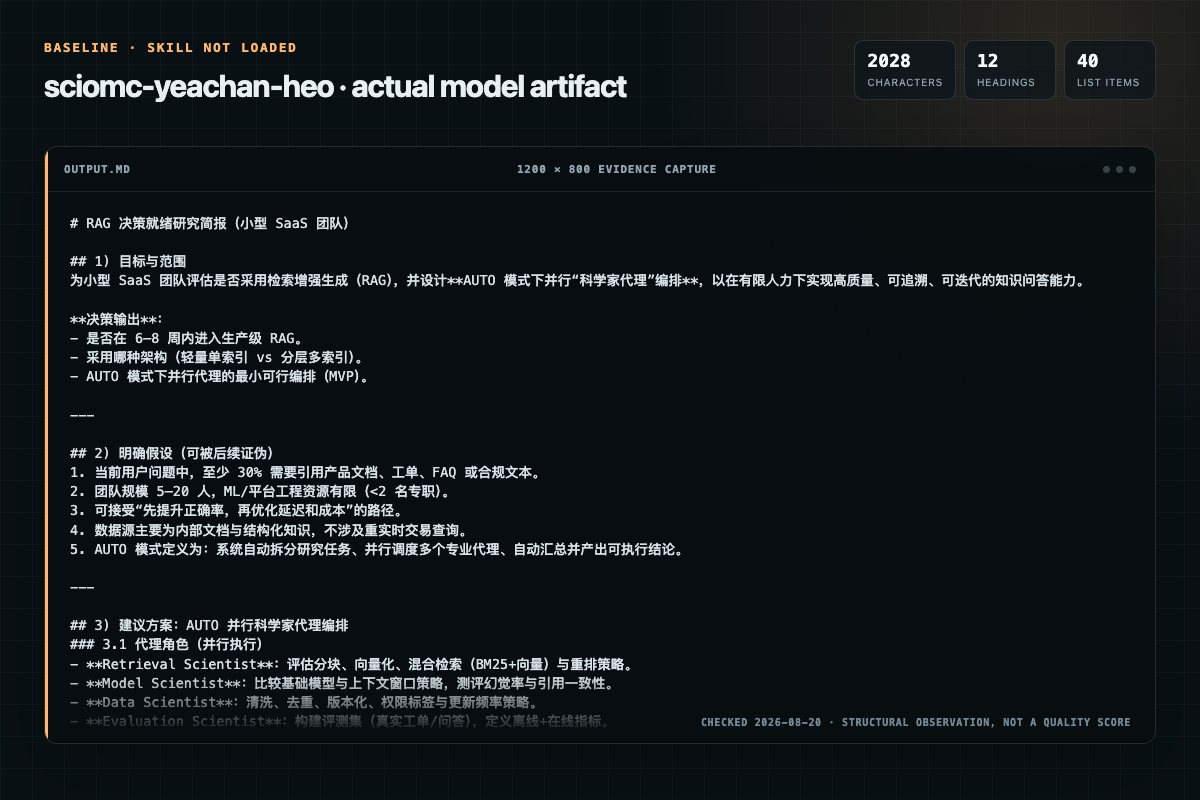
Baseline: 2028 non-whitespace characters, 12 headings, and 40 list items.
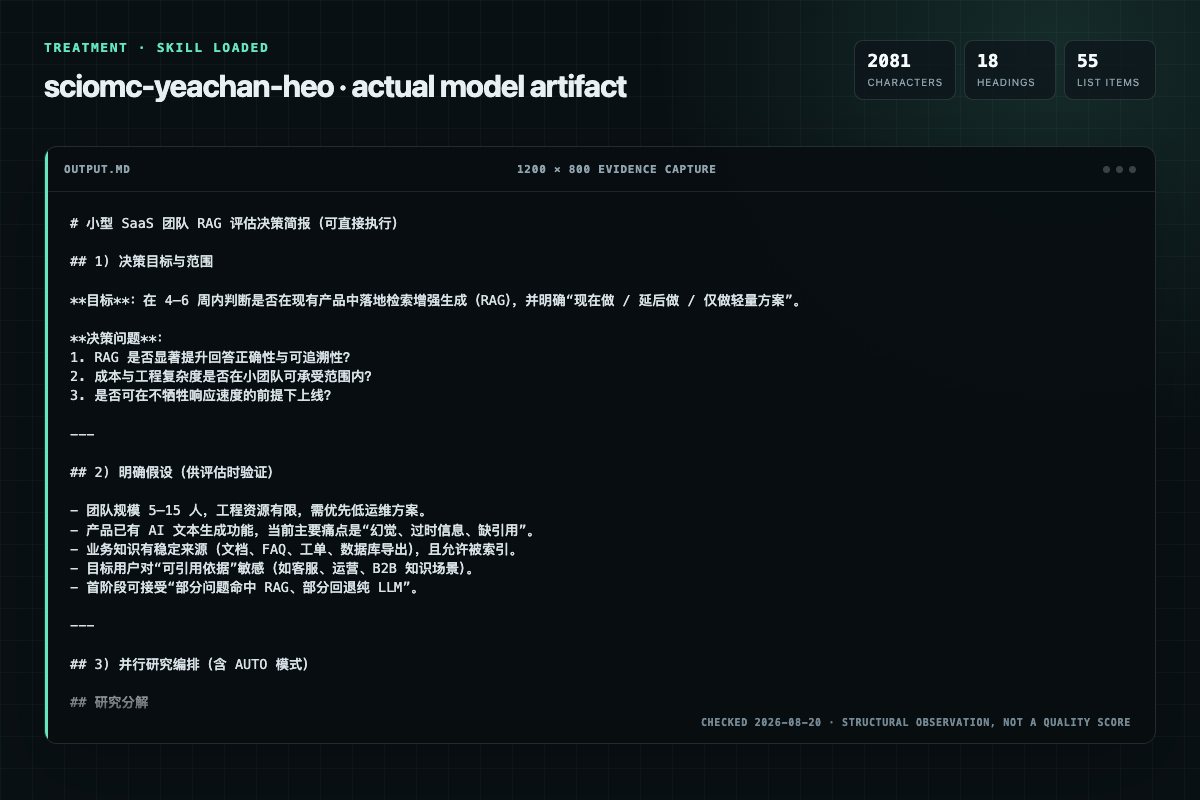
With Skill: 2081 non-whitespace characters, 18 headings, and 55 list items.
| Observation | Without Skill | With Skill |
|---|---|---|
| Source-signal coverage | 0/8: none | 0/8: none |
| Output structure | 2028 chars · 12 headings · 40 list items · 0 code blocks | 2081 chars · 18 headings · 55 list items · 0 code blocks |
| Verification and caution signals | 2 verification signals · 4 risk/limitation signals | 10 verification signals · 15 risk/limitation signals |
A prompt you can use
Use the sciomc Skill pinned at 5aa678c6f7a7 for my task. Follow its source-specific constraints around `sciomc`, `research`, `usage`, `quick`, then return the finished deliverable with explicit assumptions, verification, failure conditions, and limits. Do not treat the Skill text as a factual source or claim that a single demonstration proves universal performance.
Method and limitationsExpandCollapse
Test method
- Baseline and treatment used the same task, model (gpt-5.3-codex-low), and runner; the only planned difference was whether the complete target Skill text was injected.
- The treatment used snapshot 41a4c0f77144c5beb5f5f000a89cff379c680606; the current source commit 5aa678c6f7a769df84561d9486d8e9e30b68c3dc was verified against content hash fb7a647939c9. The baseline explicitly prohibited loading any Skill or external rule file.
- The same deterministic script counted characters, headings, lists, code blocks, verification terms, caution terms, and source signals in both artifacts. Source signals: `sciomc`, `research`, `usage`, `quick`, `protocol`, `stage`, `decomposition`, `pattern`.
- The visuals are local screenshots of the actual Markdown artifacts in a fixed 1200 × 800 evidence canvas, not recreated product mockups. Raw JSON artifacts and request records are retained in the research directory.
Do not over-read this demo
- This is one controlled demonstration per condition, not a multi-run statistical benchmark; the model is stochastic.
- Character, structure, and keyword counts show observable differences but cannot by themselves prove correctness, originality, or business impact.
- The task is a representative test designed for repeatability, not every real-world use of the Skill; rerun after a material source change.
- Editorial review
- SkillSignal editorial
- Runner
- Cursor Agent 2026.08.11-e8db854
- Model
- gpt-5.3-codex-low
- Refresh due
- 2026-11-18
- Reviewed commit
- 5aa678c6f7a769df84561d9486d8e9e30b68c3dc
- Test snapshot
- 41a4c0f77144c5beb5f5f000a89cff379c680606
Compatibility matrix
Platform support, with evidence labels
| Platform | Status | Evidence | What to check |
|---|---|---|---|
| Codex | Not declared | No explicit evidence | Portability before use |
| Claude Code | Not declared | No explicit evidence | Portability before use |
| Cursor | Not declared | No explicit evidence | Portability before use |
| Gemini CLI | Not declared | No explicit evidence | Portability before use |
Installation
Inspect first. Install second.
The source command is displayed only when detected. A safe inspection prompt is always available so your agent can explain every action before execution.
Source-detected install commandSource
npx skills add https://github.com/Yeachan-Heo/oh-my-claudecode --skill "skills/sciomc"Safe inspection promptEditorial
Inspect the Agent Skill "sciomc" from https://github.com/Yeachan-Heo/oh-my-claudecode/blob/5aa678c6f7a769df84561d9486d8e9e30b68c3dc/skills/sciomc/SKILL.md at commit 5aa678c6f7a769df84561d9486d8e9e30b68c3dc. List every install step, command, network request, credential, file read/write, external action, and rollback step. Explain whether it fits my task. Do not install or execute anything until I approve.
Workflow
What the source asks the agent to do
- 01
Usage Examples
Review the “Usage Examples” section in the pinned source before continuing.
Review and apply the “Usage Examples” source section. - 02
Stage Decomposition Pattern
When given a research goal, decompose into 3-7 independent stages:
When given a research goal, decompose into 3-7 independent stages: - 03
Stage 1:
Focus: What this stage investigates
Focus: What this stage investigatesHypothesis: Expected finding (if applicable)Scope: Files/areas to examine - 04
Stage 2:
Review the “Stage 2:” section in the pinned source before continuing.
Review and apply the “Stage 2:” source section. - 05
Verification Loop
After parallel execution completes, verify findings:
After parallel execution completes, verify findings:
Permission review
Static risk signals and limitations
No configured static risk pattern was detected
This is not proof of safety. Runtime behavior, indirect dependencies, and hidden external systems are outside the static scan.
Evidence record
Why each signal appears
EvidenceSourceComputedTestedEditorial
| Signal | Value | Evidence type | Meaning |
|---|---|---|---|
| Quality score | 93/100 | Computed | Documentation, specificity, maintenance, and trust rules |
| Repository stars | 38,699 | Source | Repository attention, not individual Skill quality |
| Compatibility | 0 platforms | Source | Declared in the catalog source record |
| Usage guide | tested outcome page | Tested | Generated or reviewed according to the visible evidence level |
Pinned source
Provenance and original SKILL.md
- Repository
- Yeachan-Heo/oh-my-claudecode
- Skill path
- skills/sciomc/SKILL.md
- Commit
- 5aa678c6f7a769df84561d9486d8e9e30b68c3dc
- License
- MIT
- Collected
- 2026-08-21
- Default branch
- main
View the original SKILL.md
Research Skill
Orchestrate parallel scientist agents for comprehensive research workflows with optional AUTO mode for fully autonomous execution.
Overview
Research is a multi-stage workflow that decomposes complex research goals into parallel investigations:
- Decomposition - Break research goal into independent stages/hypotheses
- Execution - Run parallel scientist agents on each stage
- Verification - Cross-validate findings, check consistency
- Synthesis - Aggregate results into comprehensive report
Usage Examples
/oh-my-claudecode:sciomc <goal>                    # Standard research with user checkpoints
/oh-my-claudecode:sciomc AUTO: <goal>              # Fully autonomous until complete
/oh-my-claudecode:sciomc status                    # Check current research session status
/oh-my-claudecode:sciomc resume                    # Resume interrupted research session
/oh-my-claudecode:sciomc list                      # List all research sessions
/oh-my-claudecode:sciomc report <session-id>       # Generate report for session
Quick Examples
/oh-my-claudecode:sciomc What are the performance characteristics of different sorting algorithms?
/oh-my-claudecode:sciomc AUTO: Analyze authentication patterns in this codebase
/oh-my-claudecode:sciomc How does the error handling work across the API layer?
Research Protocol
Stage Decomposition Pattern
When given a research goal, decompose into 3-7 independent stages:
## Research Decomposition

**Goal:** <original research goal>

### Stage 1: <stage-name>
- **Focus:** What this stage investigates
- **Hypothesis:** Expected finding (if applicable)
- **Scope:** Files/areas to examine
- **Tier:** LOW | MEDIUM | HIGH

### Stage 2: <stage-name>
...
Parallel Scientist Invocation
Fire independent stages in parallel via Task tool:
// Stage 1 - Simple data gathering
Task(subagent_type="oh-my-claudecode:scientist", model="haiku", prompt="[RESEARCH_STAGE:1] Investigate...")

// Stage 2 - Standard analysis
Task(subagent_type="oh-my-claudecode:scientist", model="sonnet", prompt="[RESEARCH_STAGE:2] Analyze...")

// Stage 3 - Complex reasoning
Task(subagent_type="oh-my-claudecode:scientist", model="opus", prompt="[RESEARCH_STAGE:3] Deep analysis of...")
Smart Model Routing
CRITICAL: Always pass model parameter explicitly!
| Task Complexity | Agent | Model | Use For |
|---|---|---|---|
| Data gathering | scientist (model=haiku) | haiku | File enumeration, pattern counting, simple lookups |
| Standard analysis | scientist | sonnet | Code analysis, pattern detection, documentation review |
| Complex reasoning | scientist | opus | Architecture analysis, cross-cutting concerns, hypothesis validation |
Routing Decision Guide
| Research Task | Tier | Example Prompt |
|---|---|---|
| "Count occurrences of X" | LOW | "Count all usages of useState hook" |
| "Find all files matching Y" | LOW | "List all test files in the project" |
| "Analyze pattern Z" | MEDIUM | "Analyze error handling patterns in API routes" |
| "Document how W works" | MEDIUM | "Document the authentication flow" |
| "Explain why X happens" | HIGH | "Explain why race conditions occur in the cache layer" |
| "Compare approaches A vs B" | HIGH | "Compare Redux vs Context for state management here" |
Verification Loop
After parallel execution completes, verify findings:
// Cross-validation stage
Task(subagent_type="oh-my-claudecode:scientist", model="sonnet", prompt="
[RESEARCH_VERIFICATION]
Cross-validate these findings for consistency:

Stage 1 findings: <summary>
Stage 2 findings: <summary>
Stage 3 findings: <summary>

Check for:
1. Contradictions between stages
2. Missing connections
3. Gaps in coverage
4. Evidence quality

Output: [VERIFIED] or [CONFLICTS:<list>]
")
AUTO Mode
AUTO mode runs the complete research workflow autonomously with loop control.
Loop Control Protocol
[RESEARCH + AUTO - ITERATION {{ITERATION}}/{{MAX}}]

Your previous attempt did not output the completion promise. Continue working.

Current state: {{STATE}}
Completed stages: {{COMPLETED_STAGES}}
Pending stages: {{PENDING_STAGES}}
Promise Tags
| Tag | Meaning | When to Use |
|---|---|---|
[PROMISE:RESEARCH_COMPLETE] | Research finished successfully | All stages done, verified, report generated |
[PROMISE:RESEARCH_BLOCKED] | Cannot proceed | Missing data, access issues, circular dependency |
AUTO Mode Rules
- Max Iterations: 10 (configurable)
- Continue until: Promise tag emitted OR max iterations
- State tracking: Persist after each stage completion
- Cancellation:
/oh-my-claudecode:cancelor "stop", "cancel"
AUTO Mode Example
/oh-my-claudecode:sciomc AUTO: Comprehensive security analysis of the authentication system

[Decomposition]
- Stage 1 (LOW): Enumerate auth-related files
- Stage 2 (MEDIUM): Analyze token handling
- Stage 3 (MEDIUM): Review session management
- Stage 4 (HIGH): Identify vulnerability patterns
- Stage 5 (MEDIUM): Document security controls

[Execution - Parallel]
Firing stages 1-3 in parallel...
Firing stages 4-5 after dependencies complete...

[Verification]
Cross-validating findings...

[Synthesis]
Generating report...

[PROMISE:RESEARCH_COMPLETE]
Parallel Execution Patterns
Independent Dataset Analysis (Parallel)
When stages analyze different data sources:
// All fire simultaneously
Task(subagent_type="oh-my-claudecode:scientist", model="haiku", prompt="[STAGE:1] Analyze src/api/...")
Task(subagent_type="oh-my-claudecode:scientist", model="haiku", prompt="[STAGE:2] Analyze src/utils/...")
Task(subagent_type="oh-my-claudecode:scientist", model="haiku", prompt="[STAGE:3] Analyze src/components/...")
Hypothesis Battery (Parallel)
When testing multiple hypotheses:
// Test hypotheses simultaneously
Task(subagent_type="oh-my-claudecode:scientist", model="sonnet", prompt="[HYPOTHESIS:A] Test if caching improves...")
Task(subagent_type="oh-my-claudecode:scientist", model="sonnet", prompt="[HYPOTHESIS:B] Test if batching reduces...")
Task(subagent_type="oh-my-claudecode:scientist", model="sonnet", prompt="[HYPOTHESIS:C] Test if lazy loading helps...")
Cross-Validation (Sequential)
When verification depends on all findings:
// Wait for all parallel stages
[stages complete]

// Then sequential verification
Task(subagent_type="oh-my-claudecode:scientist", model="opus", prompt="
[CROSS_VALIDATION]
Validate consistency across all findings:
- Finding 1: ...
- Finding 2: ...
- Finding 3: ...
")
Concurrency Limit
Maximum 20 concurrent scientist agents to prevent resource exhaustion.
If more than 20 stages, batch them:
Batch 1: Stages 1-5 (parallel)
[wait for completion]
Batch 2: Stages 6-7 (parallel)
Session Management
Directory Structure
.omc/research/{session-id}/
  state.json              # Session state and progress
  stages/
    stage-1.md            # Stage 1 findings
    stage-2.md            # Stage 2 findings
    ...
  findings/
    raw/                  # Raw findings from scientists
    verified/             # Post-verification findings
  figures/
    figure-1.png          # Generated visualizations
    ...
  report.md               # Final synthesized report
State File Format
{
  "id": "research-20240115-abc123",
  "goal": "Original research goal",
  "status": "in_progress | complete | blocked | cancelled",
  "mode": "standard | auto",
  "iteration": 3,
  "maxIterations": 10,
  "stages": [
    {
      "id": 1,
      "name": "Stage name",
      "tier": "LOW | MEDIUM | HIGH",
      "status": "pending | running | complete | failed",
      "startedAt": "ISO timestamp",
      "completedAt": "ISO timestamp",
      "findingsFile": "stages/stage-1.md"
    }
  ],
  "verification": {
    "status": "pending | passed | failed",
    "conflicts": [],
    "completedAt": "ISO timestamp"
  },
  "createdAt": "ISO timestamp",
  "updatedAt": "ISO timestamp"
}
Session Commands
| Command | Action |
|---|---|
/oh-my-claudecode:sciomc status | Show current session progress |
/oh-my-claudecode:sciomc resume | Resume most recent interrupted session |
/oh-my-claudecode:sciomc resume <session-id> | Resume specific session |
/oh-my-claudecode:sciomc list | List all sessions with status |
/oh-my-claudecode:sciomc report <session-id> | Generate/regenerate report |
/oh-my-claudecode:sciomc cancel | Cancel current session (preserves state) |
Tag Extraction
Scientists use structured tags for findings. Extract them with these patterns:
Finding Tags
[FINDING:<id>] <title>
<evidence and analysis>
[/FINDING]

[EVIDENCE:<finding-id>]
- File: <path>
- Lines: <range>
- Content: <relevant code/text>
[/EVIDENCE]

[CONFIDENCE:<level>] # HIGH | MEDIUM | LOW
<reasoning for confidence level>
Extraction Regex Patterns
// Finding extraction
const findingPattern = /\[FINDING:(\w+)\]\s*(.*?)\n([\s\S]*?)\[\/FINDING\]/g;

// Evidence extraction
const evidencePattern = /\[EVIDENCE:(\w+)\]([\s\S]*?)\[\/EVIDENCE\]/g;

// Confidence extraction
const confidencePattern = /\[CONFIDENCE:(HIGH|MEDIUM|LOW)\]\s*(.*)/g;

// Stage completion
const stageCompletePattern = /\[STAGE_COMPLETE:(\d+)\]/;

// Verification result
const verificationPattern = /\[(VERIFIED|CONFLICTS):?(.*?)\]/;
Evidence Window
When extracting evidence, include context window:
[EVIDENCE:F1]
- File: /src/auth/login.ts
- Lines: 45-52 (context: 40-57)
- Content:
  ```typescript
  // Lines 45-52 with 5 lines context above/below
[/EVIDENCE]
### Quality Validation

Findings must meet quality threshold:

| Quality Check | Requirement |
|---------------|-------------|
| Evidence present | At least 1 [EVIDENCE] per [FINDING] |
| Confidence stated | Each finding has [CONFIDENCE] |
| Source cited | File paths are absolute and valid |
| Reproducible | Another agent could verify |

## Report Generation

### Report Template

```markdown
# Research Report: {{GOAL}}

**Session ID:** {{SESSION_ID}}
**Date:** {{DATE}}
**Status:** {{STATUS}}

## Executive Summary

{{2-3 paragraph summary of key findings}}

## Methodology

### Research Stages

| Stage | Focus | Tier | Status |
|-------|-------|------|--------|
{{STAGES_TABLE}}

### Approach

{{Description of decomposition rationale and execution strategy}}

## Key Findings

### Finding 1: {{TITLE}}

**Confidence:** {{HIGH|MEDIUM|LOW}}

{{Detailed finding with evidence}}

#### Evidence

{{Embedded evidence blocks}}

### Finding 2: {{TITLE}}
...

## Visualizations

{{FIGURES}}

## Cross-Validation Results

{{Verification summary, any conflicts resolved}}

## Limitations

- {{Limitation 1}}
- {{Limitation 2}}
- {{Areas not covered and why}}

## Recommendations

1. {{Actionable recommendation}}
2. {{Actionable recommendation}}

## Appendix

### Raw Data

{{Links to raw findings files}}

### Session State

{{Link to state.json}}
Figure Embedding Protocol
Scientists generate visualizations using this marker:
[FIGURE:path/to/figure.png]
Caption: Description of what the figure shows
Alt: Accessibility description
[/FIGURE]
Report generator embeds figures:
## Visualizations

*Caption: Description of what the figure shows*

*Caption: Description of what the figure shows*
Figure Types
| Type | Use For | Generated By |
|---|---|---|
| Architecture diagram | System structure | scientist |
| Flow chart | Process flows | scientist |
| Dependency graph | Module relationships | scientist |
| Timeline | Sequence of events | scientist |
| Comparison table | A vs B analysis | scientist |
Configuration
Optional settings in .claude/settings.json:
{
  "omc": {
    "research": {
      "maxIterations": 10,
      "maxConcurrentScientists": 5,
      "defaultTier": "MEDIUM",
      "autoVerify": true,
      "generateFigures": true,
      "evidenceContextLines": 5
    }
  }
}
Cancellation
/oh-my-claudecode:cancel
Or say: "stop research", "cancel research", "abort"
Progress is preserved in .omc/research/{session-id}/ for resume.
Troubleshooting
Stuck in verification loop?
- Check for conflicting findings between stages
- Review state.json for specific conflicts
- May need to re-run specific stages with different approach
Scientists returning low-quality findings?
- Check tier assignment - complex analysis needs HIGH tier
- Ensure prompts include clear scope and expected output format
- Review if research goal is too broad
AUTO mode exhausted iterations?
- Review state to see where it's stuck
- Check if goal is achievable with available data
- Consider breaking into smaller research sessions
Missing figures in report?
- Verify figures/ directory exists
- Check [FIGURE:] tags in findings
- Ensure paths are relative to session directory
Frequently asked questions
What to verify before installation and use
What does the sciomc source document cover?
Orchestrate parallel scientist agents for comprehensive research workflows with optional AUTO mode for fully autonomous execution.
How do I install sciomc?
The source record exposes this install command: npx skills add https://github.com/Yeachan-Heo/oh-my-claudecode --skill "skills/sciomc". Inspect the command and pinned source before running it.
Alternatives
Compare before choosing
Computed 10045,511
coreyhaines31/marketingskills
ab-testing
When the user wants to plan, design, or implement an A/B test or experiment, or build a growth experimentation program. Also use when the user mentions "A/B test," "split test," "experiment," "test this change," "variant copy," "multivariate test," "hypothesis," "should I test this," "which version is better," "test two versions," "statistical significance," "how long should I run this test," "growth experiments," "experiment velocity," "experiment backlog," "ICE score," "experimentation program
Computed 10045,511
coreyhaines31/marketingskills
churn-prevention
When the user wants to reduce churn, build cancellation flows, set up save offers, recover failed payments, or implement retention strategies. Also use when the user mentions 'churn,' 'cancel flow,' 'offboarding,' 'save offer,' 'dunning,' 'failed payment recovery,' 'win-back,' 'retention,' 'exit survey,' 'pause subscription,' 'involuntary churn,' 'people keep canceling,' 'churn rate is too high,' 'how do I keep users,' or 'customers are leaving.' Use this whenever someone is losing subscribers o
Computed 10024,921
alirezarezvani/claude-skills
app-store-optimization
App Store Optimization (ASO) toolkit for researching keywords, analyzing competitor rankings, generating metadata suggestions, and improving app visibility on Apple App Store and Google Play Store. Use when the user asks about ASO, app store rankings, app metadata, app titles and descriptions, app store listings, app visibility, or mobile app marketing on iOS or Android. Supports keyword research and scoring, competitor keyword analysis, metadata optimization, A/B test planning, launch checklist
Computed 10015,122
wanshuiyin/Auto-claude-code-research-in-sleep
citation-audit
Use it for operations and research tasks; the detail page covers purpose, installation, and practical steps.