
Best for
- Creating new Claude Code skills from scratch
- Learning skill YAML frontmatter and structure requirements
- Validating skill file format and portability
terrylica/cc-skills/plugins/plugin-dev/skills/skill-architecture/SKILL.md
Create new skills, modify existing skills, and understand skill architecture. Use when users want to create a skill from scratch, learn YAML.
Decision brief
Comprehensive guide for creating effective Claude Code skills following Anthropic's official standards with emphasis on security and progressive disclosure architecture.
In this controlled same-task single run, enabling skill-architecture changed the output from 2429 non-whitespace characters and 18 headings to 2364 characters and 11 headings. Matches among 8 signals extracted from the pinned source changed from 1 to 1. Both actual outputs are shown; this is a structural observation, not a quality score or a universal performance claim.
Create an implementation guide for adding a webhook retry queue to a TypeScript service. Include prerequisites, steps, verification, and common mistakes. The deliverable must specifically reflect this user intent: Create new skills, modify existing skills, and understand skill architecture. Use when users want to create a skill from scratch, learn YAML.
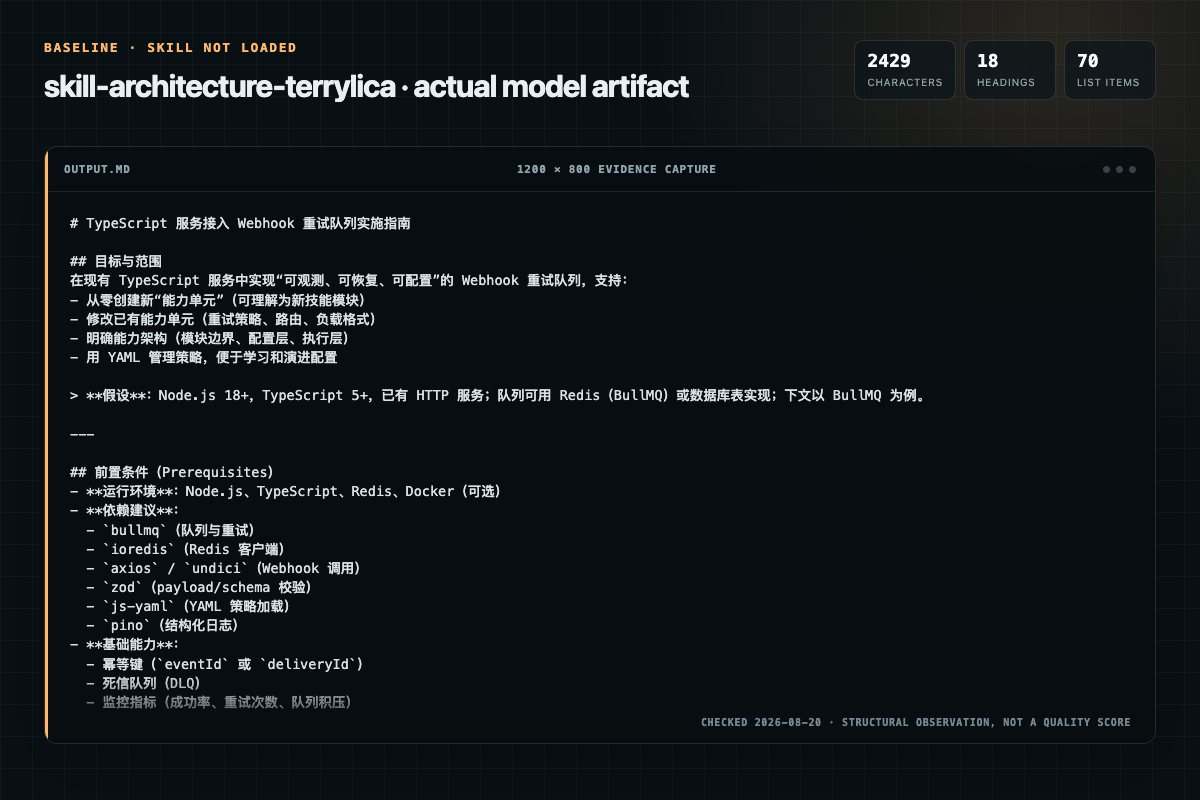
Baseline: 2429 non-whitespace characters, 18 headings, and 70 list items.
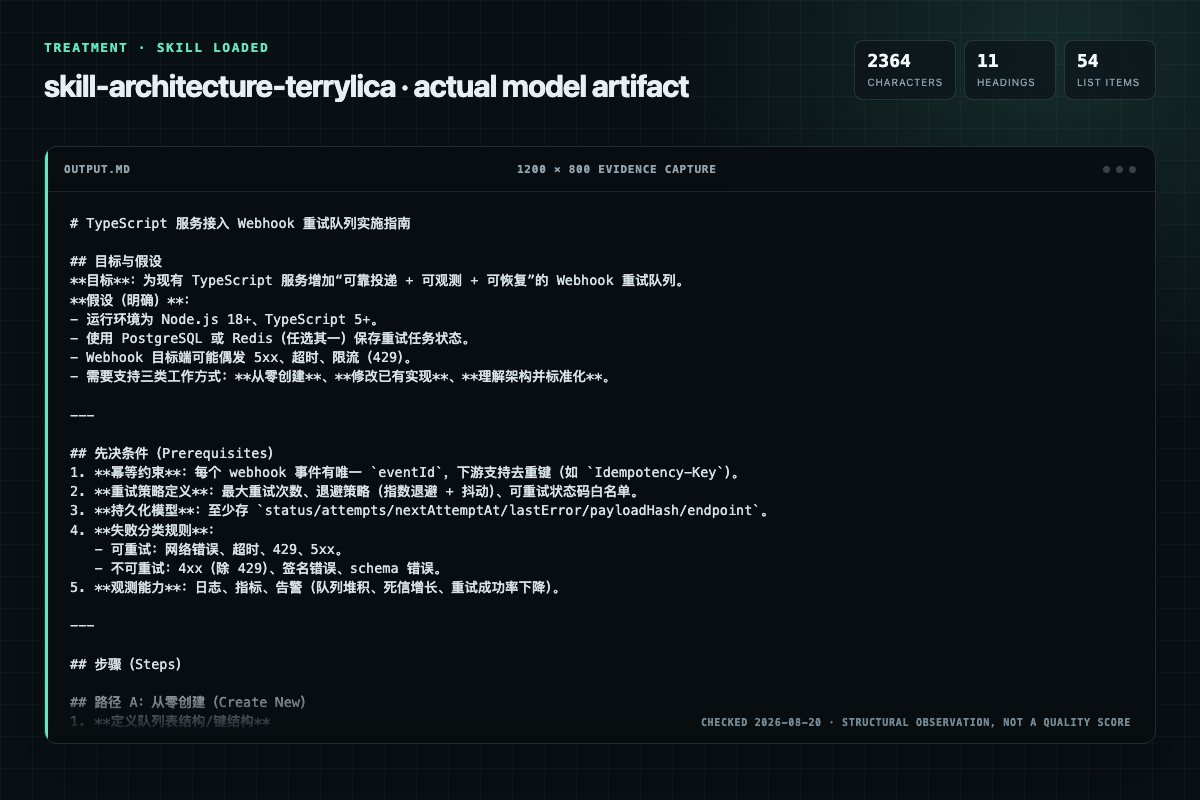
With Skill: 2364 non-whitespace characters, 11 headings, and 54 list items.
| Observation | Without Skill | With Skill |
|---|---|---|
| Source-signal coverage | 1/8: architecture | 1/8: architecture |
| Output structure | 2429 chars · 18 headings · 70 list items · 1 code blocks | 2364 chars · 11 headings · 54 list items · 1 code blocks |
| Verification and caution signals | 12 verification signals · 3 risk/limitation signals | 11 verification signals · 4 risk/limitation signals |
Use the skill-architecture Skill pinned at 2c1efdaeb5ce for my task. Follow its source-specific constraints around `skill-architecture`, `architecture`, `self-evolution`, `protocol`, then return the finished deliverable with explicit assumptions, verification, failure conditions, and limits. Do not treat the Skill text as a factual source or claim that a single demonstration proves universal performance.
Compatibility matrix
| Platform | Status | Evidence | What to check |
|---|---|---|---|
| Codex | Not declared | No explicit evidence | Portability before use |
| Claude Code | Not declared | No explicit evidence | Portability before use |
| Cursor | Not declared | No explicit evidence | Portability before use |
| Gemini CLI | Not declared | No explicit evidence | Portability before use |
Installation
The source command is displayed only when detected. A safe inspection prompt is always available so your agent can explain every action before execution.
npx skills add https://github.com/terrylica/cc-skills --skill "plugins/plugin-dev/skills/skill-architecture"Inspect the Agent Skill "skill-architecture" from https://github.com/terrylica/cc-skills/blob/a5f847b22ee5afa35677e446973a903d098cd1d4/plugins/plugin-dev/skills/skill-architecture/SKILL.md at commit a5f847b22ee5afa35677e446973a903d098cd1d4. List every install step, command, network request, credential, file read/write, external action, and rollback step. Explain whether it fits my task. Do not install or execute anything until I approve.
Workflow
See Creation Tutorial for the detailed 6-step walkthrough, or Creation Workflow for the comprehensive guide with examples.
For skills with multiple phases, evolution-log, and references/:
This skill — and every skill it creates — must actively evolve through use. This section is placed first because it governs all other sections.
Creating new Claude Code skills from scratch
Select the appropriate template before starting skill work -- templates encode common workflows and prevent missing steps that cause silent failures.
Permission review
The documentation asks the agent to run terminal commands or scripts.
**Imperative form**: "Run the script", "Check the output" -- not passive or indirect phrasing.The documentation asks the agent to run terminal commands or scripts.
**Python**: `uv run script.py` with PEP 723 inline dependenciesEvidence record
| Signal | Value | Evidence type | Meaning |
|---|---|---|---|
| Quality score | 95/100 | Computed | Documentation, specificity, maintenance, and trust rules |
| Repository stars | 62 | Source | Repository attention, not individual Skill quality |
| Compatibility | 0 platforms | Source | Declared in the catalog source record |
| Usage guide | tested outcome page | Tested | Generated or reviewed according to the visible evidence level |
Pinned source
Comprehensive guide for creating effective Claude Code skills following Anthropic's official standards with emphasis on security and progressive disclosure architecture.
Self-Evolving Skill: This skill improves through use. If instructions are wrong, parameters drifted, or a workaround was needed — fix this file immediately, don't defer. Only update for real, reproducible issues.
Scope: Claude Code Agent Skills (
~/.claude/skills/), not Claude.ai API skills
This skill — and every skill it creates — must actively evolve through use. This section is placed first because it governs all other sections.
During execution, watch for these signals: friction in instructions, missing edge cases, better patterns discovered, repeated manual steps, drift between documentation and reality.
Before writing any change, pass all three admission gates:
| Gate | Question | Fail → |
|---|---|---|
| VALUE | Does this fix a real problem observed empirically, not speculated? | Skip |
| REDUNDANCY | Is this already documented or obvious from the code? | Skip |
| FRESHNESS | Will this still be true next month, or is it ephemeral? | Skip |
Most executions should produce no evolution. Convergence to stability is success, not stagnation.
When all gates pass: Pause current work → fix SKILL.md or references → log in evolution-log.md with trigger + evidence → resume. Do NOT defer — the next invocation inherits whatever you leave behind.
What never passes the gate: Major structural changes (discuss with user first), speculative improvements without empirical evidence, cosmetic preferences.
Use this skill when:
Select the appropriate template before starting skill work -- templates encode common workflows and prevent missing steps that cause silent failures.
See Task Templates for all templates (A-F) and the quality checklist.
| Template | Purpose |
|---|---|
| A | Create New Skill |
| B | Update Existing Skill |
| C | Add Resources to Skill |
| D | Convert to Self-Evolving Skill |
| E | Troubleshoot Skill Not Triggering |
| F | Create Lifecycle Suite |
After modifying THIS skill (skill-architecture):
Skills are modular, self-contained packages that extend Claude's capabilities with specialized knowledge, workflows, and tools. Think of them as "onboarding guides" for specific domains -- transforming Claude from general-purpose to specialized agent with procedural knowledge no model fully possesses.
Skills are discovered from multiple locations. When names collide, higher-precedence wins:
~/.claude/skills/).claude/skills/ in repo)plugin:skill-name).claude/skills/ in subdirectories -- auto-discovered)--add-dir (CLI flag, live change detection) -- lowestManagement commands:
claude plugin enable <name> / claude plugin disable <name> -- toggle pluginsclaude skill list -- show all discovered skills with source locationMonorepo support: Claude Code automatically discovers .claude/skills/ directories in nested project roots within a monorepo. No configuration needed.
This section applies specifically to the cc-skills marketplace plugin structure. Generic standalone skills are unaffected.
plugins/<plugin>/
└── skills/
    └── <skill-name>/
        └── SKILL.md   <- single canonical file (context AND user-invocable)
skills/<name>/SKILL.md is the single source of truth. The separate commands/ layer was eliminated -- it required maintaining two identical files per skill and caused Skill() invocations to return "Unknown skill". See migration issue for full context.
Two install paths, both supported:
| Path | Mechanism | Notes |
|---|---|---|
| Automated (primary) | mise run release:full -> sync-commands-to-settings.sh reads skills/*/SKILL.md -> writes ~/.claude/commands/<plugin>:<name>.md | Fully automated post-release. Bypasses Anthropic cache bugs #17361, #14061 |
| Official CLI | claude plugin install itp@cc-skills -> reads from skills/ in plugin cache | Cache may not refresh on update -- use claude plugin update after new releases |
sync-hooks-to-settings.sh reads hooks/hooks.json directly -> merges into ~/.claude/settings.json. Bypasses path re-expansion bug #18517.
Place the SKILL.md under plugins/<plugin>/skills/<name>/SKILL.md. No commands/ copy needed. The validator (bun scripts/validate-plugins.mjs) checks frontmatter completeness.
See Creation Tutorial for the detailed 6-step walkthrough, or Creation Workflow for the comprehensive guide with examples.
Quick summary: Gather requirements -> Plan resources -> Initialize -> Edit SKILL.md -> Validate -> Register and iterate.
Good skills emerge through testing and feedback, not from getting the first draft perfect. After writing or updating a skill, verify it works by running it against realistic prompts.
Come up with 2-3 realistic test prompts -- the kind of thing a real user would actually say. Not abstract requests, but concrete tasks with enough detail to exercise the skill. Share them with the user for confirmation before running.
For each test prompt, run the skill and examine the output:
When subagents are available, run with-skill and without-skill versions in parallel to measure the skill's actual value-add. When not available, run test cases yourself as a sanity check.
After evaluating results, improve the skill and retest. Keep iterating until the user is satisfied or feedback is consistently positive. Key principles for each iteration:
Generalize from specific feedback. Skills will be used across many different prompts. Avoid overfitting to test cases with fiddly, narrow fixes. If a pattern keeps failing, try a different approach or metaphor rather than adding more constraints.
Keep the skill lean. Every section must earn its tokens. Read the execution transcripts -- if the skill causes the model to waste time on unproductive steps, cut those instructions and see what happens.
Explain the why, not just the what. LLMs respond better to understanding why a rule exists than to being commanded with rigid directives. Instead of "ALWAYS do X", explain: "Do X because skipping it causes Y, which leads to Z." This produces more robust behavior that generalizes to novel situations.
Look for repeated work across test cases. If every test run independently creates the same helper script or takes the same multi-step approach, bundle that script in scripts/ so future invocations don't reinvent the wheel.
Bundle common patterns as scripts. When test runs reveal that the model writes similar boilerplate code every time, extract it into a bundled script. This saves tokens and improves reliability.
These principles (aligned with Anthropic's official guidance) apply to all skill content:
See Writing Guide for extended guidance with examples.
skill-name/
├── SKILL.md                      # Required: YAML frontmatter + instructions
├── scripts/                      # Optional: Executable code (Python/Bash)
├── references/                   # Optional: Documentation loaded as needed
│   └── evolution-log.md          # Required for self-evolving: Change history
└── assets/                       # Optional: Files used in output
See YAML Frontmatter Reference for the complete field reference, invocation control table, permission rules, description guidelines, and YAML pitfalls.
Minimal example:
---
name: my-skill
description: Does X when user mentions Y. Use for Z workflows.
---
Key rules: name is lowercase-hyphen, description is single-line max 1024 chars with trigger keywords, no colons in description text.
Skills use progressive loading to manage context efficiently:
*Scripts can execute without reading into context.
Skills are loaded into the context window based on description relevance. Large skills may be excluded if the budget is exceeded:
/context to see which skills are loaded vs excludedSLASH_COMMAND_TOOL_CHAR_BUDGET env var to increase budgetreferences/Skills can include scripts/, references/, and assets/ directories. See Progressive Disclosure for detailed guidance on when to use each.
CLI skills support allowed-tools for granting tool access without per-use approval. See Security Practices for details.
Skill bodies support these substitutions (resolved at load time):
| Variable | Resolves To | Example |
|---|---|---|
$ARGUMENTS | Full argument string from /name arg1 arg2 | Process: $ARGUMENTS |
$ARGUMENTS[N] | Nth argument (0-indexed) | File: $ARGUMENTS[0] |
$N | Shorthand for $ARGUMENTS[N] | $0 = first arg |
${CLAUDE_SESSION_ID} | Current session UUID | Log correlation |
Use the pattern ! + `command` (exclamation mark followed by a backtick-wrapped command) in skill body to inject command output at load time:
Current branch: <exclamation>`git branch --show-current`
Last commit: <exclamation>`git log -1 --oneline`
(Replace <exclamation> with ! in actual usage.)
The command runs when the skill loads -- output replaces the pattern inline.
Include the keyword ultrathink in a skill body to enable extended thinking mode for that skill's execution.
See Structural Patterns for detailed guidance on:
This skill follows common user conventions:
uv run script.py with PEP 723 inline dependenciesSee Scripts Reference for marketplace script usage.
For detailed information, see:
This section is placed last so it is the final thing processed before the skill exits — maximizing recency effect.
Every skill MUST include a Post-Execution Reflection section — workflow skills, task skills, and capability skills alike. This is a structural requirement, not advisory. Without it, errors and drift repeat silently across sessions. Task-pattern skills are just as susceptible: scripts change interfaces, parameters get added, error messages drift from documentation.
Do NOT defer. The next invocation inherits whatever you leave behind.
For skills with multiple phases, evolution-log, and references/:
## Post-Execution Reflection

After this skill completes, reflect before closing the task:

0. **Locate yourself.** — Find this SKILL.md's canonical path before editing.
1. **What failed?** — Fix the instruction that caused it.
2. **What worked better than expected?** — Promote to recommended practice.
3. **What drifted?** — Fix any script, reference, or dependency that no longer matches reality.
4. **Log it.** — Evolution-log entry with trigger, fix, and evidence.

Do NOT defer. The next invocation inherits whatever you leave behind.
For single-action skills wrapping a CLI command or script:
## Post-Execution Reflection

After this skill completes, check before closing:

1. **Did the command succeed?** — If not, fix the instruction or error table that caused the failure.
2. **Did parameters or output change?** — If the script's interface drifted, update Usage examples and Parameters table to match.
3. **Was a workaround needed?** — If you had to improvise (different flags, extra steps), update this SKILL.md so the next invocation doesn't need the same workaround.

Only update if the issue is real and reproducible — not speculative.
See Post-Execution Reflection Reference for the full pattern, validation requirements, and examples.
Frequently asked questions
Comprehensive guide for creating effective Claude Code skills following Anthropic's official standards with emphasis on security and progressive disclosure architecture.
The source record exposes this install command: npx skills add https://github.com/terrylica/cc-skills --skill "plugins/plugin-dev/skills/skill-architecture". Inspect the command and pinned source before running it.
Static rules flagged exec-script in the source; the page lists the matching lines and excerpts.
Alternatives
oaustegard/claude-skills
Generate hierarchical _FEATURES.md files that describe what a codebase DOES from a user/consumer perspective, anchored to source symbols via tree-sitting. Supports large complex codebases through feature-driven decomposition into sub-feature files. Uses a multi-pass synthesis: orientation → detail → overview rewrite. Use when someone says "what does this do", "document features", "feature inventory", "_FEATURES.md", or needs to understand a codebase's purpose before modifying it. Complements tre
enuno/unifi-mcp-server
Specialized guide for adding new MCP tools to the UniFi MCP Server following project standards, UniFi API patterns, and test-driven development practices. Use when implementing new UniFi Network Controller features as MCP tools.
PaulRBerg/agent-skills
Create/scaffold/init a project-local agent skill under `.agents/skills` in an ordinary repository; defer to repository instructions that define a source catalog and lifecycle.
NintendaDev/unikit-ai
Generate and maintain the project's TECHNICAL documentation from its codebase — scans the project structure, tech stack, and module boundaries, then writes a lean README landing page plus detailed topic pages (architecture, modules, setup, build, APIs), only the docs that are relevant. Use whenever the user wants to create, update, or validate documentation of the CODE or the project itself, e.g. "generate documentation", "create docs", "write the README", "update the project docs", "document th