
Tested demoQuality 96/100
AvdLee/Swift-Concurrency-Agent-Skill/skills/swift-concurrency/SKILL.md
swift-concurrency
Diagnose Swift Concurrency issues, refactor callback-based code to async/await, and guide Swift 6 migration when working with tasks, actors, @MainActor, Sendable, data races, thread safety, or concurrency-related compiler and linter warnings.
- Source repository stars
- 1,625
- Declared platforms
- 0
- Static risk flags
- 0
- Last source update
- 2026-08-12
- Source checked
- 2026-08-25
Decision brief
What it does: where it fits
Diagnose Swift Concurrency issues, refactor callback-based code to async/await, and guide Swift 6 migration when working with tasks, actors, @MainActor, Sendable, data races, thread safety, or concurrency-related compiler and linter warnings.
Not for
- Tasks that require unconfirmed production actions or broad system permissions.
- Environments where the pinned source and install steps cannot be inspected.
Controlled single-run demoChecked 2026-08-20
What changed when the Skill was used
In this controlled same-task single run, enabling swift-concurrency changed the output from 3337 non-whitespace characters and 12 headings to 4026 characters and 10 headings. Matches among 8 signals extracted from the pinned source changed from 2 to 4. Both actual outputs are shown; this is a structural observation, not a quality score or a universal performance claim.
Same test task
Design and implement a representative production change for a TypeScript webhook retry service. Include the key code or pseudocode, tradeoffs, and verification steps. The deliverable must specifically reflect this user intent: Diagnose Swift Concurrency issues, refactor callback-based code to async/await, and guide Swift 6 migration when working with tasks, actors, @MainActor, Sendable, data races, thread safety, or concurrency-related compiler and linter warnings.
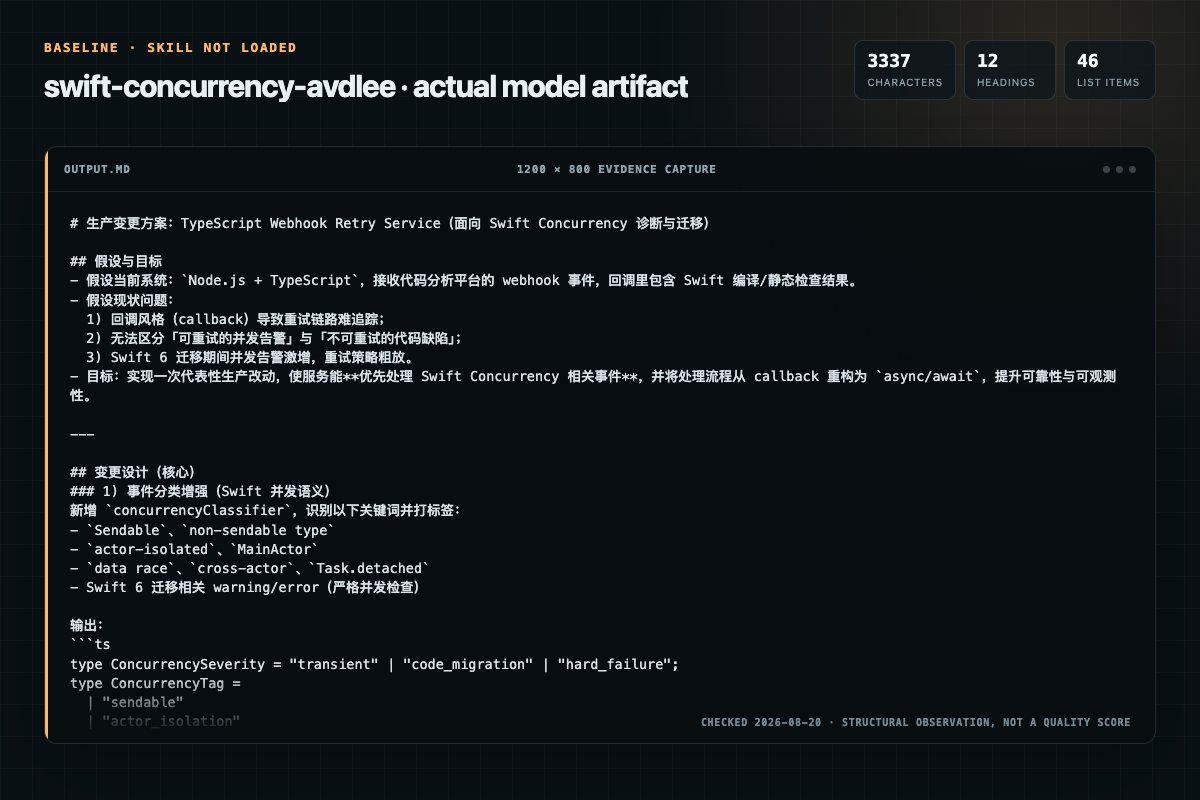
Baseline: 3337 non-whitespace characters, 12 headings, and 46 list items.
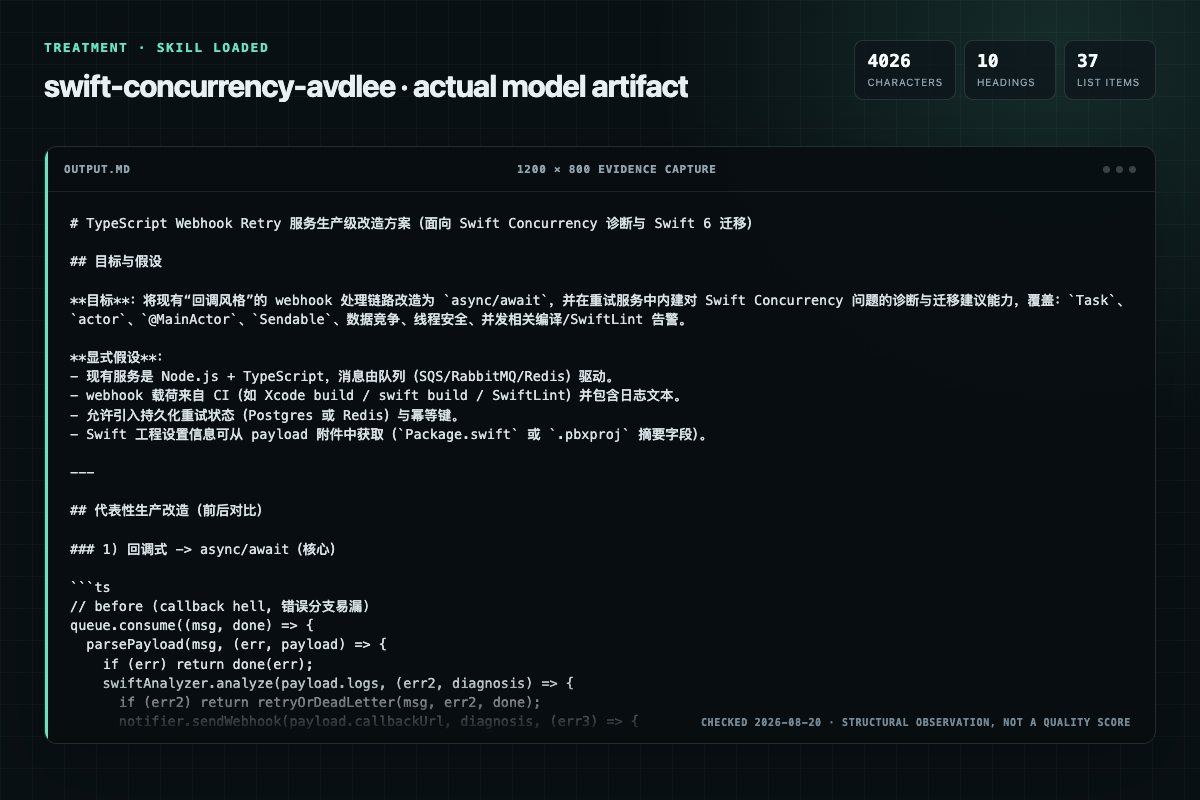
With Skill: 4026 non-whitespace characters, 10 headings, and 37 list items.
| Observation | Without Skill | With Skill |
|---|---|---|
| Source-signal coverage | 2/8: swift, concurrency | 4/8: swift, concurrency, diagnostics, smallest |
| Output structure | 3337 chars · 12 headings · 46 list items · 4 code blocks | 4026 chars · 10 headings · 37 list items · 5 code blocks |
| Verification and caution signals | 8 verification signals · 9 risk/limitation signals | 7 verification signals · 5 risk/limitation signals |
A prompt you can use
Use the swift-concurrency Skill pinned at 45fa49e4e0b2 for my task. Follow its source-specific constraints around `swift-concurrency`, `swift`, `concurrency`, `quick`, then return the finished deliverable with explicit assumptions, verification, failure conditions, and limits. Do not treat the Skill text as a factual source or claim that a single demonstration proves universal performance.
Method and limitationsExpandCollapse
Test method
- Baseline and treatment used the same task, model (gpt-5.3-codex-low), and runner; the only planned difference was whether the complete target Skill text was injected.
- The treatment used snapshot 45fa49e4e0b2af4d43b1cb458903f8030ac993bd; the current source commit 45fa49e4e0b2af4d43b1cb458903f8030ac993bd was verified against content hash 86c04f2516b6. The baseline explicitly prohibited loading any Skill or external rule file.
- The same deterministic script counted characters, headings, lists, code blocks, verification terms, caution terms, and source signals in both artifacts. Source signals: `swift-concurrency`, `swift`, `concurrency`, `quick`, `common`, `diagnostics`, `fixes`, `smallest`.
- The visuals are local screenshots of the actual Markdown artifacts in a fixed 1200 × 800 evidence canvas, not recreated product mockups. Raw JSON artifacts and request records are retained in the research directory.
Do not over-read this demo
- This is one controlled demonstration per condition, not a multi-run statistical benchmark; the model is stochastic.
- Character, structure, and keyword counts show observable differences but cannot by themselves prove correctness, originality, or business impact.
- The task is a representative test designed for repeatability, not every real-world use of the Skill; rerun after a material source change.
- Editorial review
- SkillSignal editorial
- Runner
- Cursor Agent 2026.08.11-e8db854
- Model
- gpt-5.3-codex-low
- Refresh due
- 2026-11-18
- Reviewed commit
- 45fa49e4e0b2af4d43b1cb458903f8030ac993bd
- Test snapshot
- 45fa49e4e0b2af4d43b1cb458903f8030ac993bd
Compatibility matrix
Platform support, with evidence labels
| Platform | Status | Evidence | What to check |
|---|---|---|---|
| Codex | Not declared | No explicit evidence | Portability before use |
| Claude Code | Not declared | No explicit evidence | Portability before use |
| Cursor | Not declared | No explicit evidence | Portability before use |
| Gemini CLI | Not declared | No explicit evidence | Portability before use |
Installation
Inspect first. Install second.
The source command is displayed only when detected. A safe inspection prompt is always available so your agent can explain every action before execution.
Source-detected install commandSource
npx skills add https://github.com/AvdLee/Swift-Concurrency-Agent-Skill --skill "skills/swift-concurrency"Safe inspection promptEditorial
Inspect the Agent Skill "swift-concurrency" from https://github.com/AvdLee/Swift-Concurrency-Agent-Skill/blob/45fa49e4e0b2af4d43b1cb458903f8030ac993bd/skills/swift-concurrency/SKILL.md at commit 45fa49e4e0b2af4d43b1cb458903f8030ac993bd. List every install step, command, network request, credential, file read/write, external action, and rollback step. Explain whether it fits my task. Do not install or execute anything until I approve.
Workflow
What the source asks the agent to do
- 01
Verification Checklist
When changing concurrency code:
Re-check build settings before interpreting diagnostics.Build and clear one category of errors before moving on. Do not batch unrelated fixes into the same change.Run tests, especially actor-, lifetime-, and cancellation-sensitive tests. - 02
Fast Path
1. Analyze Package.swift or .pbxproj to determine Swift language mode, strict concurrency level, default isolation, and upcoming features. Do this always, not only for migration work. 2. Capture the exact diagnostic and offending symbol. 3. Determine the isolation boundary: @Mai…
Analyze Package.swift or .pbxproj to determine Swift language mode, strict concurrency level, default isolation, and upcoming features. Do this always, not only for migration work.Capture the exact diagnostic and offending symbol.Determine the isolation boundary: @MainActor, custom actor, actor instance isolation, or nonisolated. - 03
Quick Fix Mode
Use Quick Fix Mode when all of these are true:
The issue is localized to one file or one type.The isolation boundary is clear.The fix can be explained in 1-2 behavior-preserving steps. - 04
Common Diagnostics
Review the “Common Diagnostics” section in the pinned source before continuing.
Review and apply the “Common Diagnostics” source section. - 05
When Quick Fixes Fail
1. Gather project settings if not already confirmed. 2. Re-evaluate which isolation boundaries the type crosses. 3. Route to the matching reference file for a deeper fix. 4. If the fix may change behavior, document the invariant and add verification steps.
Gather project settings if not already confirmed.Re-evaluate which isolation boundaries the type crosses.Route to the matching reference file for a deeper fix.
Permission review
Static risk signals and limitations
No configured static risk pattern was detected
This is not proof of safety. Runtime behavior, indirect dependencies, and hidden external systems are outside the static scan.
Evidence record
Why each signal appears
EvidenceSourceComputedTestedEditorial
| Signal | Value | Evidence type | Meaning |
|---|---|---|---|
| Quality score | 96/100 | Computed | Documentation, specificity, maintenance, and trust rules |
| Repository stars | 1,625 | Source | Repository attention, not individual Skill quality |
| Compatibility | 0 platforms | Source | Declared in the catalog source record |
| Usage guide | tested outcome page | Tested | Generated or reviewed according to the visible evidence level |
Pinned source
Provenance and original SKILL.md
- Repository
- AvdLee/Swift-Concurrency-Agent-Skill
- Skill path
- skills/swift-concurrency/SKILL.md
- Commit
- 45fa49e4e0b2af4d43b1cb458903f8030ac993bd
- License
- MIT
- Collected
- 2026-08-25
- Default branch
- main
View the original SKILL.md
Swift Concurrency
Fast Path
Before proposing a fix:
- Analyze
Package.swiftor.pbxprojto determine Swift language mode, strict concurrency level, default isolation, and upcoming features. Do this always, not only for migration work. - Capture the exact diagnostic and offending symbol.
- Determine the isolation boundary:
@MainActor, custom actor, actor instance isolation, ornonisolated. - Confirm whether the code is UI-bound or intended to run off the main actor. When spawning unstructured tasks, inspect the synchronous prefix (everything before the first
await): start on@MainActoronly when that prefix truly needs main-actor access; otherwise useTask { @concurrent in ... }and hop back withMainActor.runonly after the suspension. A trivial non-main line (for example,print) followed by main-actor work in the same prefix is not a reason to use@concurrent. For delayed retries, timers, and backoff tasks, separate the waiting from the UI mutation. The sleep often belongs off the main actor even when the final state update belongs on it.
Project settings that change concurrency behavior:
| Setting | SwiftPM (Package.swift) | Xcode (.pbxproj) |
|---|---|---|
| Language mode | swiftLanguageVersions or -swift-version (// swift-tools-version: is not a reliable proxy) | Swift Language Version |
| Strict concurrency | .enableExperimentalFeature("StrictConcurrency=targeted") | SWIFT_STRICT_CONCURRENCY |
| Default isolation | .defaultIsolation(MainActor.self) | SWIFT_DEFAULT_ACTOR_ISOLATION |
| Upcoming features | .enableUpcomingFeature("NonisolatedNonsendingByDefault") | SWIFT_UPCOMING_FEATURE_* |
| Approachable Concurrency | N/A (use individual upcoming features) | SWIFT_APPROACHABLE_CONCURRENCY |
Xcode 26 note: New projects created in Xcode 26 will often start with
SWIFT_DEFAULT_ACTOR_ISOLATION = MainActorandSWIFT_APPROACHABLE_CONCURRENCY = YESenabled by default. Treat these as likely defaults for newly created projects, not as confirmed settings.
If any of these are unknown, ask the developer to confirm them before giving migration-sensitive guidance. Do not guess, even for new Xcode 26 projects.
Guardrails:
- Do not recommend
@MainActoras a blanket fix. Justify why the code is truly UI-bound. - Prefer structured concurrency over unstructured tasks. Use
Task.detachedonly with a clear reason. - If recommending
@preconcurrency,@unchecked Sendable, ornonisolated(unsafe), require a documented safety invariant and a follow-up removal plan. - Optimize for the smallest safe change. Do not refactor unrelated architecture during migration.
- Course references are for deeper learning only. Use them sparingly and only when they clearly help answer the developer's question.
Quick Fix Mode
Use Quick Fix Mode when all of these are true:
- The issue is localized to one file or one type.
- The isolation boundary is clear.
- The fix can be explained in 1-2 behavior-preserving steps.
Skip Quick Fix Mode when any of these are true:
- Build settings or default isolation are unknown.
- The issue crosses module boundaries or changes public API behavior.
- The likely fix depends on unsafe escape hatches.
Common Diagnostics
| Diagnostic | First check | Smallest safe fix | Escalate to |
|---|---|---|---|
Main actor-isolated ... cannot be used from a nonisolated context | Is this truly UI-bound? | Isolate the caller to @MainActor or use await MainActor.run { ... } only when main-actor ownership is correct. | references/actors.md, references/threading.md |
Actor-isolated type does not conform to protocol | Must the requirement run on the actor? | Prefer isolated conformance (e.g., extension Foo: @MainActor SomeProtocol); use nonisolated only for truly nonisolated requirements. | references/actors.md |
Sending value of non-Sendable type ... risks causing data races | What isolation boundary is being crossed? | Keep access inside one actor, or convert the transferred value to an immutable/value type. | references/sendable.md, references/threading.md |
SwiftLint async_without_await | Is async actually required by protocol, override, or @concurrent? | Remove async, or use a narrow suppression with rationale. Never add fake awaits. | references/linting.md |
wait(...) is unavailable from asynchronous contexts | Is this legacy XCTest async waiting? | Replace with await fulfillment(of:) or Swift Testing equivalents. | references/testing.md |
| Core Data concurrency warnings | Are NSManagedObject instances crossing contexts or actors? | Pass NSManagedObjectID or map to a Sendable value type. | references/core-data.md |
@Observable isolation or Sendable errors | Is the @Observable class annotated with the correct actor? | Add @MainActor for UI state; pass Sendable snapshots across boundaries. | references/observation.md |
Thread.current unavailable from asynchronous contexts | Are you debugging by thread instead of isolation? | Reason in terms of isolation and use Instruments/debugger instead. | references/threading.md |
| SwiftLint concurrency-related warnings | Which specific lint rule triggered? | Use references/linting.md for rule intent and preferred fixes; avoid dummy awaits. | references/linting.md |
... cannot satisfy conformance requirement for a 'Sendable' type parameter (SendableMetatype) | Does the conformance carry global-actor isolation? | Remove actor isolation from the conformance, or avoid passing the metatype across isolation boundaries. See SendableMetatype section in references/actors.md. | references/actors.md |
When Quick Fixes Fail
- Gather project settings if not already confirmed.
- Re-evaluate which isolation boundaries the type crosses.
- Route to the matching reference file for a deeper fix.
- If the fix may change behavior, document the invariant and add verification steps.
Smallest Safe Fixes
Prefer changes that preserve behavior while satisfying data-race safety:
- UI-bound state: isolate the type or member to
@MainActor. - Shared mutable state: move it behind an
actor, or use@MainActoronly if the state is UI-owned. - Background work: when work must hop off caller isolation, use an
asyncAPI marked@concurrent; when work can safely inherit caller isolation, usenonisolatedwithout@concurrent. When spawning aTask, match entry isolation to its synchronous prefix. If nothing before the firstawaitneeds the main actor, useTask { @concurrent in ... }and hop back viaawait MainActor.run { ... }for the UI update. If the prefix mixes a trivial non-main statement with main-actor work, keep the inherited@MainActorstart—splitting the cheap line off-main is not worth an extra hop. - Sendability issues: prefer immutable values and explicit boundaries over
@unchecked Sendable.
Concurrency Tool Selection
| Need | Tool | Key Guidance |
|---|---|---|
| Single async operation | async/await | Default choice for sequential async work |
| Fixed parallel operations | async let | Known count at compile time; auto-cancelled on throw |
| Dynamic parallel operations | withTaskGroup | Unknown count; structured — cancels children on scope exit |
| Sync → async bridge | Task { } | Inherits actor context; use Task.detached only with documented reason |
| Shared mutable state | actor | Prefer over locks/queues; keep isolated sections small |
| UI-bound state | @MainActor | Only for truly UI-related code; justify isolation |
Common Scenarios
Network request with UI update
Task { @concurrent in
    let data = try await fetchData()
    await MainActor.run { self.updateUI(with: data) }
}
Processing array items in parallel
await withTaskGroup(of: ProcessedItem.self) { group in
    for item in items {
        group.addTask { await process(item) }
    }
    for await result in group {
        results.append(result)
    }
}
Task entry isolation
Match a Task's entry isolation to its synchronous prefix (everything from { to the first await).
- If anything in that prefix needs
@MainActor, keep the inherited@MainActorstart. - If nothing in that prefix needs
@MainActor, preferTask { @concurrent in ... }and hop back only for UI-owned mutation.
// ❌ Synchronous prefix is empty; first work hops away
Task {
    await hopToOtherIsolationDomain()
}

// ❌ Synchronous prefix is only `print` (trivial, non-main); first await hops away
Task {
    print("Also not main-thread-bound")
    await hopToOtherIsolationDomain()
}

// ✅ Start off the main actor, hop back only for UI work
Task { @concurrent in
    await hopToOtherIsolationDomain()
    await MainActor.run { updateUI() }
}

// ✅ Synchronous prefix DOES contain main-actor work — keep inheritance
Task {
    print("debug")              // trivial, non-main — rides along
    self.isLoading = true       // needs @MainActor, before any await
    await fetchData()
}
Swift 6 Migration Quick Guide
Key changes in Swift 6:
- Strict concurrency checking enabled by default
- Complete data-race safety at compile time
- Sendable requirements enforced on boundaries
- Isolation checking for all async boundaries
Migration Validation Loop
Apply this cycle for each migration change:
- Build — Run
swift buildor Xcode build to surface new diagnostics - Fix — Address one category of error at a time (e.g., all Sendable issues first)
- Rebuild — Confirm the fix compiles cleanly before moving on
- Test — Run the test suite to catch regressions (
swift testor Cmd+U) - Only proceed to the next file/module when all diagnostics are resolved
If a fix introduces new warnings, resolve them before continuing. Never batch multiple unrelated fixes — keep commits small and reviewable.
For detailed migration steps, see references/migration.md.
Reference Router
Open the smallest reference that matches the question:
- Foundations
references/async-await-basics.md— async/await syntax, execution order, async let, URLSession patternsreferences/tasks.md— Task lifecycle, cancellation, priorities, task groups, structured vs unstructuredreferences/actors.md— Actor isolation, @MainActor, global actors, reentrancy, custom executors, Mutexreferences/sendable.md— Sendable conformance, value/reference types, @unchecked, region isolationreferences/threading.md— Execution model, suspension points, Swift 6.2 isolation behavior
- Streams
references/async-sequences.md— AsyncSequence, AsyncStream, when to use vs regular async methodsreferences/async-algorithms.md— Debounce, throttle, merge, combineLatest, channels, timers
- Applied topics
references/testing.md— Swift Testing first, XCTest fallback, leak checksreferences/performance.md— Profiling with Instruments, reducing suspension points, execution strategiesreferences/memory-management.md— Retain cycles in tasks, memory safety patternsreferences/core-data.md— NSManagedObject sendability, custom executors, isolation conflictsreferences/observation.md— @Observable with @MainActor, cross-isolation access, Sendable constraints
- Migration and tooling
references/migration.md— Swift 6 migration strategy, closure-to-async conversion, @preconcurrency, FRP migrationreferences/linting.md— Concurrency-focused lint rules and SwiftLintasync_without_await
- Glossary
references/glossary.md— Quick definitions of core concurrency terms
Verification Checklist
When changing concurrency code:
- Re-check build settings before interpreting diagnostics.
- Build and clear one category of errors before moving on. Do not batch unrelated fixes into the same change.
- Run tests, especially actor-, lifetime-, and cancellation-sensitive tests.
- Use Instruments for performance claims instead of guessing.
- Verify deallocation and cancellation behavior for long-lived tasks.
- Check
Task.isCancelledin long-running operations. - Never use semaphores or ad hoc locking in async contexts when actor isolation or
Mutexwould express ownership more safely.
Note: This skill is based on the comprehensive Swift Concurrency Course by Antoine van der Lee.
Frequently asked questions
What to verify before installation and use
What does the swift-concurrency source document cover?
Diagnose Swift Concurrency issues, refactor callback-based code to async/await, and guide Swift 6 migration when working with tasks, actors, @MainActor, Sendable, data races, thread safety, or concurrency-related compiler and linter warnings.
How do I install swift-concurrency?
The source record exposes this install command: npx skills add https://github.com/AvdLee/Swift-Concurrency-Agent-Skill --skill "skills/swift-concurrency". Inspect the command and pinned source before running it.
Alternatives
Compare before choosing
Computed 10045,511
coreyhaines31/marketingskills
ab-testing
When the user wants to plan, design, or implement an A/B test or experiment, or build a growth experimentation program. Also use when the user mentions "A/B test," "split test," "experiment," "test this change," "variant copy," "multivariate test," "hypothesis," "should I test this," "which version is better," "test two versions," "statistical significance," "how long should I run this test," "growth experiments," "experiment velocity," "experiment backlog," "ICE score," "experimentation program
Computed 10029,034
garrytan/gbrain
bulk-ingestion
End-to-end discipline for turning any large data source (audio libraries, email takeouts, document corpora, chat exports, API dumps) into brain pages at scale. The lifecycle spine: SCHEMA → ACCESS → TRIAL → EVALUATE → IMPROVE → CODIFY → TEST → SKILLIFY → BULK → MONITOR. State is tracked in a durable JSON manifest (see MANIFEST-PATTERN.md) so any crash, session boundary, or subagent fan-out resumes from ground truth instead of memory.
Computed 10024,921
alirezarezvani/claude-skills
app-store-optimization
App Store Optimization (ASO) toolkit for researching keywords, analyzing competitor rankings, generating metadata suggestions, and improving app visibility on Apple App Store and Google Play Store. Use when the user asks about ASO, app store rankings, app metadata, app titles and descriptions, app store listings, app visibility, or mobile app marketing on iOS or Android. Supports keyword research and scoring, competitor keyword analysis, metadata optimization, A/B test planning, launch checklist
Computed 1005,241
dotnet/skills
migrate-vstest-to-mtp
Migrates .NET test projects from VSTest to Microsoft.Testing.Platform (MTP). Use when user asks to "migrate to MTP", "switch from VSTest", "enable Microsoft.Testing.Platform", "use MTP runner", set OutputType=Exe only for test projects in Directory.Build.props, or mentions EnableMSTestRunner, EnableNUnitRunner, or UseMicrosoftTestingPlatformRunner. USE FOR: MTP behavioral differences vs VSTest (exit code 8, zero tests discovered, --ignore-exit-code, TESTINGPLATFORM_EXITCODE_IGNORE); centralizing