
Best for
- Fine-tuning on a single GPU with LoRA/QLoRA (consumer or datacenter)
- Training reasoning models with GRPO, Dr. GRPO, DAPO, BNPO, or GSPO
- Fine-tuning vision models (Qwen3-VL, Gemma 3, Llama 3.2 Vision)
synthetic-sciences/openscience/backend/cli/skills/ml-training/unsloth/SKILL.md
Fast LLM fine-tuning with Unsloth - 2-5x faster training, 50-80% less VRAM. Use for single-GPU LoRA/QLoRA SFT, GRPO/RL reasoning training, vision/TTS fine-tuning, and GGUF export to Ollama/vLLM/llama.cpp. Supports 300+ models including Llama, Qwen, Gemma, DeepSeek, Mistral, Phi, and gpt-oss.
Decision brief
Fine-tune LLMs 2-5x faster with 50-80% less VRAM. Supports SFT, RL (GRPO), vision, TTS, and 300+ models with zero accuracy loss.
In this controlled same-task single run, enabling unsloth-fine-tuning changed the output from 3733 non-whitespace characters and 7 headings to 3973 characters and 7 headings. Matches among 8 signals extracted from the pinned source changed from 1 to 1. Both actual outputs are shown; this is a structural observation, not a quality score or a universal performance claim.
Design and implement a representative production change for a TypeScript webhook retry service. Include the key code or pseudocode, tradeoffs, and verification steps. The deliverable must specifically reflect this user intent: Fast LLM fine-tuning with Unsloth - 2-5x faster training, 50-80% less VRAM. Use for single-GPU LoRA/QLoRA SFT, GRPO/RL reasoning training, vision/TTS fine-tuning, and GGUF export to Ollama/vLLM/llama.cpp. Supports 300+ models including Llama, Qwen, Gemma, DeepSeek, Mistral, Phi, and gpt-oss.
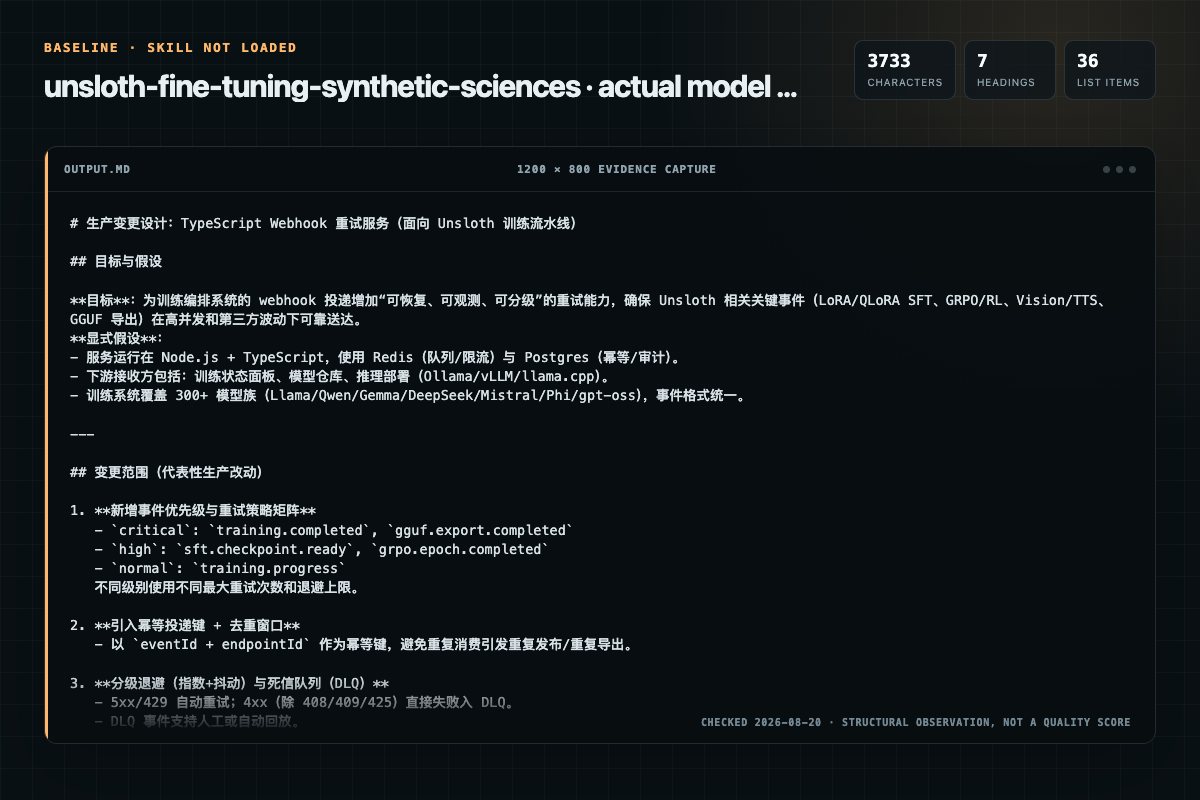
Baseline: 3733 non-whitespace characters, 7 headings, and 36 list items.
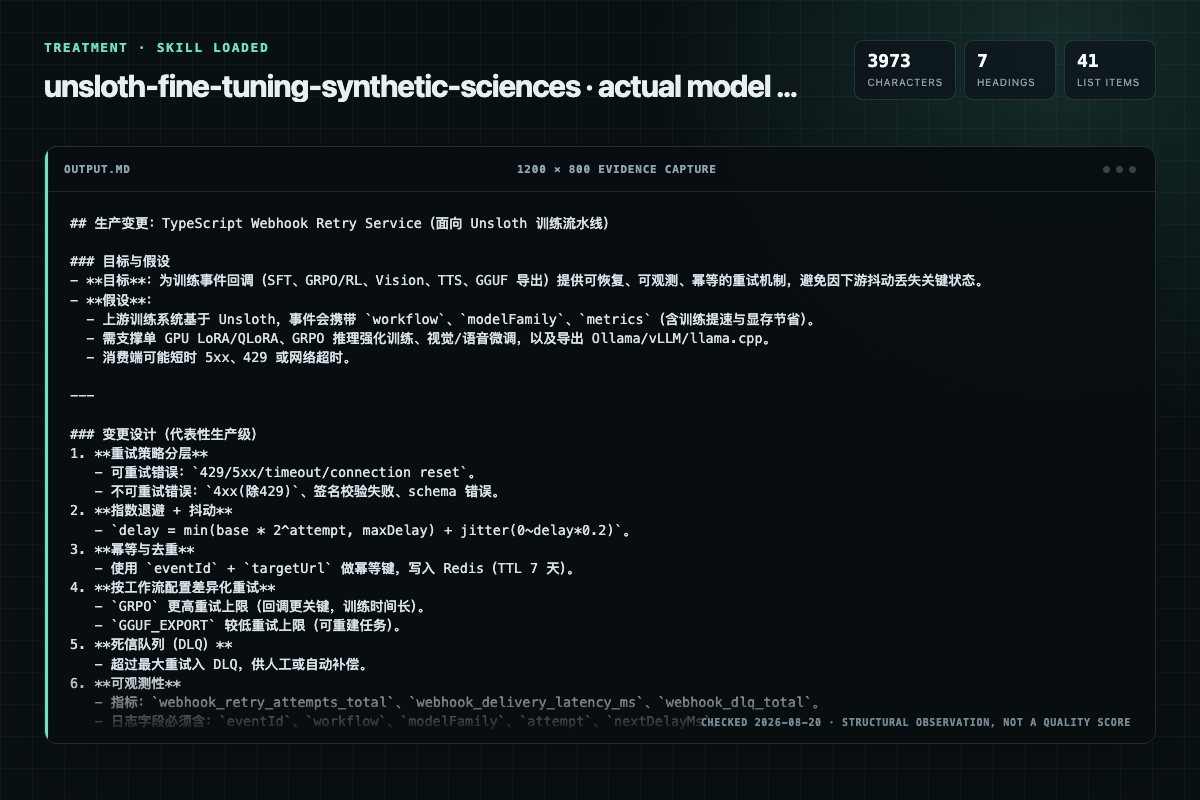
With Skill: 3973 non-whitespace characters, 7 headings, and 41 list items.
| Observation | Without Skill | With Skill |
|---|---|---|
| Source-signal coverage | 1/8: unsloth | 1/8: unsloth |
| Output structure | 3733 chars · 7 headings · 36 list items · 3 code blocks | 3973 chars · 7 headings · 41 list items · 3 code blocks |
| Verification and caution signals | 10 verification signals · 4 risk/limitation signals | 9 verification signals · 5 risk/limitation signals |
Use the unsloth-fine-tuning Skill pinned at 0e1e42e75212 for my task. Follow its source-specific constraints around `unsloth-fine-tuning`, `unsloth`, `fine-tuning`, `quick`, then return the finished deliverable with explicit assumptions, verification, failure conditions, and limits. Do not treat the Skill text as a factual source or claim that a single demonstration proves universal performance.
Compatibility matrix
| Platform | Status | Evidence | What to check |
|---|---|---|---|
| Codex | Not declared | No explicit evidence | Portability before use |
| Claude Code | Not declared | No explicit evidence | Portability before use |
| Cursor | Not declared | No explicit evidence | Portability before use |
| Gemini CLI | Not declared | No explicit evidence | Portability before use |
Installation
The source command is displayed only when detected. A safe inspection prompt is always available so your agent can explain every action before execution.
npx skills add https://github.com/synthetic-sciences/openscience --skill "backend/cli/skills/ml-training/unsloth"Inspect the Agent Skill "unsloth-fine-tuning" from https://github.com/synthetic-sciences/openscience/blob/d7129109cc959e2bbbfee84bba019e4e722221da/backend/cli/skills/ml-training/unsloth/SKILL.md at commit d7129109cc959e2bbbfee84bba019e4e722221da. List every install step, command, network request, credential, file read/write, external action, and rollback step. Explain whether it fits my task. Do not install or execute anything until I approve.
Workflow
Use this for standard instruction tuning, chat fine-tuning, or domain adaptation.
python from unsloth import FastLanguageModel from trl import SFTTrainer, SFTConfig from datasets import loaddataset
model, tokenizer = FastLanguageModel.frompretrained( modelname="unsloth/Qwen3-8B-bnb-4bit", or any HF model maxseqlength=2048, loadin4bit=True, False for LoRA 16-bit )
model = FastLanguageModel.getpeftmodel( model, r=16, Rank: 8-128 (16-32 recommended) loraalpha=16, Alpha: equal to r or 2r loradropout=0, 0 is default, use 0.05-0.1 for regularization targetmodules=["qproj", "kproj", "vproj", "oproj", "gateproj", "upproj", "downproj"], usegradie…
dataset = loaddataset("philschmid/dolly-15k-oai-style", split="train")
Permission review
The documentation asks the agent to run terminal commands or scripts.
# Docker (all dependencies pre-installed)The documentation asks the agent to run terminal commands or scripts.
docker run -d -e JUPYTER_PASSWORD="mypassword" \Evidence record
| Signal | Value | Evidence type | Meaning |
|---|---|---|---|
| Quality score | 93/100 | Computed | Documentation, specificity, maintenance, and trust rules |
| Repository stars | 3,337 | Source | Repository attention, not individual Skill quality |
| Compatibility | 0 platforms | Source | Declared in the catalog source record |
| Usage guide | tested outcome page | Tested | Generated or reviewed according to the visible evidence level |
Pinned source
Fine-tune LLMs 2-5x faster with 50-80% less VRAM. Supports SFT, RL (GRPO), vision, TTS, and 300+ models with zero accuracy loss.
Use Unsloth when:
Don't use Unsloth when:
transformersUnsloth vs Alternatives:
| Need | Use |
|---|---|
| Fast single-GPU LoRA/QLoRA | Unsloth |
| Managed cloud LoRA training | Tinker |
| Parameter-efficient methods (IA3, Prefix, etc.) | PEFT |
| Multi-node distributed training | DeepSpeed + Transformers |
| YAML-config-driven training | Axolotl |
| Full fine-tuning with FSDP | Transformers + Accelerate |
| Topic | Documentation |
|---|---|
| Overview & Features | docs/overview.md |
| Installation (pip) | docs/installation-pip.md |
| Installation (Docker) | docs/installation-docker.md |
| Model Selection Guide | docs/model-selection.md |
| VRAM Requirements | docs/requirements.md |
| Model Catalog (300+) | docs/models.md |
| Datasets & Formatting | docs/datasets.md |
| Chat Templates | docs/chat-templates.md |
| LoRA Hyperparameters | docs/lora-hyperparameters.md |
| GRPO RL Tutorial | docs/tutorial-grpo.md |
| Advanced RL Parameters | docs/advanced-rl.md |
| Memory-Efficient RL | docs/memory-efficient-rl.md |
| Vision Fine-Tuning | docs/vision-fine-tuning.md |
| Vision RL (VLM GRPO) | docs/vision-rl.md |
| TTS Fine-Tuning | docs/tts-fine-tuning.md |
| Saving to GGUF | docs/saving-to-gguf.md |
| Saving to Ollama | docs/saving-to-ollama.md |
| vLLM Deployment | docs/vllm-guide.md |
| FP8 Training | docs/fp8-rl.md |
| FP16 vs BF16 for RL | docs/fp16-vs-bf16.md |
| Multi-GPU DDP | docs/multi-gpu-ddp.md |
| Kernels & Packing | docs/kernels-packing.md |
| Inference | docs/inference.md |
| Troubleshooting | docs/troubleshooting-faq.md |
| Troubleshooting Inference | docs/troubleshooting-inference.md |
# Recommended (pip)
pip install unsloth

# With vLLM (for GRPO fast inference)
pip install uv && uv pip install unsloth vllm

# Docker (all dependencies pre-installed)
docker run -d -e JUPYTER_PASSWORD="mypassword" \
  -p 8888:8888 --gpus all -v $(pwd)/work:/workspace/work \
  unsloth/unsloth
Requirements: Linux or Windows (WSL), NVIDIA GPU with CUDA Capability 7.0+ (V100, T4, RTX 20-50, A100, H100, L40). AMD and Intel GPUs also supported. Python 3.10-3.13.
Use this for standard instruction tuning, chat fine-tuning, or domain adaptation.
from unsloth import FastLanguageModel
from trl import SFTTrainer, SFTConfig
from datasets import load_dataset

# Step 1: Load model (QLoRA 4-bit)
model, tokenizer = FastLanguageModel.from_pretrained(
    model_name="unsloth/Qwen3-8B-bnb-4bit",  # or any HF model
    max_seq_length=2048,
    load_in_4bit=True,   # False for LoRA 16-bit
)

# Step 2: Add LoRA adapters
model = FastLanguageModel.get_peft_model(
    model,
    r=16,                              # Rank: 8-128 (16-32 recommended)
    lora_alpha=16,                     # Alpha: equal to r or 2*r
    lora_dropout=0,                    # 0 is default, use 0.05-0.1 for regularization
    target_modules=["q_proj", "k_proj", "v_proj", "o_proj",
                    "gate_proj", "up_proj", "down_proj"],
    use_gradient_checkpointing="unsloth",  # 30% less VRAM
    use_rslora=False,                  # True for rank-stabilized LoRA
)

# Step 3: Prepare dataset
dataset = load_dataset("philschmid/dolly-15k-oai-style", split="train")

# Step 4: Train
trainer = SFTTrainer(
    model=model,
    tokenizer=tokenizer,
    train_dataset=dataset,
    args=SFTConfig(
        output_dir="./sft-output",
        per_device_train_batch_size=2,
        gradient_accumulation_steps=4,   # Effective batch = 2*4 = 8
        num_train_epochs=3,
        learning_rate=2e-4,
        fp16=True,                       # or bf16=True
        logging_steps=10,
        optim="adamw_8bit",
        max_seq_length=2048,
        packing=True,                    # Uncontaminated packing (2-5x faster)
    ),
)
trainer.train()

# Step 5: Save
model.save_pretrained("lora_adapter")          # LoRA only (~6MB)
tokenizer.save_pretrained("lora_adapter")
| Format | Template | Use Case |
|---|---|---|
| ShareGPT | {"conversations": [{"from": "human", ...}]} | Multi-turn chat, instruct models |
| ChatML / OpenAI | {"messages": [{"role": "user", ...}]} | OpenAI-compatible, instruct models |
| Alpaca | {"instruction": ..., "input": ..., "output": ...} | Single-turn tasks, base models |
| Raw text | Plain text corpus | Continued pretraining |
Use get_chat_template(tokenizer, chat_template="chatml") to apply templates. Use standardize_sharegpt(dataset) for ShareGPT-formatted data with non-standard keys.
Mask user inputs so loss is only computed on assistant responses:
from unsloth.chat_templates import train_on_responses_only
trainer = train_on_responses_only(
    trainer,
    instruction_part="<|start_header_id|>user<|end_header_id|>\n\n",      # Llama 3.x
    response_part="<|start_header_id|>assistant<|end_header_id|>\n\n",
)
# For Gemma: instruction_part="<start_of_turn>user\n", response_part="<start_of_turn>model\n"
Sources: docs/datasets.md, docs/chat-templates.md, docs/lora-hyperparameters.md
Use this for training reasoning models with reward functions — math, code, format compliance, verifiable tasks.
import os
os.environ["UNSLOTH_VLLM_STANDBY"] = "1"  # Memory-efficient RL

from unsloth import FastLanguageModel
import torch
import re

model, tokenizer = FastLanguageModel.from_pretrained(
    model_name="unsloth/Qwen3-8B",
    max_seq_length=2048,
    load_in_4bit=True,          # False for LoRA 16-bit
    fast_inference=True,         # Enable vLLM for fast generation
    max_lora_rank=32,
    gpu_memory_utilization=0.9,  # Reduce if OOM
)

model = FastLanguageModel.get_peft_model(
    model, r=32, lora_alpha=64,
    target_modules=["q_proj", "k_proj", "v_proj", "o_proj",
                    "gate_proj", "up_proj", "down_proj"],
    use_gradient_checkpointing="unsloth",
)

# Define reward functions
def correctness_reward(completions, answer, **kwargs):
    scores = []
    for completion in completions:
        match = re.search(r"<answer>(.*?)</answer>", completion, re.DOTALL)
        extracted = match.group(1).strip() if match else ""
        scores.append(1.0 if extracted == answer else 0.0)
    return scores

def format_reward(completions, **kwargs):
    pattern = r"<reasoning>.*?</reasoning>\s*<answer>.*?</answer>"
    return [1.0 if re.search(pattern, c, re.DOTALL) else 0.0 for c in completions]

# Train
from trl import GRPOConfig, GRPOTrainer

training_args = GRPOConfig(
    output_dir="./grpo-output",
    per_device_train_batch_size=2,
    gradient_accumulation_steps=4,
    learning_rate=5e-6,
    num_generations=8,          # Rollouts per prompt
    max_completion_length=512,
    max_prompt_length=512,
    max_steps=250,
    temperature=1.0,
    # RL algorithm variants
    loss_type="dapo",           # "grpo", "dr_grpo", "dapo", "bnpo"
    epsilon=0.2,
    epsilon_high=0.28,          # DAPO upper clipping
    scale_rewards="none",       # Dr. GRPO: no reward scaling
    optim="adamw_8bit",
    report_to="none",
)

trainer = GRPOTrainer(
    model=model,
    processing_class=tokenizer,
    args=training_args,
    train_dataset=dataset,
    reward_funcs=[correctness_reward, format_reward],
)
trainer.train()

# Save
model.save_lora("grpo_saved_lora")
| Algorithm | loss_type | Key Setting | Notes |
|---|---|---|---|
| GRPO | "grpo" | Default | Standard group relative policy optimization |
| Dr. GRPO | "dr_grpo" | scale_rewards="none" | No reward normalization, more stable |
| DAPO | "dapo" | epsilon_high=0.28 | Two-sided clipping, recommended default |
| BNPO | "bnpo" | — | Bounded negative policy optimization |
| GSPO | any | importance_sampling_level="sequence" | Sequence-level importance weighting (Qwen team) |
Set os.environ["UNSLOTH_VLLM_STANDBY"] = "1" before imports. This shares vLLM's weight space with training and repurposes KV cache memory during training — saving up to 60% VRAM. On H100 80GB: 16GB shared weights + 64GB multi-purpose space.
Sources: docs/tutorial-grpo.md, docs/advanced-rl.md, docs/memory-efficient-rl.md
Use this for training vision-language models on image+text tasks.
from unsloth import FastVisionModel
from trl import SFTTrainer, SFTConfig
from unsloth.trainer import UnslothVisionDataCollator

model, tokenizer = FastVisionModel.from_pretrained(
    "unsloth/Qwen2.5-VL-7B-Instruct-bnb-4bit",
    max_seq_length=2048,
    load_in_4bit=True,
)

model = FastVisionModel.get_peft_model(
    model,
    finetune_vision_layers=True,       # Toggle vision encoder training
    finetune_language_layers=True,
    finetune_attention_modules=True,
    finetune_mlp_modules=True,
    r=16, lora_alpha=16,
    target_modules="all-linear",
    use_gradient_checkpointing="unsloth",
)

# Dataset format: user content has text + image
def convert_to_conversation(sample):
    return {"messages": [
        {"role": "user", "content": [
            {"type": "text", "text": "Describe this image."},
            {"type": "image", "image": sample["image"]}]},
        {"role": "assistant", "content": [
            {"type": "text", "text": sample["caption"]}]},
    ]}

dataset = [convert_to_conversation(s) for s in raw_dataset]  # Use list, not .map()

trainer = SFTTrainer(
    model=model, tokenizer=tokenizer,
    data_collator=UnslothVisionDataCollator(model, tokenizer),
    train_dataset=dataset,
    args=SFTConfig(output_dir="./vision-output", max_seq_length=2048,
                   per_device_train_batch_size=1, gradient_accumulation_steps=4),
)
trainer.train()
For VLM RL with vLLM, set fast_inference=True but finetune_vision_layers=False (vLLM limitation). Enable Standby for memory savings.
| Model | Sizes | Notes |
|---|---|---|
| Qwen3-VL | 2B-235B | Best vLLM VLM support |
| Qwen2.5-VL | 3B-72B | Stable, well-tested |
| Gemma 3 | 4B-27B | Requires L4+ GPU (BF16 only in vLLM) |
| Llama 3.2 Vision | 11B, 90B | No vLLM LoRA support; use Unsloth inference |
| Pixtral | 12B | Mistral vision model |
Sources: docs/vision-fine-tuning.md, docs/vision-rl.md
Use this for voice cloning, style adaptation, or speech-to-text fine-tuning.
from unsloth import FastModel
from datasets import load_dataset, Audio

model, tokenizer = FastModel.from_pretrained(
    "unsloth/orpheus-3b-0.1-ft",
    max_seq_length=2048,
    load_in_4bit=False,  # 16-bit recommended for TTS
)

dataset = load_dataset("MrDragonFox/Elise", split="train")
dataset = dataset.cast_column("audio", Audio(sampling_rate=24000))  # 24kHz required
Orpheus supports emotional tags: <laugh>, <sigh>, <cough>, <gasp>, <yawn>, etc.
| Model | Size | Type | Notes |
|---|---|---|---|
| Orpheus-TTS | 3B | Speech generation | Emotional cues, llama.cpp compatible |
| Sesame-CSM | 1B | Speech generation | Requires audio context per speaker |
| Spark-TTS | 0.5B | Speech generation | Smallest, fastest inference |
| Whisper Large V3 | ~1.5B | Speech-to-text | STT fine-tuning |
| Llasa-TTS | 1B | Speech generation | — |
| Oute-TTS | 1B | Speech generation | — |
Sources: docs/tts-fine-tuning.md
Use this to run any Unsloth workflow on a Google Colab GPU directly from openscience — no local GPU required.
colab_notebook workflow=bridgecolab_connect connection_url="wss://..."colab_finetune workflow=sft model="unsloth/Qwen3-4B-unsloth-bnb-4bit" dataset="mlabonne/FineTome-100k"
All SFT/GRPO/DPO/vision/TTS workflows work identically on Colab. The plugin handles:
| Colab Tier | GPU | VRAM | Max Model (QLoRA) |
|---|---|---|---|
| Free | T4 | 15 GB | ~14B |
| Pro | A100 | 40 GB | ~32B |
| Pro+ | A100 80GB | 80 GB | ~72B |
push_to_hub parameterSee the colab-finetuning skill for detailed Colab-specific guidance.
| Dataset Size | Recommendation |
|---|---|
| 1,000+ rows | Base model (more customizable) |
| 300-1,000 rows | Either base or instruct |
| < 300 rows | Instruct model (preserves built-in capabilities) |
| Suffix | Meaning |
|---|---|
unsloth-bnb-4bit | Unsloth dynamic 4-bit quants (higher accuracy, slightly more VRAM) |
bnb-4bit | Standard BitsAndBytes 4-bit quantization |
| No suffix | Original 16-bit or 8-bit format |
| Parameters | QLoRA (4-bit) | LoRA (16-bit) |
|---|---|---|
| 3B | 3.5 GB | 8 GB |
| 7-8B | 5-6 GB | 19-22 GB |
| 14B | 8.5 GB | 33 GB |
| 27B | 22 GB | 64 GB |
| 32B | 26 GB | 76 GB |
| 70B | 41 GB | 164 GB |
| 90B | 53 GB | 212 GB |
Common OOM fix: reduce per_device_train_batch_size to 1 or 2.
Sources: docs/model-selection.md, docs/requirements.md
| Parameter | Default | Range | Notes |
|---|---|---|---|
r (rank) | 16 | 8-128 | Higher = more capacity, more VRAM. Start with 16-32 |
lora_alpha | r | r to 2*r | Scaling factor. W_hat = W + (alpha/r) * AB |
lora_dropout | 0 | 0-0.1 | Regularization. 0 is recommended default |
target_modules | attention | "all-linear" or list | QLoRA-All gives best quality |
use_gradient_checkpointing | — | "unsloth" | 30% less memory than standard checkpointing |
use_rslora | False | True/False | Rank-stabilized LoRA: scales by sqrt(r) instead of r |
learning_rate | 2e-4 | 1e-4 to 5e-4 | For LoRA/QLoRA SFT. Use 5e-6 for RL |
num_train_epochs | 3 | 1-5 | More than 5 risks overfitting |
per_device_train_batch_size | 2 | 1-8 | Reduce to 1 if OOM |
gradient_accumulation_steps | 4 | 1-16 | Effective batch = batch_size * accumulation |
Unsloth's gradient accumulation fix makes all configurations equivalent:
Effective Batch Size = per_device_train_batch_size × gradient_accumulation_steps
# batch_size=2, accum=4 ≡ batch_size=1, accum=8 ≡ batch_size=8, accum=1
Sources: docs/lora-hyperparameters.md
# LoRA adapter only (~6MB)
model.save_pretrained("lora_adapter")

# Merged 16-bit (for vLLM deployment)
model.save_pretrained_merged("model_16bit", tokenizer, save_method="merged_16bit")

# GGUF (for Ollama, llama.cpp, LM Studio)
model.save_pretrained_gguf("model_gguf", tokenizer, quantization_method="q4_k_m")

# Push to Hugging Face Hub
model.push_to_hub_merged("username/model", tokenizer, save_method="merged_16bit", token="...")
model.push_to_hub_gguf("username/model", tokenizer, quantization_method="q4_k_m", token="...")
| Method | Bits | Quality | Speed | Size | Notes |
|---|---|---|---|---|---|
f16 | 16 | Best | Slow | Large | 100% accuracy, no quantization |
q8_0 | 8 | Very High | Good | Medium | Generally acceptable |
q5_k_m | 5 | High | Fast | Small | Good balance |
q4_k_m | 4 | Good | Fast | Small | Recommended for most use cases |
q3_k_m | 3 | OK | Fastest | Smallest | For very limited VRAM |
q2_k | 2 | Lower | Fastest | Tiny | Maximum compression |
| Platform | Save Method | Command |
|---|---|---|
| Ollama | save_pretrained_gguf | Auto-creates Modelfile, then ollama create |
| vLLM | save_pretrained_merged("...", save_method="merged_16bit") | vllm serve ./model |
| llama.cpp | save_pretrained_gguf or manual GGUF | ./llama-cli -m model.gguf |
| LM Studio | save_pretrained_gguf | Import GGUF file |
| Hugging Face | push_to_hub_merged or push_to_hub_gguf | Online inference |
from unsloth import FastLanguageModel
model, tokenizer = FastLanguageModel.from_pretrained("lora_adapter", max_seq_length=2048, load_in_4bit=True)
FastLanguageModel.for_inference(model)  # Enable 2x faster inference

inputs = tokenizer("What is machine learning?", return_tensors="pt").to("cuda")
output = model.generate(**inputs, max_new_tokens=256)
print(tokenizer.decode(output[0], skip_special_tokens=True))
Sources: docs/saving-to-gguf.md, docs/saving-to-ollama.md, docs/vllm-guide.md, docs/inference.md
| Problem | Solution |
|---|---|
| CUDA OOM during training | Reduce per_device_train_batch_size to 1. Enable use_gradient_checkpointing="unsloth". Use QLoRA (load_in_4bit=True). |
| Poor results after GGUF/Ollama export | Use the SAME chat template for training and inference. Check eos_token. Use conversational notebooks to force template. |
| GGUF/vLLM 16-bit save crashes | Reduce maximum_memory_usage to 0.5: model.save_pretrained(..., maximum_memory_usage=0.5) |
| Overfitting (val loss increases) | Reduce epochs/LR, increase weight_decay/lora_dropout, add more data, use early stopping |
| Underfitting (loss stays high) | Increase rank, alpha, epochs, or LR. Decrease batch size to 1. Use domain-relevant data. |
| All labels are -100 | train_on_responses_only has wrong instruction/response parts for your model. Check template. |
| RL OOM with vLLM | Enable Standby: os.environ["UNSLOTH_VLLM_STANDBY"] = "1". Reduce gpu_memory_utilization. |
add_new_tokens breaks LoRA | Must call add_new_tokens(model, tokenizer, ...) BEFORE get_peft_model() |
| CUDA device-side assert | Set os.environ["UNSLOTH_COMPILE_DISABLE"] = "1" and os.environ["UNSLOTH_DISABLE_FAST_GENERATION"] = "1" |
| New model not supported | Set trust_remote_code=True and unsloth_force_compile=True — works with any transformers-compatible model |
| Downloads stuck at 90-95% | Set os.environ["UNSLOTH_STABLE_DOWNLOADS"] = "1" before imports |
| torch.compile slow startup | Normal — takes ~5 minutes to warm up. Measure throughput after warmup. Disable with UNSLOTH_COMPILE_DISABLE=1. |
Sources: docs/troubleshooting-faq.md, docs/troubleshooting-inference.md
load_in_4bit=True) — fits most models on consumer GPUs with minimal accuracy lossunsloth-bnb-4bit model variants for higher accuracy than standard 4-bit quantsuse_gradient_checkpointing="unsloth" — 30% less VRAM than standard gradient checkpointingtarget_modules="all-linear" for best quality, or specify attention+MLP moduleslora_alpha = r or 2*r — higher alpha increases effective learning ratepacking=True in SFTConfig) for 2-5x faster training with proper attention maskingtrain_on_responses_only to avoid training on user promptsUNSLOTH_VLLM_STANDBY=1) and fast_inference=Trueloss_type="dapo") as the default RL algorithm — most stableload_in_fp8=True) on Ampere+ GPUs for 60% less VRAM with ~equal accuracyeval_strategy="steps" for monitoringflash-attention in the same environment. Unsloth bundles xformers which may conflict with flash-attn on attention kernels. Use separate environments.Frequently asked questions
Fine-tune LLMs 2-5x faster with 50-80% less VRAM. Supports SFT, RL (GRPO), vision, TTS, and 300+ models with zero accuracy loss.
The source record exposes this install command: npx skills add https://github.com/synthetic-sciences/openscience --skill "backend/cli/skills/ml-training/unsloth". Inspect the command and pinned source before running it.
Static rules flagged exec-script in the source; the page lists the matching lines and excerpts.
Alternatives
Postpartum-genushyacinthus29/dotnet-skills
Build long-running .NET background services with `BackgroundService`, Generic Host, graceful shutdown, configuration, logging, and deployment patterns suited to workers and daemons.
vasilyu1983/AI-Agents-public
Guides iOS testing with XCTest, XCUITest, Swift Testing, simctl, and xcresult. Use when choosing destinations, controlling flakes, or parsing test artifacts for native apps.
garrytan/gbrain
Generate a publication-quality PDF from any brain page via the gstack make-pdf binary. Strips YAML frontmatter, sanitizes emoji, applies running headers and page numbers. Brain page is always the source of truth; PDF is a rendering.
NVIDIA/skills
How to swap the DeepStream CV detection model in the VSS Alerts Blueprint verification (2d_cv) mode - covers ONNX export, custom bbox parsers, compose mount gotchas, nvinfer config, runtime TRT engine build, deployment, and a segmentation-capable model addendum handoff.