
Tested demoQuality 93/100Review permissions
XiaomiMiMo/MiMo-Code/packages/opencode/src/skill/builtin/.bundle/xlsx-official/SKILL.md
xlsx-official
Spreadsheet toolkit. Reach for it whenever the artifact on either side of the conversation is a workbook file — .xlsx, .xlsm, .xltx, .csv, .tsv — and the user wants that artifact produced, changed, cleaned, or read. Typical triggers: 'build me a model', 'update this sheet', 'add a column', 'compute the totals as formulas', 'sanity-check this xlsx', 'export sheet 2 to CSV', 'render the workbook as PDF', 'the spreadsheet in ~/Downloads is a mess, fix it'. Applies equally to financial models, ops r
- Source repository stars
- 12,864
- Declared platforms
- 0
- Static risk flags
- 2
- Last source update
- 2026-08-24
- Source checked
- 2026-08-25
Decision brief
What it does: where it fits
An Apache-2.0 toolkit for producing, editing, and reading Microsoft Excel (.xlsx) files. Written from scratch against the public ECMA-376 / ISO/IEC 29500 (SpreadsheetML) specification and built on permissively-licensed tooling (openpyxl MIT, pandas BSD-3-Clause, lxml BSD-3-Claus…
Not for
- Tasks that require unconfirmed production actions or broad system permissions.
- Environments where the pinned source and install steps cannot be inspected.
Controlled single-run demoChecked 2026-08-20
What changed when the Skill was used
In this controlled same-task single run, enabling xlsx-official changed the output from 2197 non-whitespace characters and 20 headings to 2474 characters and 9 headings. Matches among 8 signals extracted from the pinned source changed from 0 to 0. Both actual outputs are shown; this is a structural observation, not a quality score or a universal performance claim.
Same test task
Analyze a small SaaS churn scenario and produce a concrete analysis plan with data checks, method choices, expected outputs, and validation steps. The deliverable must specifically reflect this user intent: Spreadsheet toolkit. Reach for it whenever the artifact on either side of the conversation is a workbook file — .xlsx, .xlsm, .xltx, .csv, .tsv — and the user wants that artifact produced, changed, cleaned, or read. Typical triggers: 'build me a model', 'update this sheet', 'add a column', 'compute the totals as formulas', 'sanity-check this xlsx', 'export sheet 2 to CSV', 'render the workbook as PDF', 'the spreadsheet in ~/Downloads is a mess, fix it'. Applies equally to financial models, ops r
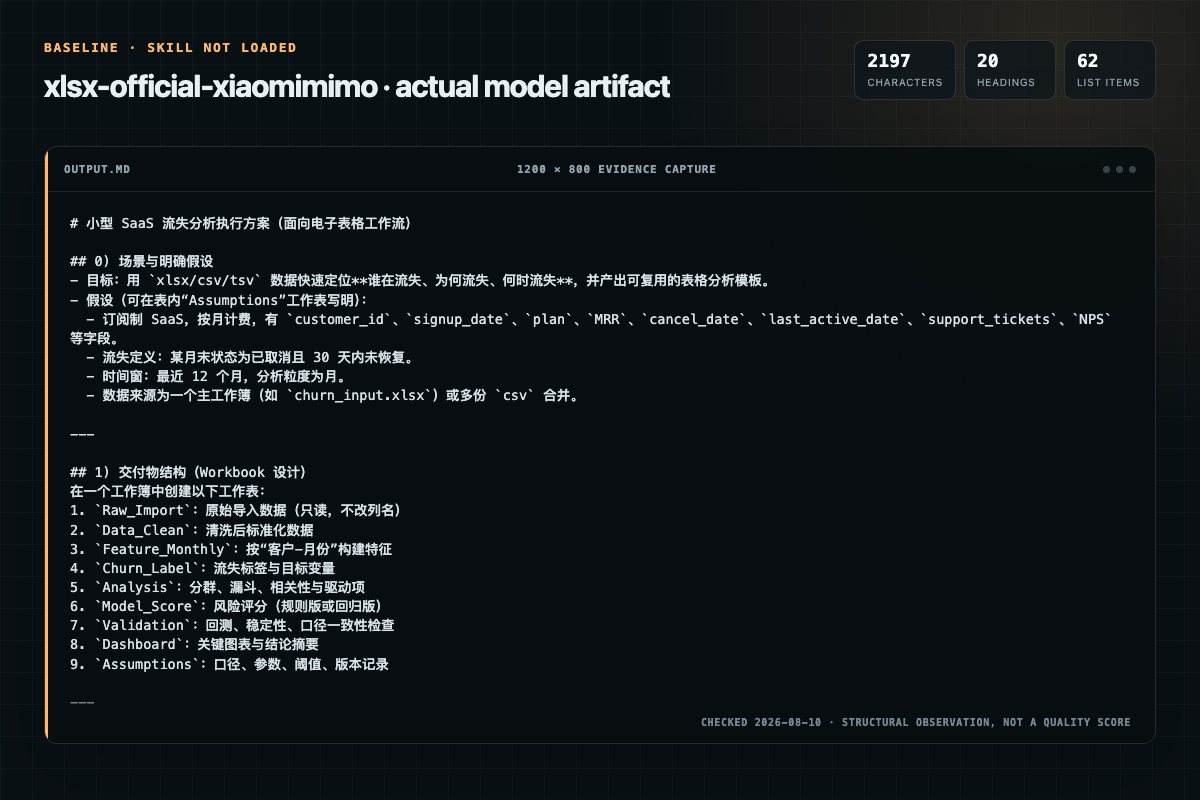
Baseline: 2197 non-whitespace characters, 20 headings, and 62 list items.
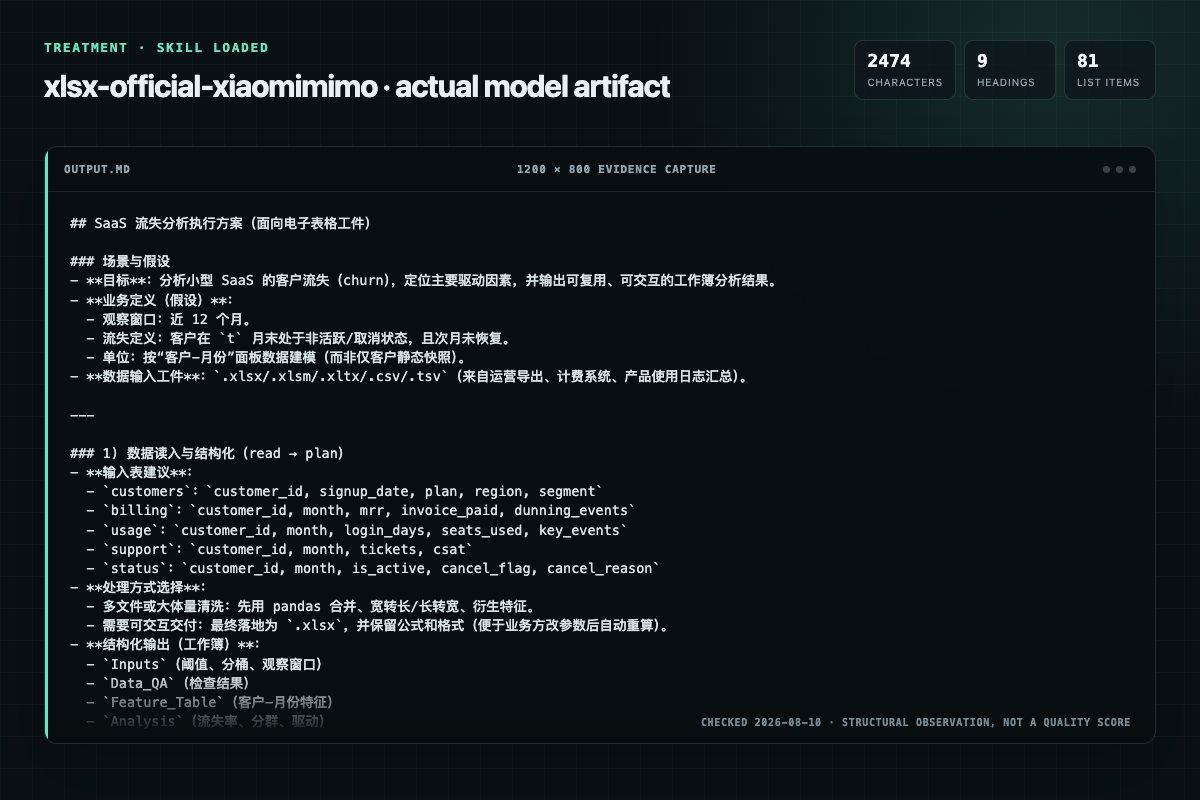
With Skill: 2474 non-whitespace characters, 9 headings, and 81 list items.
| Observation | Without Skill | With Skill |
|---|---|---|
| Source-signal coverage | 0/8: none | 0/8: none |
| Output structure | 2197 chars · 20 headings · 62 list items · 0 code blocks | 2474 chars · 9 headings · 81 list items · 0 code blocks |
| Verification and caution signals | 11 verification signals · 8 risk/limitation signals | 18 verification signals · 15 risk/limitation signals |
A prompt you can use
Use the xlsx-official Skill pinned at 6ee774bad24c for my task. Follow its source-specific constraints around `xlsx-official`, `decision`, `matrix`, `one-time`, then return the finished deliverable with explicit assumptions, verification, failure conditions, and limits. Do not treat the Skill text as a factual source or claim that a single demonstration proves universal performance.
Method and limitationsExpandCollapse
Test method
- Baseline and treatment used the same task, model (gpt-5.3-codex-low), and runner; the only planned difference was whether the complete target Skill text was injected.
- The treatment used snapshot 245191352ac9b7521ea41c94d5b90130c8c334f7; the current source commit 6ee774bad24c4f830536167d8db5e0d81ec50ba5 was verified against content hash 956e64cf6f41. The baseline explicitly prohibited loading any Skill or external rule file.
- The same deterministic script counted characters, headings, lists, code blocks, verification terms, caution terms, and source signals in both artifacts. Source signals: `xlsx-official`, `decision`, `matrix`, `one-time`, `environment`, `setup`, `optional`, `recommended`.
- The visuals are local screenshots of the actual Markdown artifacts in a fixed 1200 × 800 evidence canvas, not recreated product mockups. Raw JSON artifacts and request records are retained in the research directory.
Do not over-read this demo
- This is one controlled demonstration per condition, not a multi-run statistical benchmark; the model is stochastic.
- Character, structure, and keyword counts show observable differences but cannot by themselves prove correctness, originality, or business impact.
- The task is a representative test designed for repeatability, not every real-world use of the Skill; rerun after a material source change.
- Editorial review
- SkillSignal editorial
- Runner
- Cursor Agent 2026.07.09-a3815c0
- Model
- gpt-5.3-codex-low
- Refresh due
- 2026-11-18
- Reviewed commit
- 6ee774bad24c4f830536167d8db5e0d81ec50ba5
- Test snapshot
- 245191352ac9b7521ea41c94d5b90130c8c334f7
Compatibility matrix
Platform support, with evidence labels
| Platform | Status | Evidence | What to check |
|---|---|---|---|
| Codex | Not declared | No explicit evidence | Portability before use |
| Claude Code | Not declared | No explicit evidence | Portability before use |
| Cursor | Not declared | No explicit evidence | Portability before use |
| Gemini CLI | Not declared | No explicit evidence | Portability before use |
Installation
Inspect first. Install second.
The source command is displayed only when detected. A safe inspection prompt is always available so your agent can explain every action before execution.
Source-detected install commandSource
npx skills add https://github.com/XiaomiMiMo/MiMo-Code --skill "packages/opencode/src/skill/builtin/.bundle/xlsx-official"Safe inspection promptEditorial
Inspect the Agent Skill "xlsx-official" from https://github.com/XiaomiMiMo/MiMo-Code/blob/5e32992a97ed7f8d2d00e4c312133716292dab9e/packages/opencode/src/skill/builtin/.bundle/xlsx-official/SKILL.md at commit 5e32992a97ed7f8d2d00e4c312133716292dab9e. List every install step, command, network request, credential, file read/write, external action, and rollback step. Explain whether it fits my task. Do not install or execute anything until I approve.
Workflow
What the source asks the agent to do
- 01
One-time environment setup
Bundled runtime: when the MIMOPYTHON environment variable is set, skip the pip installs below — run every command with python3/uv run replaced by "$MIMOPYTHON" (e.g. "$MIMOPYTHON" scripts/overview.py book.xlsx). openpyxl/pandas/lxml/xlsxwriter are preinstalled in that interprete…
Bundled runtime: when the MIMOPYTHON environment variable is set, skip the pip installs below — run every command with python3/uv run replaced by "$MIMOPYTHON" (e.g. "$MIMOPYTHON" scripts/overview.py book.xlsx). openpyx…bash python3 -m pip install --upgrade openpyxl pandas lxml - 02
Decision matrix
If the task mixes several of these, do them in this order: read → plan → edit/create → recalc → validate.
If the task mixes several of these, do them in this order: read → plan → edit/create → recalc → validate. - 03
Optional but recommended:
python3 -m pip install --upgrade xlsxwriter
python3 -m pip install --upgrade xlsxwriter - 04
For formula recalc and PDF export:
Review the “For formula recalc and PDF export:” section in the pinned source before continuing.
Review and apply the “For formula recalc and PDF export:” source section. - 05
macOS brew install --cask libreoffice
Review the “macOS brew install --cask libreoffice” section in the pinned source before continuing.
Review and apply the “macOS brew install --cask libreoffice” source section.
Permission review
Static risk signals and limitations
Runs scripts
The documentation asks the agent to run terminal commands or scripts.
**Bundled runtime:** when the `MIMO_PYTHON` environment variable is set, skip the pip installs below — run every command with `python3`/`uv run` replaced by `"$MIMO_PYTHON"` (e.g. `"$MIMO_PYTHON" scripts/overview.py book.xlsx`). openpyxl/paRuns scripts
The documentation asks the agent to run terminal commands or scripts.
python3 -m pip install --upgrade openpyxl pandas lxmlReads files
The documentation asks the agent to read local files, directories, or repositories.
Every script is a small, self-contained Python file. Read the top of the fileEvidence record
Why each signal appears
EvidenceSourceComputedTestedEditorial
| Signal | Value | Evidence type | Meaning |
|---|---|---|---|
| Quality score | 93/100 | Computed | Documentation, specificity, maintenance, and trust rules |
| Repository stars | 12,864 | Source | Repository attention, not individual Skill quality |
| Compatibility | 0 platforms | Source | Declared in the catalog source record |
| Usage guide | tested outcome page | Tested | Generated or reviewed according to the visible evidence level |
Pinned source
Provenance and original SKILL.md
- Repository
- XiaomiMiMo/MiMo-Code
- Skill path
- packages/opencode/src/skill/builtin/.bundle/xlsx-official/SKILL.md
- Commit
- 5e32992a97ed7f8d2d00e4c312133716292dab9e
- License
- MIT
- Collected
- 2026-08-25
- Default branch
- main
View the original SKILL.md
XLSX Skill
An Apache-2.0 toolkit for producing, editing, and reading Microsoft Excel
(.xlsx) files. Written from scratch against the public
ECMA-376 / ISO/IEC 29500 (SpreadsheetML)
specification and built on permissively-licensed tooling
(openpyxl MIT, pandas BSD-3-Clause, lxml BSD-3-Clause,
optional xlsxwriter BSD-2-Clause, optional external binary soffice
MPL 2.0) so it can be reused in commercial projects without restriction.
Decision matrix
| Situation | Path | Read first |
|---|---|---|
| Build a workbook from a prompt / dataframe / raw values | Author with openpyxl (formulas + formatting) or pandas (bulk data) | create.md |
Edit an existing .xlsx — add rows, patch cells, refresh formulas | Load with openpyxl, preserve formulas & styles | edit.md |
| Only need to read the data out (analysis, ETL, quick QA) | pandas.read_excel + openpyxl for structural inspection | read.md |
| Clean, aggregate, or transform tabular data before writing back | pandas pipeline, then hand back to openpyxl for final polish | analyze.md |
| Deep structural edits (custom XML parts, defined names, VBA-free surgery) | Unpack → edit XML → repack | edit.md → Raw XML workflow |
| Recompute formula values before shipping | scripts/bake.py via LibreOffice | see QA below |
If the task mixes several of these, do them in this order: read → plan → edit/create → recalc → validate.
One-time environment setup
Bundled runtime: when the
MIMO_PYTHONenvironment variable is set, skip the pip installs below — run every command withpython3/uv runreplaced by"$MIMO_PYTHON"(e.g."$MIMO_PYTHON" scripts/overview.py book.xlsx). openpyxl/pandas/lxml/xlsxwriter are preinstalled in that interpreter; pip console scripts are unavailable, so always go through"$MIMO_PYTHON" -m <module>. A bundled LibreOffice (forbake.py/pdf_out.py) is exposed asMIMO_SOFFICEand picked up automatically.
python3 -m pip install --upgrade openpyxl pandas lxml
# Optional but recommended:
python3 -m pip install --upgrade xlsxwriter
# For formula recalc and PDF export:
#   macOS       brew install --cask libreoffice
#   Debian/Ubuntu apt-get install -y libreoffice
Every script under scripts/ uses only the standard library plus openpyxl
and pandas. No proprietary dependencies.
Common commands
# 1. Describe a workbook (sheets, dimensions, formula count, sample rows)
python scripts/overview.py input.xlsx

# 2. Recalculate every formula, then flag any residual #REF! / #DIV/0! / etc.
python scripts/bake.py output.xlsx               # default 30s LibreOffice timeout
python scripts/bake.py output.xlsx --timeout 60  # custom timeout

# 3. Validate ZIP integrity, XML well-formedness, and openpyxl load
python scripts/audit.py output.xlsx

# 4. Convert to CSV (one file per sheet, or a single sheet by name/index)
python scripts/csv_out.py input.xlsx out_dir/           # all sheets
python scripts/csv_out.py input.xlsx out.csv --sheet 0  # first sheet

# 5. Convert to PDF for visual QA (needs LibreOffice)
python scripts/pdf_out.py output.xlsx           # writes output.pdf next to it

# 6. Unpack an .xlsx into readable XML parts (for surgical edits)
python scripts/explode.py input.xlsx unpacked/

# 7. Repack an unpacked directory into a fresh .xlsx
python scripts/assemble.py unpacked/ output.xlsx
Every script is a small, self-contained Python file. Read the top of the file for full CLI options.
Authoring principles
Excel is a live calculation surface, not a static table renderer. Users open workbooks and expect to change numbers, watch the rest update, and trust what they see. Keep that in mind:
- Use formulas, not hardcoded values. Compute totals with
=SUM(...), not with a Pythonsum()written into the cell. When source data changes, the workbook must recompute itself. - Put assumptions in dedicated input cells. Reference them from formulas
(
=B5*(1+$B$6)), never inline (=B5*1.05). This is the single biggest determinant of whether a model is usable. - One sheet per idea. Inputs on one sheet, calculations on another, output
on a third. Cross-sheet references (
Inputs!B5) make dependencies explicit. - Named styles beat ad-hoc formatting. For anything reused (headers,
totals, inputs, error markers), register a
NamedStyleonce and reapply. - Freeze headers.
sheet.freeze_panes = "A2"(or"B2"if the first column is a row label) — every scrolling table needs this. - Format numbers per column, in one pass. Apply
cell.number_formatin a loop over the data range of each column (for row in ws.iter_rows(min_col=3, max_col=3): ...). Note:column_dimensions['C'].number_formatdoes not reliably format cells you write afterwards — openpyxl-written cells carry their own style. - Never rely on openpyxl to evaluate formulas. It stores the string
"=SUM(...)"and a cached previous value (if the file was opened before). Freshly written formulas have no cached value until LibreOffice or Excel recomputes.
Number-format cheatsheet
| Kind | Format string | Renders |
|---|---|---|
| Plain integer with thousands | #,##0 | 1,234 |
| Currency (USD, hide zeros) | $#,##0;($#,##0);"-" | $1,234 / ($1,234) / - |
| Currency (2 dp) | $#,##0.00 | $1,234.56 |
| Percentage (1 dp) | 0.0% | 12.3% |
| Multiplier | 0.00"x" | 1.35x |
| Year as text | 0 | 2026 (no comma) |
| Short date | yyyy-mm-dd | 2026-07-04 |
| Long date | dddd, mmmm d, yyyy | Saturday, July 4, 2026 |
| Scientific | 0.00E+00 | 1.23E+04 |
Use parentheses for negatives in financial contexts; use a leading minus for scientific or engineering contexts.
Color and style conventions
There is no universal standard, but if the user does not specify one, this palette is safe for internal financial or operational models:
| Purpose | Value | Rationale |
|---|---|---|
| Header text | #1F1F1F on #F2F2F2 fill | High contrast, print-safe |
| Input (user changes) | Blue #0033CC | Visually distinct from formulas |
| Formula (calculated) | Black #1F1F1F | Default reading color |
| Same-workbook link | Green #116611 | "Comes from elsewhere in this file" |
| Cross-file link | Red #B22222 | "Fragile — points outside this file" |
| Assumption to review | #FFF2CC fill | Yellow highlight, still readable in b/w |
| Error / warning | #FFC7CE fill, #9C0006 text | Excel's built-in "bad" style |
Override these whenever the file has an existing template — match it exactly.
QA checklist — always run before declaring done
Assume something is wrong. Excel opens broken files quietly: a stray
#REF!, an off-by-one range, a formula that quietly evaluates to 0. Verify
explicitly.
-
Recalculate formulas. openpyxl does not evaluate them — LibreOffice does.
python scripts/bake.py output.xlsxRead the JSON output.
status: "clean"witherror_count: 0is the only acceptable result. -
Structural validation.
python scripts/audit.py output.xlsxConfirms the ZIP is well-formed, all XML parts parse, and openpyxl can round-trip the file.
-
Spot-check the values. Load with
data_only=Trueafter recalculation and read the cells you expect to be non-zero:from openpyxl import load_workbook wb = load_workbook('output.xlsx', data_only=True) assert wb['Summary']['B10'].value == expected_total -
Visual sanity. Render a PDF and scan the first and last sheets for:
- Columns clipped because widths were left at default.
- Numbers displayed as
########(column too narrow for the format). - Formulas showing as text (missing leading
=, or a leading apostrophe). - Headers repeated per page, print area set for large sheets.
python scripts/pdf_out.py output.xlsx
If any of these fail, fix and re-run. Do not paper over.
Common formula pitfalls
#DIV/0!— wrap divisions defensively:=IF(B2=0,0,A2/B2)or=IFERROR(A2/B2, 0). PreferIFso real zeros stay visible; useIFERRORonly for values that must always be numeric.#REF!— a cell reference points to a deleted row/column. Rebuild the formula against current coordinates; do not just delete the offending cell.#VALUE!— text where a number is expected, usually from a stray label in a data column. Check the column dtype in pandas before writing.#NAME?— the formula uses a function name Excel does not recognize. Common causes: typos (=SUMM(...)), locale-specific separators (;vs,), or dynamic-array functions likeFILTERin older Excel versions.#N/A— usually fromVLOOKUP/XLOOKUP/MATCHfailing to find a key. Wrap inIFNA(..., default)when a miss is expected.- Cross-sheet reference typos.
Sheet1!A1works;Sheet 1!A1needs quoting:'Sheet 1'!A1. openpyxl accepts either — Excel demands the quoting.
What is out of scope
.xls(Excel 97-2003 binary). Convert to.xlsxfirst:soffice --headless --convert-to xlsx old.xls.- VBA / macros /
.xlsm. This skill does not emit or execute macros. - Password-protected or encrypted workbooks. openpyxl cannot read encrypted files; strip protection through Excel/LibreOffice first.
- Live Excel automation. For COM (Windows) or AppleScript (macOS) integration, use a dedicated automation library — this toolkit is file-in / file-out.
Where each detail lives
- Creating from scratch:
create.md— workbooks, sheets, formulas, formatting, named styles, charts, images, freeze panes, print setup. - Editing / templating:
edit.md— patching cells, appending rows, inserting columns, preserving formulas & styles, unpack/repack for deep XML surgery, defined names, data validation. - Reading / extracting:
read.md— pandas reads, structural inspection, formula extraction, conversion to CSV / TSV / PDF. - Data analysis:
analyze.md— pandas pipelines, reshaping, groupby, joins, then handing back to openpyxl for the final writeable artifact. - Scripts:
scripts/— CLI utilities used throughout.
Frequently asked questions
What to verify before installation and use
What does the xlsx-official source document cover?
An Apache-2.0 toolkit for producing, editing, and reading Microsoft Excel (.xlsx) files. Written from scratch against the public ECMA-376 / ISO/IEC 29500 (SpreadsheetML) specification and built on permissively-licensed tooling (openpyxl MIT, pandas BSD-3-Clause, lxml BSD-3-Claus…
How do I install xlsx-official?
The source record exposes this install command: npx skills add https://github.com/XiaomiMiMo/MiMo-Code --skill "packages/opencode/src/skill/builtin/.bundle/xlsx-official". Inspect the command and pinned source before running it.
Which permission-related actions were detected?
Static rules flagged exec-script, read-files in the source; the page lists the matching lines and excerpts.
Alternatives
Compare before choosing
Computed 9834,322
K-Dense-AI/scientific-agent-skills
dask
Distributed computing for larger-than-RAM pandas/NumPy workflows. Use when you need to scale existing pandas/NumPy code beyond memory or across clusters. Best for parallel file processing, distributed ML, integration with existing pandas code. For out-of-core analytics on single machine use vaex; for in-memory speed use polars.
Computed 973,337
synthetic-sciences/openscience
imaging-data-commons
Query and download public cancer imaging data from NCI Imaging Data Commons using idc-index. Use for accessing large-scale radiology (CT, MR, PET) and pathology datasets for AI training or research. No authentication required. Query by metadata, visualize in browser, check licenses.
Computed 97733
rampstackco/claude-skills
data-warehouse-experimentation
Running experiments out of the data warehouse instead of via dedicated experiment platforms. SQL-based assignment, exposure logging discipline, metric definitions in dbt models, statistical analysis in SQL or Python, variance reduction with CUPED, sequential testing, and the operational tradeoffs vs platforms like Statsig and Optimizely. Triggers on warehouse-native experimentation, run experiments in BigQuery, run experiments in Snowflake, dbt experiments, SQL t-test, CUPED variance reduction,
Computed 97149
UiPath/skills
uipath-coded-apps
UiPath Coded Apps — scaffold, build, run, and deploy Coded Web Apps and Coded Action Apps: React/TypeScript apps that call UiPath Cloud APIs via the `@uipath/uipath-typescript` SDK and ship to Automation Cloud (push/pull to Studio Web, pack, publish, deploy, OAuth-PKCE). Also generates live analytics & governance dashboards from a plain-language request, wired to tenant data via the Insights real-time API, with edit and deploy flows. For RPA→uipath-rpa, Python agents→uipath-agents, Maestro flows